VJ-1604 Maintenance Manual 4 Parts Replacement
4-99 Rev.-05
4.7.6 Replacing CR Driven Pulley
After installing the CR driven pulley, always ensure that the steel belt is evenly guided along the
center part of the CR motor assembly pulley by moving the carriage left and right by hand.
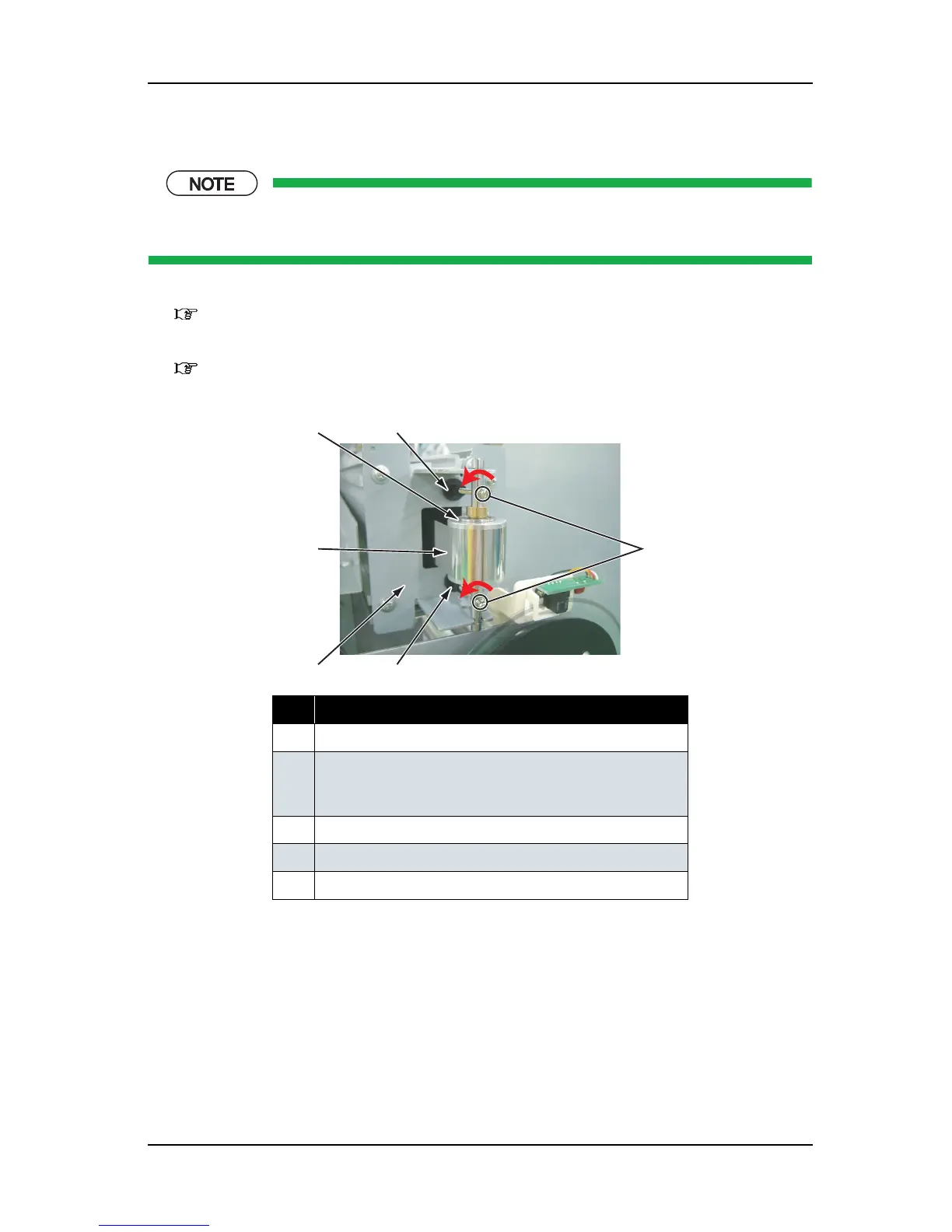
1. Remove the side maintenance cover L.
"4.2.5 Removing Side Maintenance Cover L" p.4-12
2. Remove the side top cover L.
"4.2.7 Removing Side Top Cover L" p.4-14
3. Remove the steel belt adjustment screws (2 pieces).
4. Confirm that the steel belt is loosened.
5. Remove the CR driven pulley.
6. Remove the screw caps (2 pieces).
7. Replace the CR driven pulley assembly.
No. Part name
1 CR driven pulley
2 Adjustment screws
(pan-head screw with spring washer and flat washer M3
×
40)
3 Steel belt
4 Return pulley mounting plate
5 Screw cap
2
1
3
4
5
5















 To Next Page