4 Parts Replacement VJ-1604 Maintenance Manual
Rev.-05 4-42
4.4.2 Replacing Power Board Assembly
If the power board assembly needs to be removed, remove the power cable and wait for 5
minutes or more before dismount the assembly; this will discharge the residual electrical
charge of the electrolytic capacitor.
Touching the board before the capacitor discharges may cause electric shock.
1. Remove the media guide F (upper).
"4.2.17 Removing Media Guide F (Upper)" p.4-24
2. Remove the connectors.
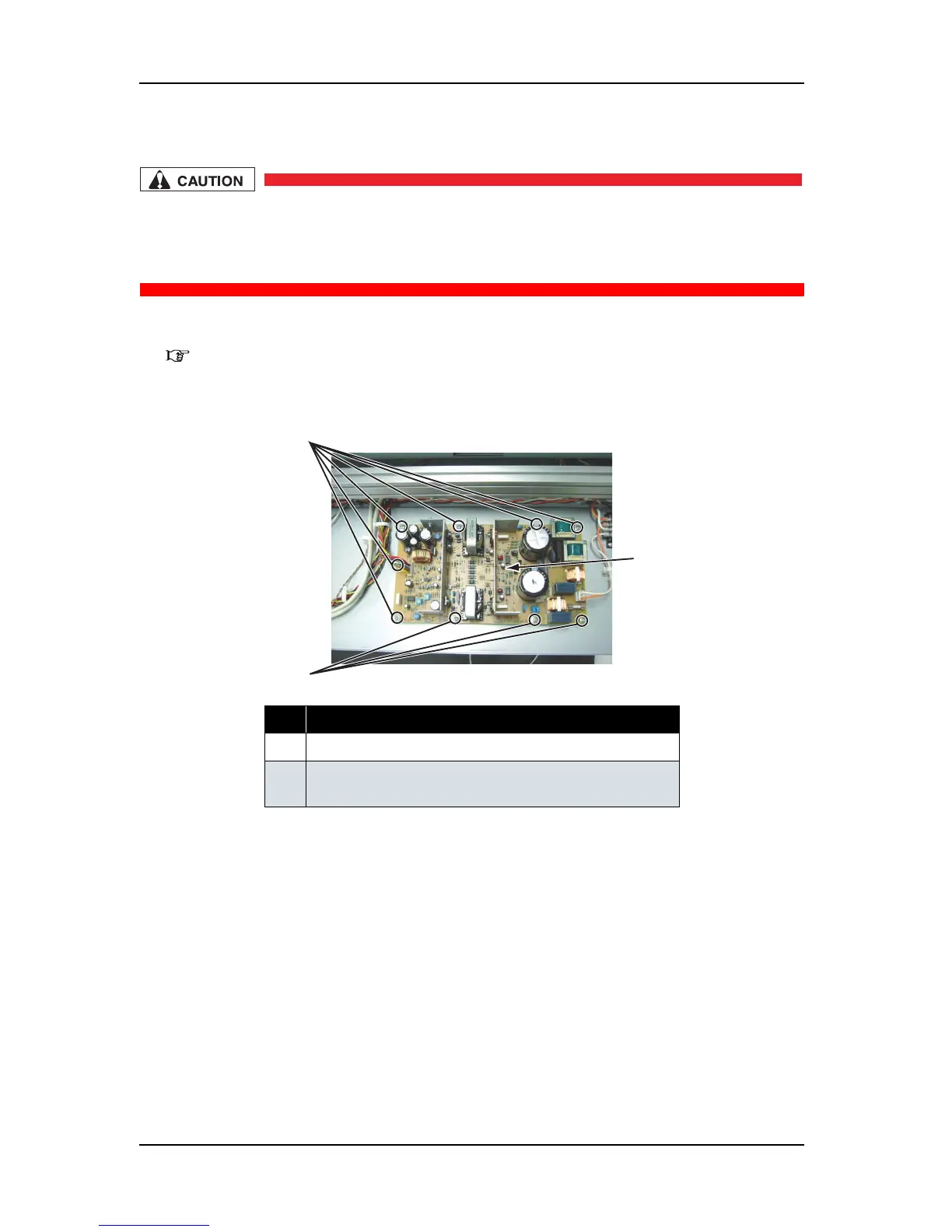
3. Remove the screws (9 pieces) that retain power board assembly.
4. Remove the power board assembly.
5. Replace the power board assembly.
6. To reassemble the unit, reverse the removal procedure.
No. Part name
1 Power board assembly
2 Screws that retain the power board assembly
(cup screw M3
× 6)
2
1
2















 To Next Page