7 Adjustment VJ-1604 Maintenance Manual
Rev.-05 7-16
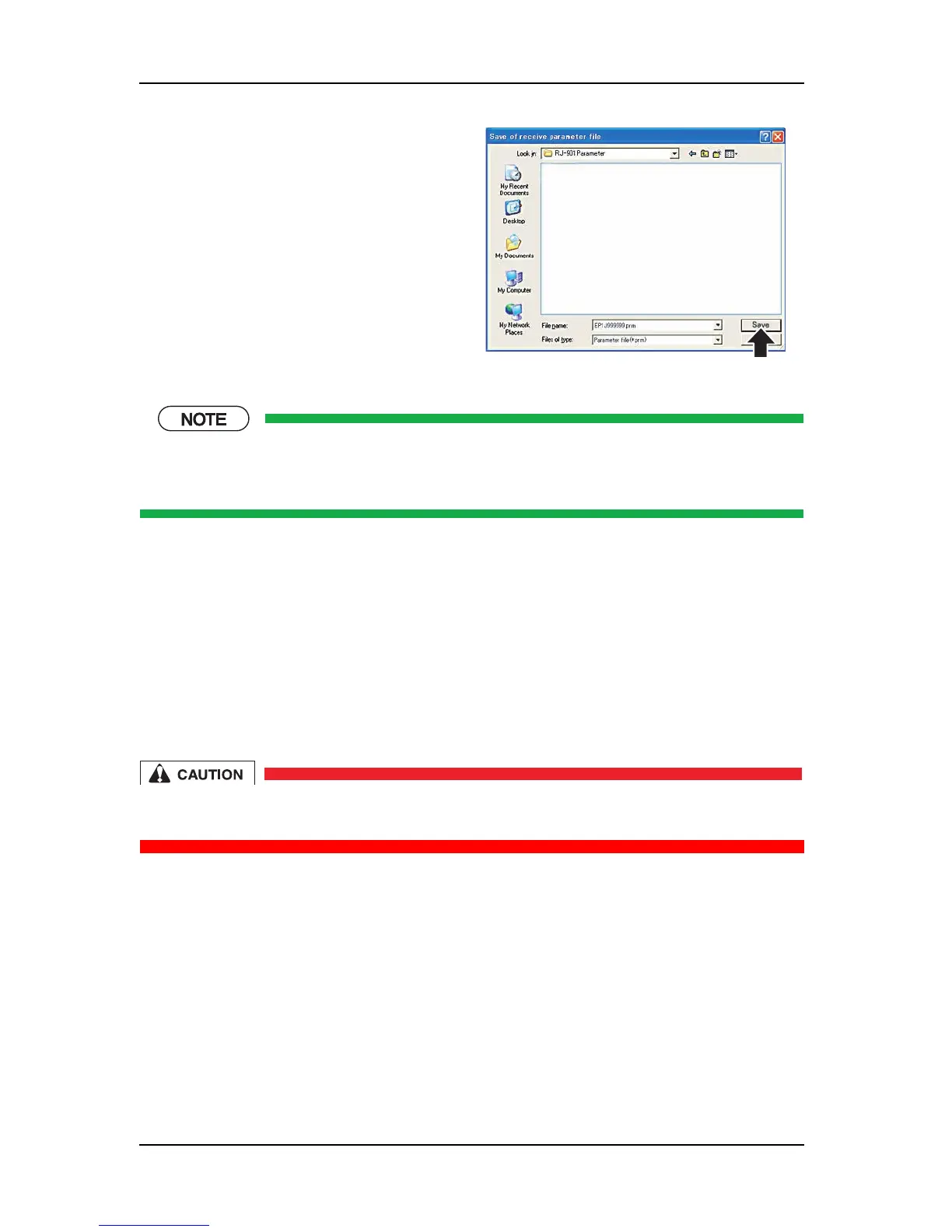
When the "Save of receive parameter file" window opens, the file name to save is automatically set
(can be changed). The file name automatically set is the printer serial number. If the printer does not
have a serial number, the default file name is set.
7.3.5 Firmware Installation
This section describes the procedure to install the firmware.
The NVRAM (Flash-ROM) on the MAIN board assembly stores the programs (firmware) that control the
machine operations.
When performing the following maintenance works, always install the firmware.
• Replacing the MAIN board assembly
• Updating the firmware
Be very careful of the firmware to transfer. If an improper firmware is installed, the printer
may become unable to operate. In this case, it will be necessary to replace the circuitboard.
(1) DIP Switch Settings on the Main Board
When the circuitboard is replaced, it is possible to change the firmware by unlocking the false installation
prevention safety by switching the DIP switches.
Perform operations according to the following procedures.
5. In the "Save of receive parameter file" window,
confirm the location to save to, and then click
[Save].
* The backup parameter is saved.















 To Next Page