4 Parts Replacement VJ-1604 Maintenance Manual
Rev.-05 4-14
4.2.7 Removing Side Top Cover L
Before removing the side top cover L, close the front cover.
1. Remove the side maintenance cover L.
"4.2.5 Removing Side Maintenance Cover L" p.4-12
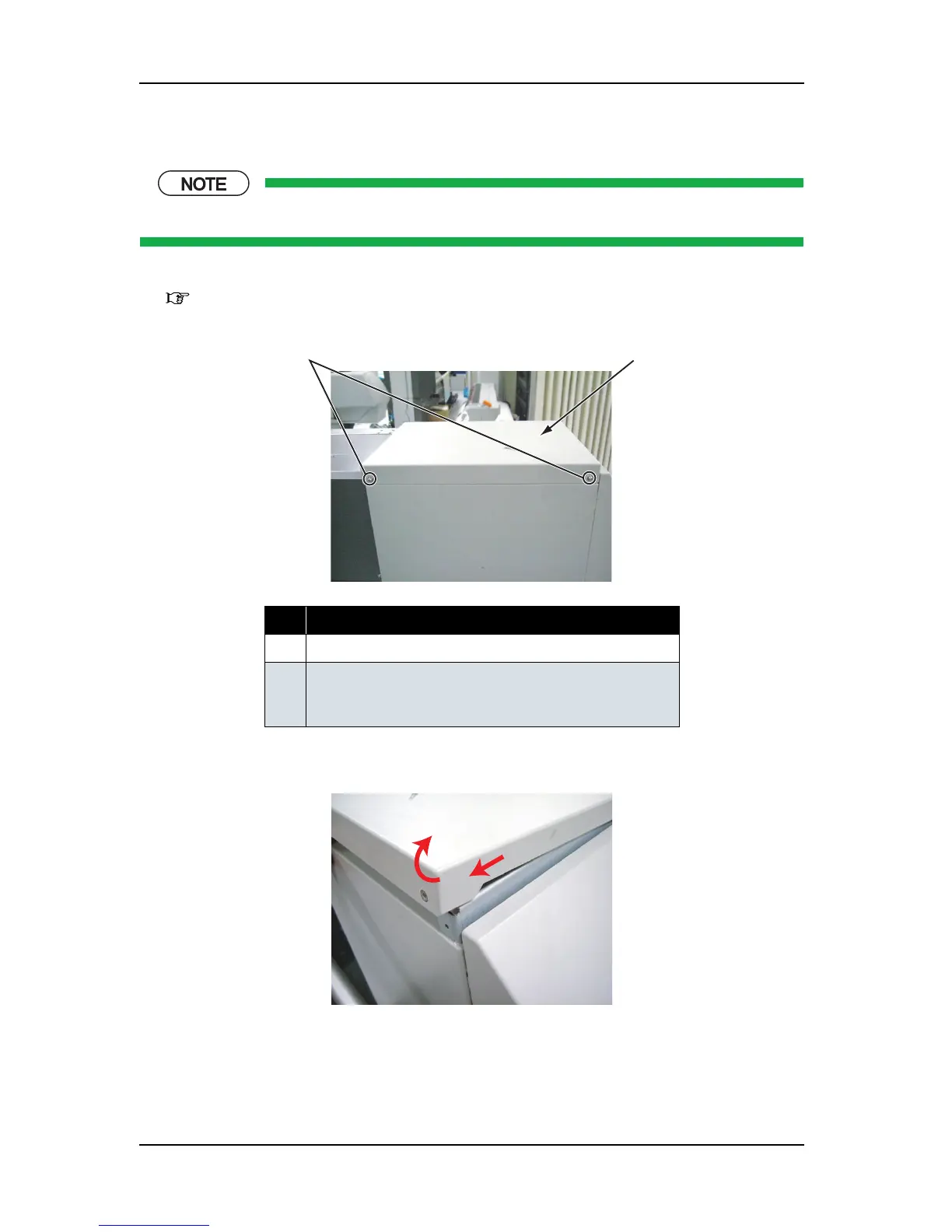
2. Remove the screws (2 pieces) that retain the side top cover L.
3. Remove the side top cover L to the direction shown in the picture below.
4. To reassemble the unit, reverse the removal procedure.
No. Part name
1 Side top cover L
2 Screws that retain the side top cover L
(pan-head screw with spring washer and flat washer M4
×
8)
2
1















 To Next Page