4 Parts Replacement VJ-1604 Maintenance Manual
Rev.-05 4-102
4.7.8 Replacing CR_FFC
• When replacing the board or connecting and removing FFC, first remove the power plug
and leave it for a while. Overcurrent may occur and damage the board.
• When connecting and removing the FFC type cables to/from the CR board assembly
connectors, always pull or push the cables perpendicularly to the connector.
Pulling or pushing them slantwise may damage/short/break the terminals in the
connectors, resulting in a breakdown of the on-board elements.
• The cables can be connected or removed up to 5 times.
1. Remove the CR cover.
"4.8.2 Removing CR Board Cover" p.4-107
2. Remove the steel bearer.
"4.7.7 Replacing Steel Bearer" p.4-98
3. Remove the board box cover 64.
"4.4.1 Opening Board Box 64" p.4-40
4. Detach CR-FFC (3 pieces) from the CR board assembly (J201 - J203).
5. Detach CR-FFC (3 pieces) from the MAIN board assembly (J9 - J11).
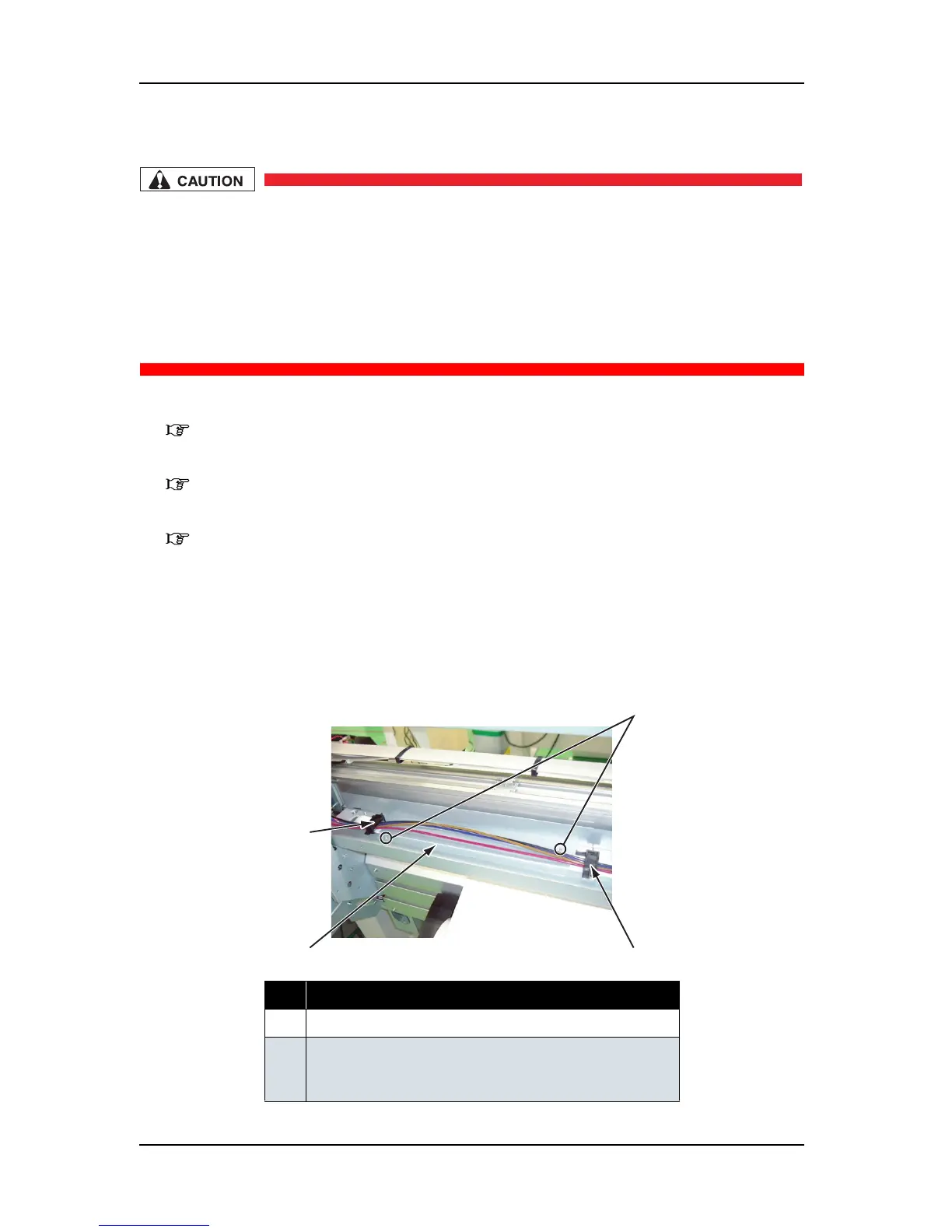
6. Remove the screws (2 pieces) that retain the FFC guide (1 piece).
7. Remove the FFC guide.
8. Remove the FT guide material (2 pieces).
No. Part name
1 FFC guide
2 Screws that retain the FFC guide
(pan-head screw with spring washer and flat washer M3
×
6)
2
1
3
3















 To Next Page