VJ-1604 Maintenance Manual 4 Parts Replacement
4-17 Rev.-05
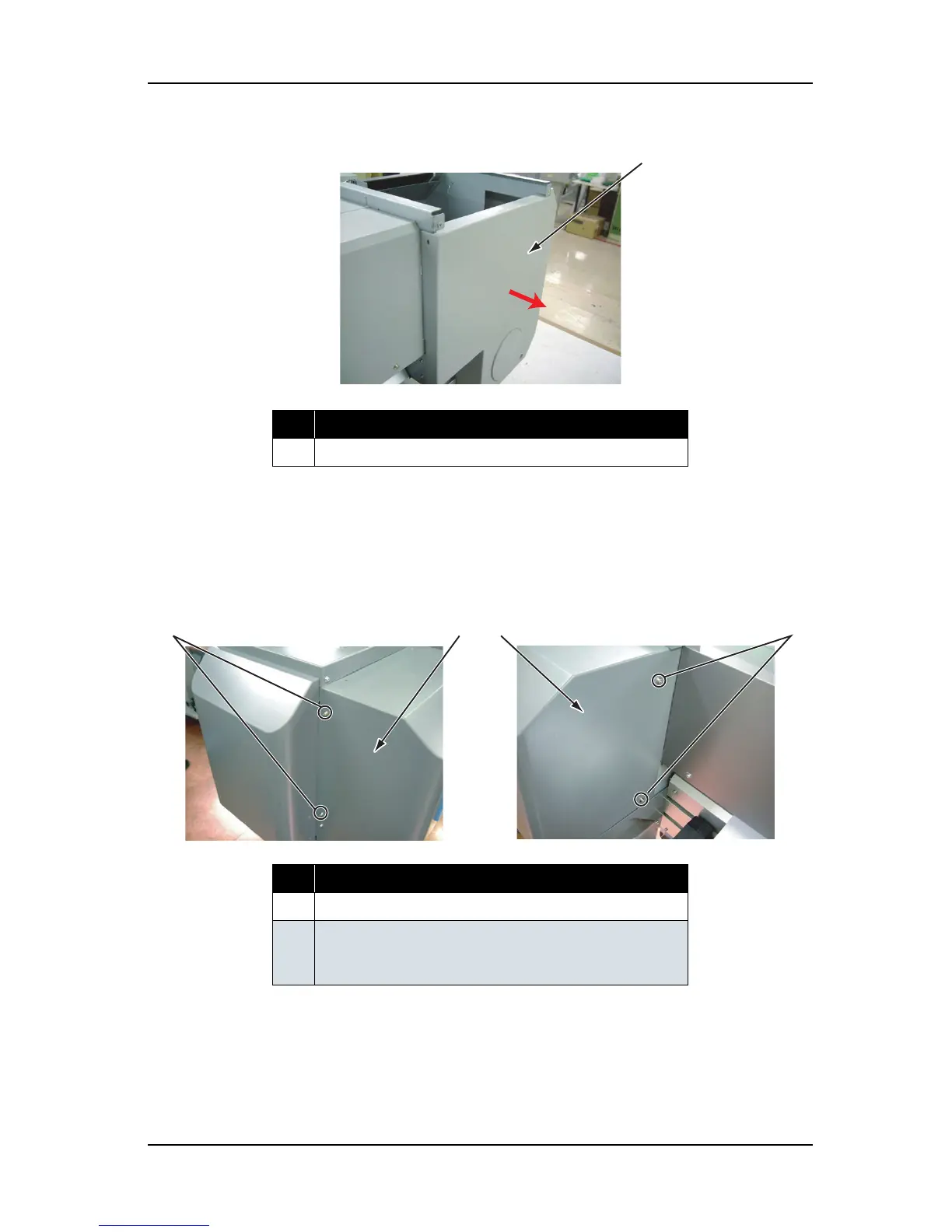
7. Remove the rear side cover.
8. To reassemble the unit, reverse the removal procedure.
4.2.9 Removing Cartridge Cover (Upper)
1. Remove the ink cartridge (6 pieces).
2. Remove the screws (4 pieces) that retain the left and right part of the cartridge cover (upper).
No. Part name
1 Rear side cover
No. Part name
1 Cartridge cover (upper)
2 Screws that retain the cartridge cover (upper)
(pan-head screw with spring washer and flat washer M4
×
8)
1
2
1
1
2
Rear left view
Rear right view















 To Next Page