4 Parts Replacement VJ-1604 Maintenance Manual
Rev.-05 4-142
4.10.3 Replacing Ink Cartridge Control Cable
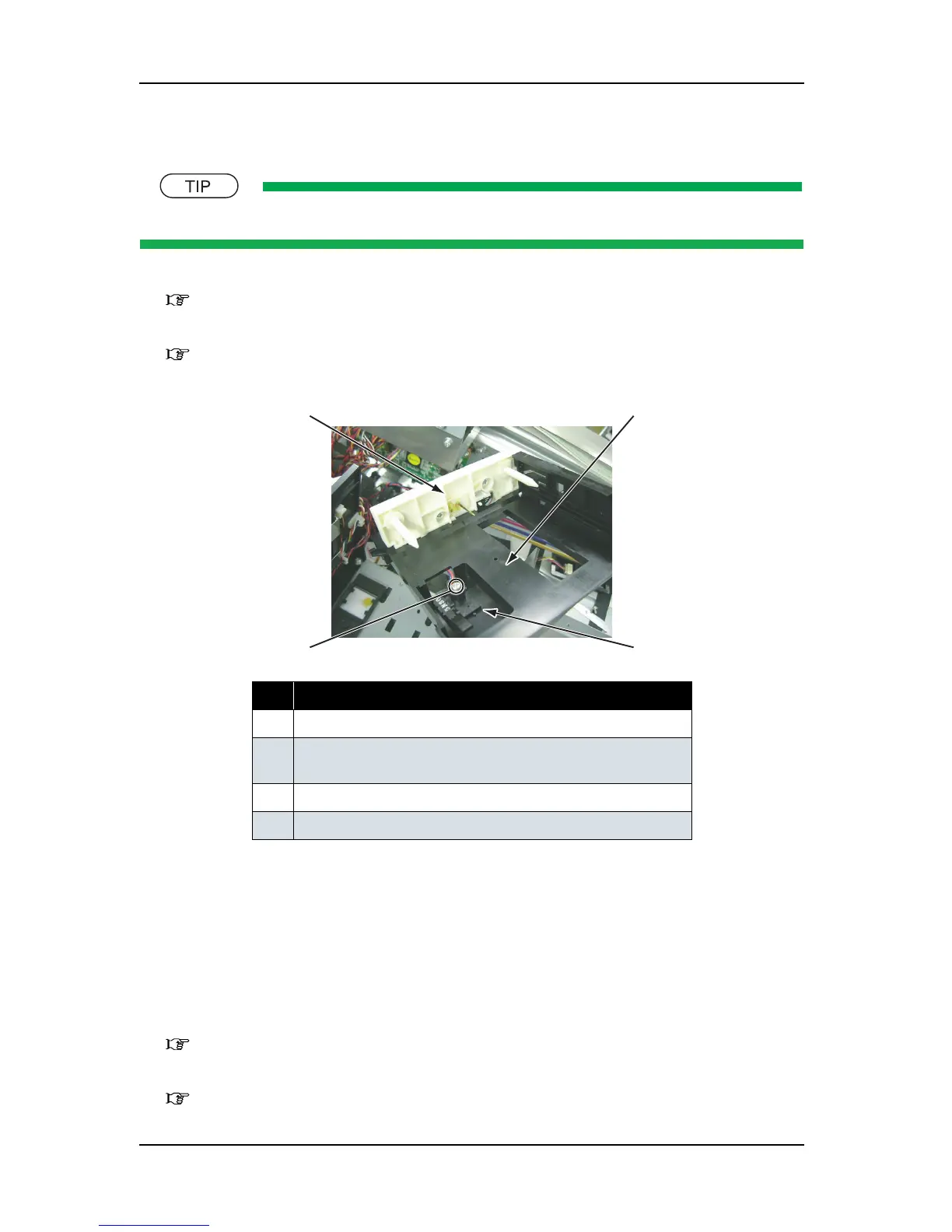
There are three connectors to the ink cartridge control cable.
1. Detach the ink cartridge control cable from the ink ID board assembly.
"4.10.1 Replacing Ink ID Board Assembly" p.4-133
2. Detach the ink cartridge control cable from the frame assembly and the needle.
"4.10.2 Replacing Frame Assembly, Needle" p.4-136
3. Remove the screw (1 piece) that retains the ink cartridge control cable to the cartridge side plate.
4. Remove the connector to the ink cartridge control cable from the HEATER JUNCTION board assembly
(J5 - J10).
5. Replace the ink cartridge control cable.
6. To reassemble the unit, reverse the removal procedure.
4.10.4 Replacing Cartridge Holder Assembly
1. Remove the cartridge cover (upper).
"4.2.9 Removing Cartridge Cover (Upper)" p.4-17
2. Remove the cartridge cover (middle)
"4.2.10 Removing Cartridge Cover (Middle)" p.4-18
No. Part name
1 Ink cartridge control cable
2 Screw that retains the ink cartridge control cable
(P tight cup screw M3
× 10)
3 Cartridge side plate
4 Frame assembly, needle
1
2
3
4















 To Next Page