7 Adjustment VJ-1604 Maintenance Manual
Rev.-05 7-14
(7) Starting Board Manager Mode
If the [Waiting for command] is not displayed, follow the steps below.
If an IP address other than the default is displayed on the board, releasing the [<] key will display
[IP192.168.xxx.xxx?] (depending on the set address) on the LCD. In this case, display the default IP
(IP192.168.001.253?) or the set IP address using the [+] key or [-] key, and press the [Enter] key.
[Waiting for command] will then appear.
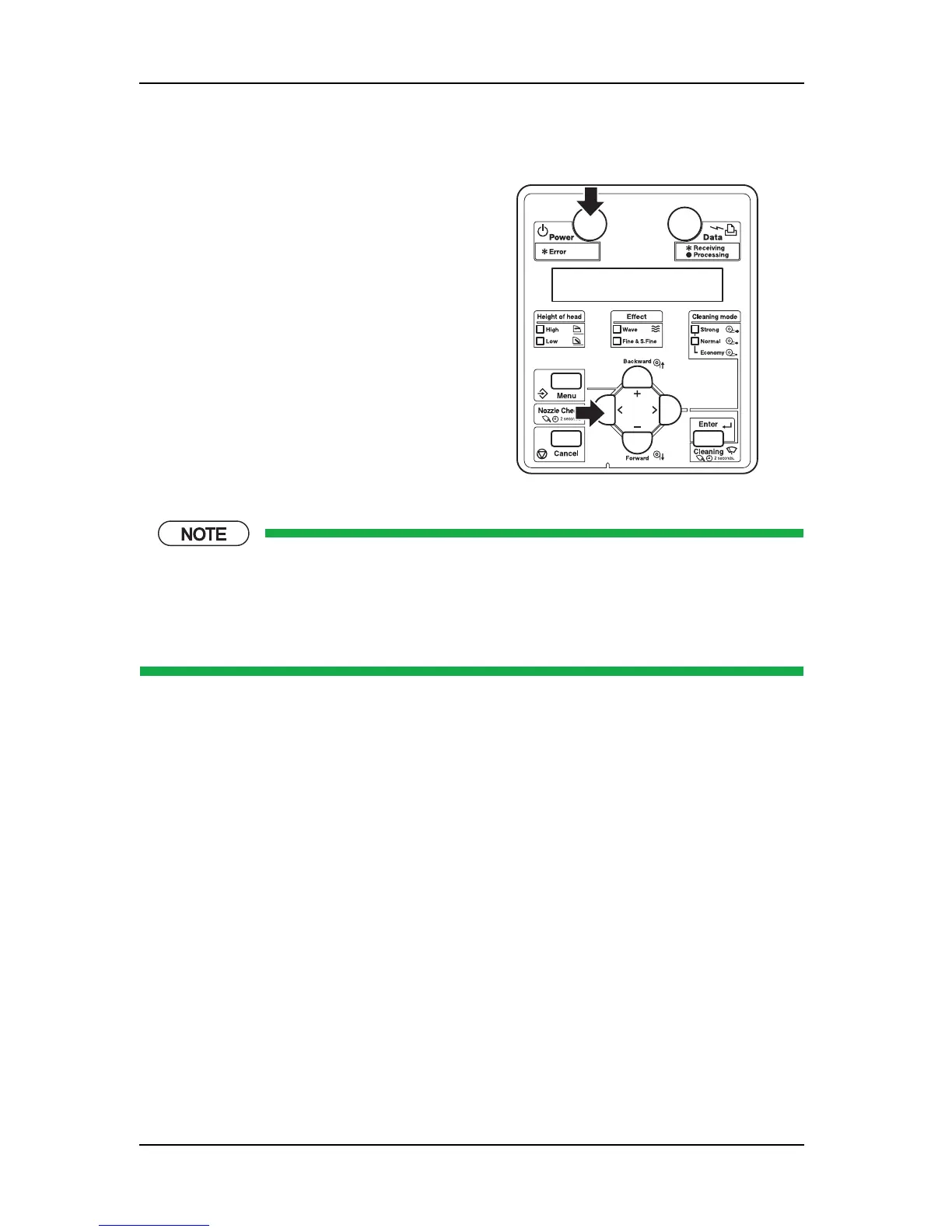
1. When the printer is in the operation status or in
the diagnosis menu display status, turn the
[Power] key to OFF.
2. While holding down the [<] key on the operation
panel, press the [Power] key.
When the LCD displays [Board Manager Mode],
if the [<] key is released, the display turns to
[Waiting for command].















 To Next Page