7 Adjustment VJ-1604 Maintenance Manual
Rev.-05 7-46
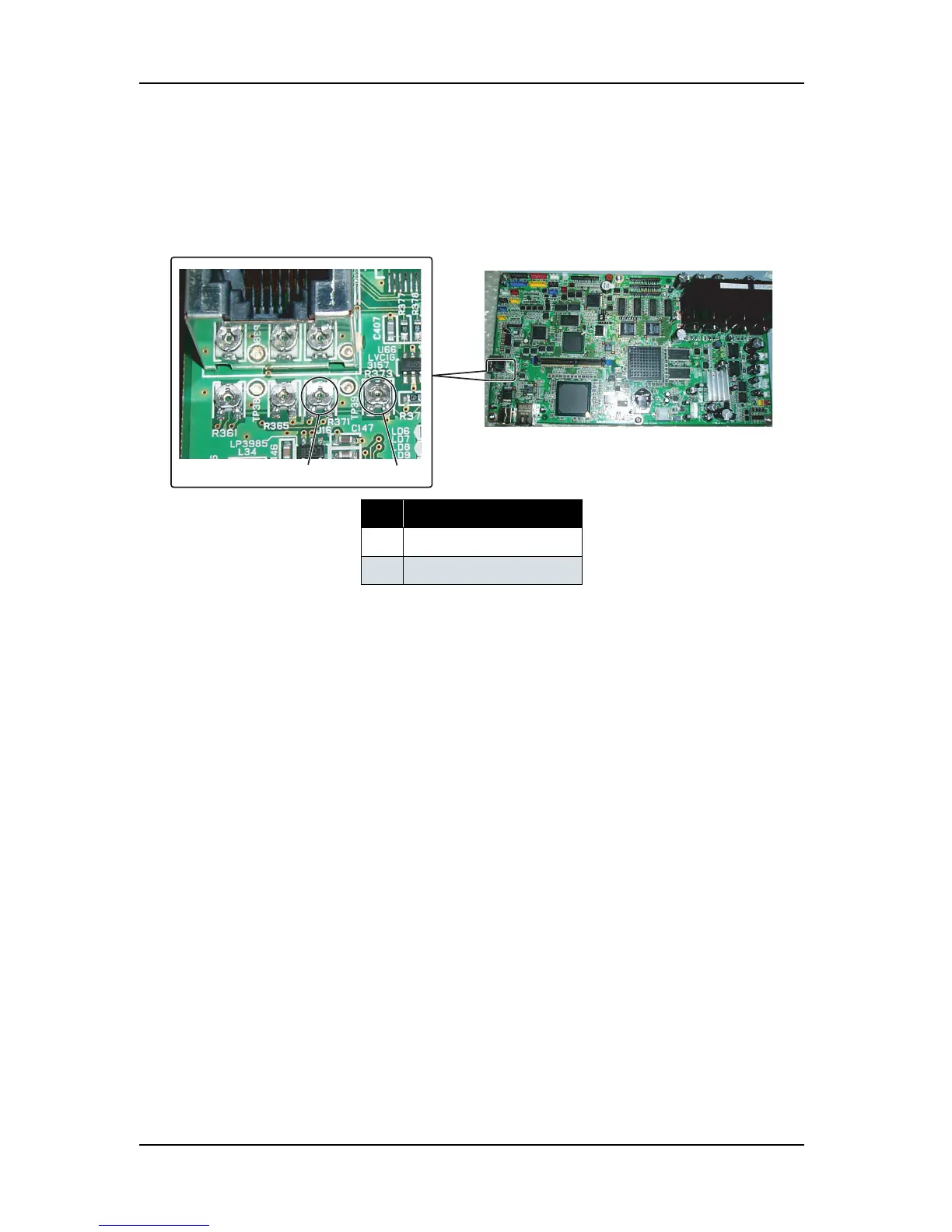
7. Adjust the P_REAR sensor adjusting volumes as shown below so that the value displayed in the operation
panel becomes between 216 and 226.
Counterclockwise: Sensitivity increases
Clockwise: Sensitivity decreases
• Trimmer R371: Rough adjustment
• Trimmer R373: Fine adjustment
8. Check that the value displayed in the operation panel becomes between 216 and 226.
9. Remove the standard media.
10. Check that the value displayed in the operation panel is "80" or below.
11. Close all the covers.
No. Part name
1
Trimmer R371
2
Trimmer R373
1
2
MAIN board assembly





 To Next Page