2.
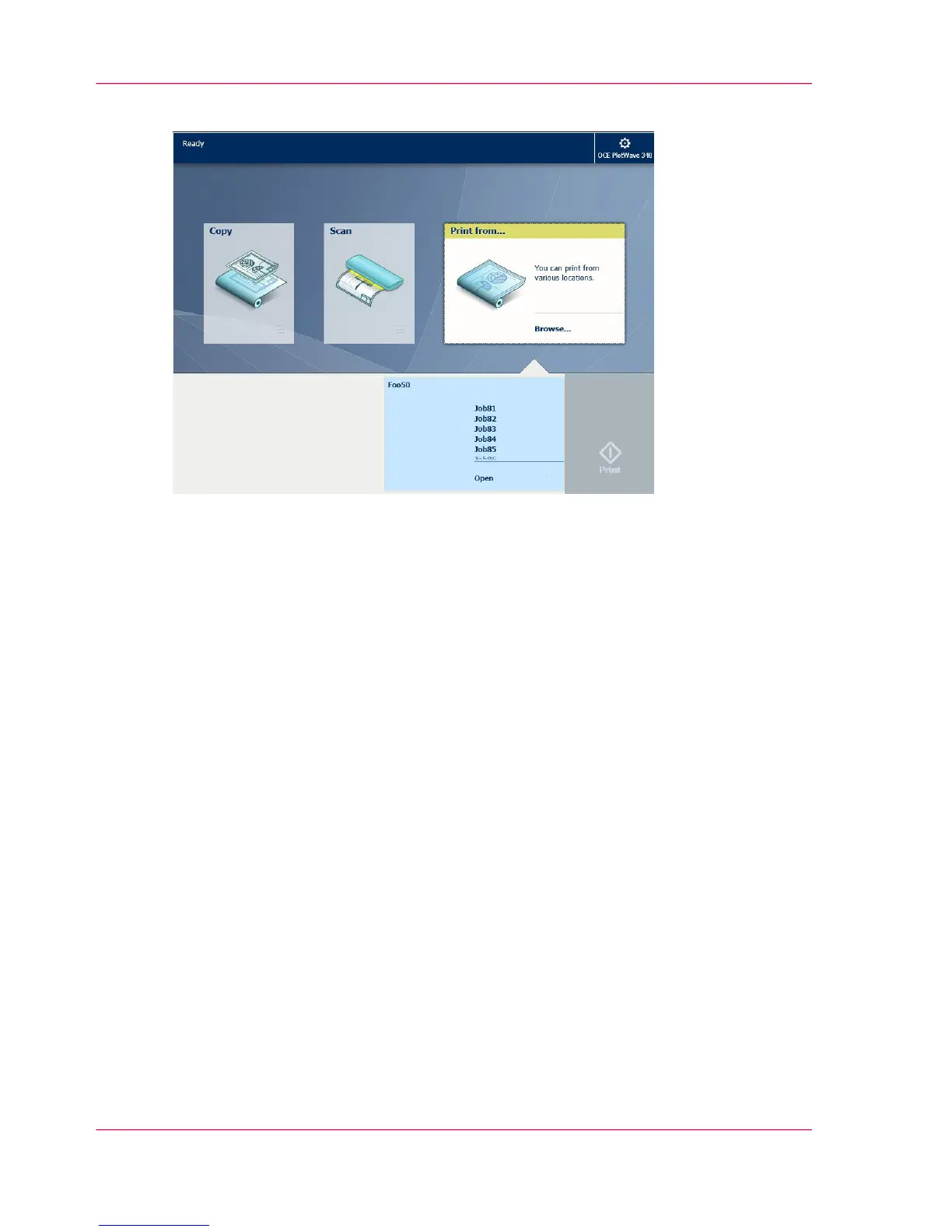
Select the location of your job. Default, the public Smart Inbox.
The jobs are listed in a new window.
3.
Select your job from the list.
4.
Tap the green button next to the job settings.
Result
A print of your file is made. Collect your document from the 'Top Delivery Tray'.
Chapter 2 - Get to Know the Printing System68
Do a default print job


 To Next Page