Contents
Chapter 1
Introduction.......................................................................................................11
Notes for the reader.................................................................................12
Available documentation.........................................................................14
Chapter 2
Get to Know the Printing System...................................................................17
Introduction...............................................................................................18
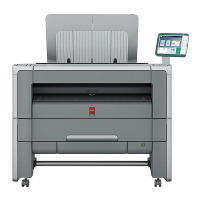
The Océ PlotWave 340/360................................................................18
The key concepts................................................................................19
Connect your Printing System................................................................23
Working area [Footprint]....................................................................23
Connect the mains supply cable and the network cable.................24
Switch on the printing system..........................................................25
The Hardware...........................................................................................26
The components of the printer (front)..............................................26
The components of the printer (left side).........................................28
The components of the printer (back)..............................................29
The media drawer..............................................................................30
The user panel: Océ ClearConnect....................................................31
The output delivery............................................................................33
The components of the scanner (optional)......................................35
The front original tray (optional).......................................................36
The folder (optional)...........................................................................38
The printing system consumables....................................................40
Océ ClearConnect: the multi-touch user panel......................................41
Introduction to Océ ClearConnect.....................................................41
The home screen................................................................................43
The Smart Access...............................................................................45
Presets and advanced settings..........................................................48
The settings concept..........................................................................51
The locations.......................................................................................53
Job preview........................................................................................56
The jobs queue and the system menu.............................................57
Quick Start: default jobs..........................................................................60
The Smart Inbox process for copy, scan and print jobs.................60
Do a default copy job ........................................................................63
Do a default scan job .........................................................................65
Do a default print job ........................................................................67
4
Contents


 To Next Page