88
Adjustment
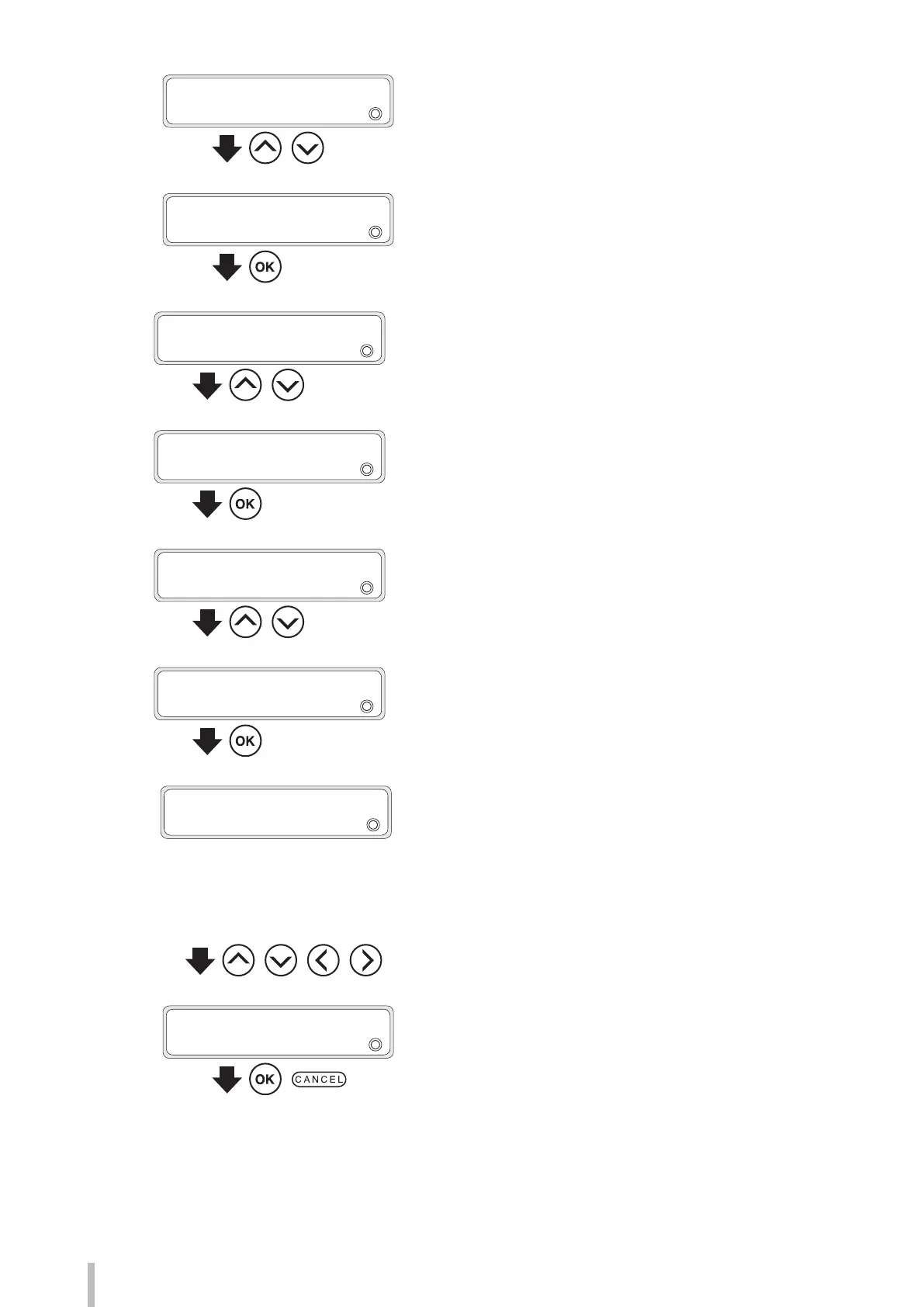
3
ADJUST
2
MEDIA ADVANCE
,
Press the Up and Down buttons to select
MEDIA ADVANCE.
4
ADJUST
2
MEDIA ADVANCE
Press the OK button.
5
>MEDIA ADVANCE
2
BIDIR AUTO
,
Press the Up and Down buttons to select
BIDIR MANUAL.
6
>MEDIA ADVANCE
2
BIDIR MANUAL
Press the OK button.
7
>>BIDIR MANUAL
2
MEDIA ADV VALUE
,
Press the Up and Down buttons to select
MEDIA ADV VALUE.
8
>>BIDIR MANUAL
2
MEDIA ADV VALUE
Press the OK button.
9
*: Registration mark (A registration mark * is displayed if the
media preset is registered)
XXX. XX: Media advance adjustment value currently set
YYY. YY: Entered media advance adjustment value
(Setting range 97.00 to 106.00%)
>>>MEDIA ADV VALUE
2
*XXX.XX
g
YYY.YY%
, , ,
Press the Right and Left buttons to select the
digit, and press the Up and Down buttons to
select a value for media adjustment.
10
>>>MEDIA ADV VALUE
2
*XXX.XX
g
YYY.YY%
,
Pres the OK button to conrm the entered
value, and press the CANCEL button to exit
MEDIA ADV VALUE.


 To Next Page