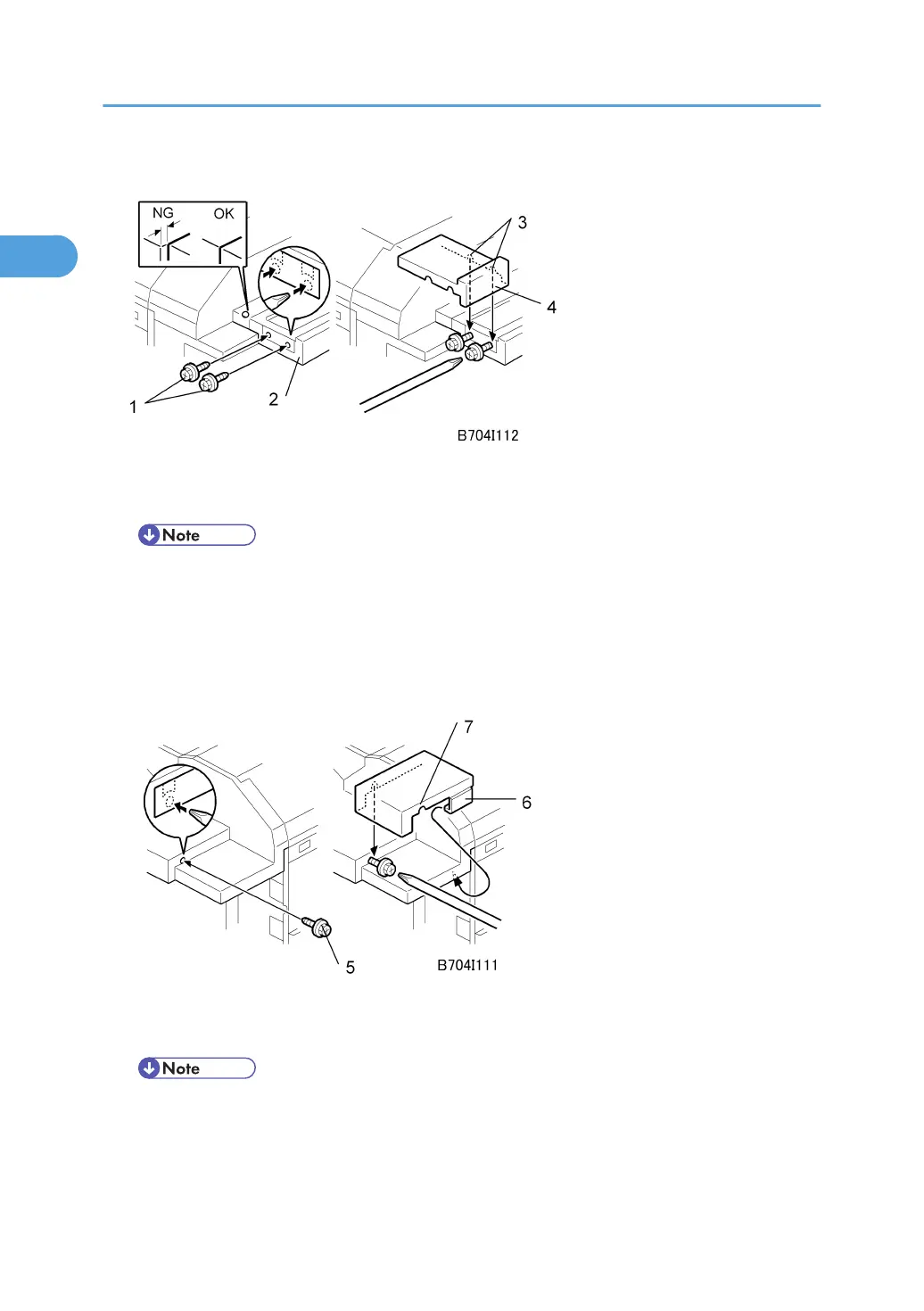
Right Rear Corner Plate (B706 only)
1. Temporarily attach the screws [1] (with about two turns) to the right end of the finisher
extension table [2] ( x 2, tapping M4 x 8)
• The holes are not visible because they are covered with tape. Just punch the screws through the
holes.
2. Align the cutouts [3] of the right rear corner plate [4] with the screws and attach the plate.
3. With a long screw driver inserted through the cutouts in the right rear corner plate [4], tighten
the screws to fasten the right rear corner plate to the table extension [2].
4. Temporarily attach the screw [5] (M4 x 8) with about two turns to fasten to the panel at the
right front corner.
• The hole is not visible because it is covered with tape. Just punch the screw through the hole.
5. With the clamp [6] under the edge of the corner, align the cutout [7] in the right front corner
plate with the screw, then snap it into position.
1. Installation
104



 To Next Page