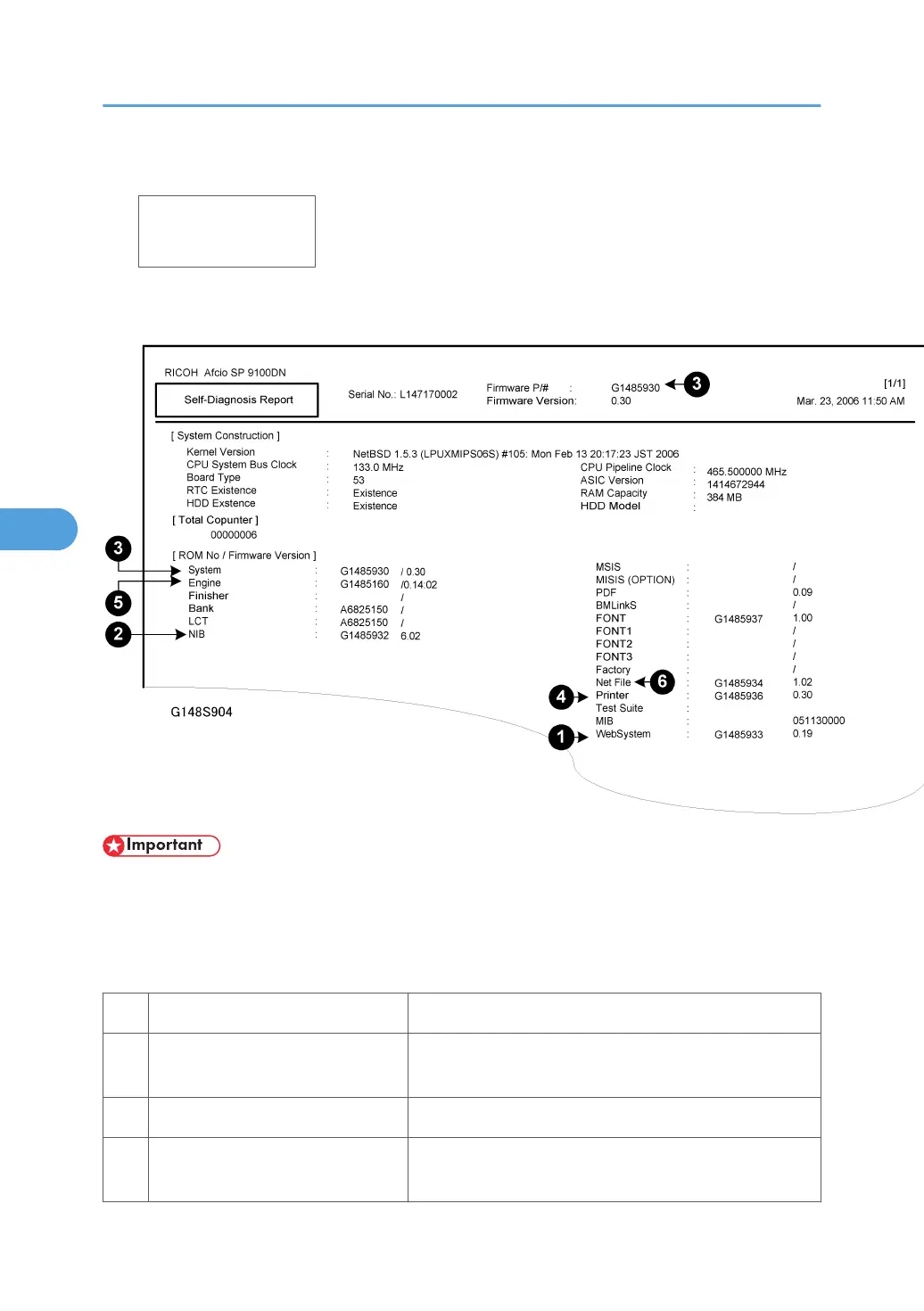
5. Push three times to select SP5990-005 then push [#Enter].
<Diagnostic Repo
execute?
6. Push [#Enter] to print the report.
The firmware module names and version numbers are listed in the report.
• The actual numbers that appear in your printout will be different from those in the sample above.
If an error occurs during a download, an error message will appear. The error code consists of the letter
“E” and a number (“E20”, for example).
Error Message Table
No. meaning Solution
20 Cannot map logical address
Make sure the SD card is installed correctly, or use a dif-
ferent SD card.
21 Cannot access memory HDD connection not correct, or replace hard disk.
22
Cannot decompress compressed
data
The ROM data on the SD card is not correct, or data is
damaged.
5. Service Tables
310



 To Next Page