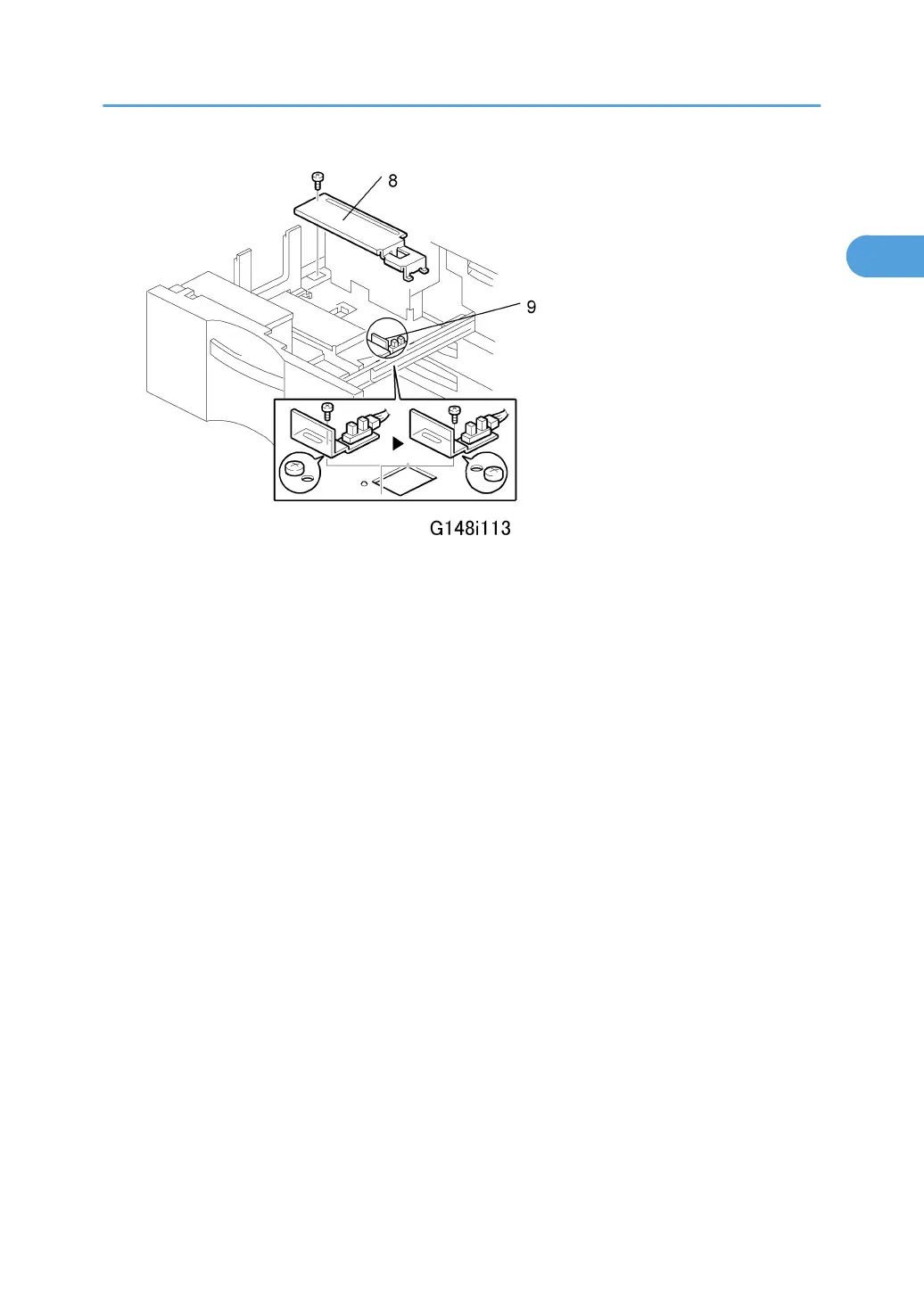
10. Remove the rear bottom plate [8] ( x 1).
11. Re-position the return position sensor bracket [9] ( x 1). To use the paper tray for A4 size,
put the screw in the left hole as shown. (For LT size, the screw should be placed on the right.)
12. Re-install the rear bottom plate.
13. Change the paper size using SP5959-001 (Paper Size – Tray 1). For details, see SP5959 in
section “5. Service Tables”.
Main Machine (G148)
39



 To Next Page