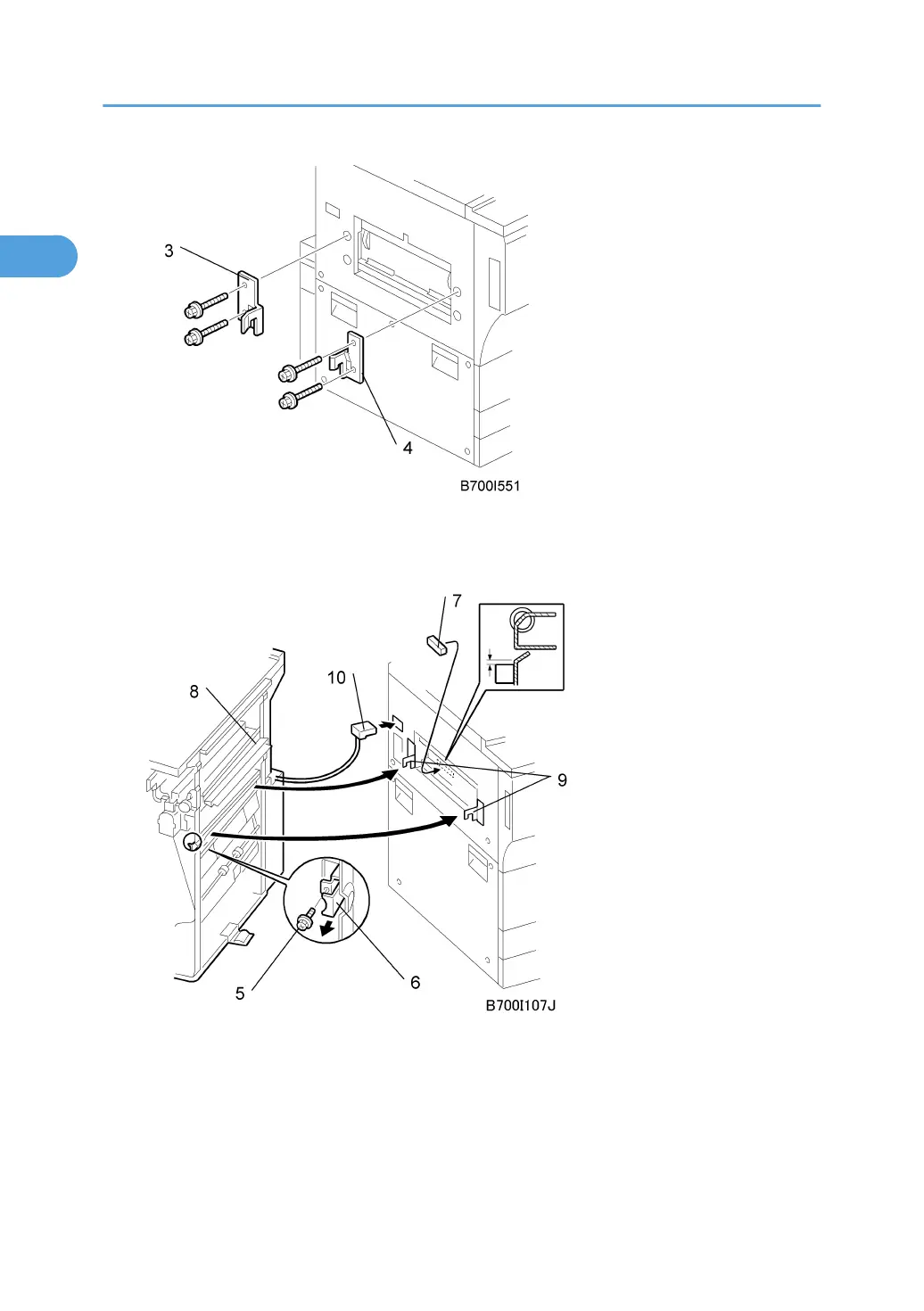
3. Attach the rear bracket [3] ( x 2, M4 x 14).
4. Attach the front bracket [4] ( x 2, M4 x 14).
5. Remove the screw [5] to release the lock lever [6] ( x 1).
6. Attach the gasket seal [7] as shown.
7. To avoid bending and damaging the paper entrance guide plates [8], slowly push the fin-
isher against the side of the machine until the brackets [9] enter their slots.
8. Attach and tighten the screw removed in Step 5.
1. Installation
84



 To Next Page