B.5
Date Code 20150130 Instruction Manual SEL-787 Relay
Firmware Upgrade Instructions
Upgrade Firmware Using ACSELERATOR QuickSet
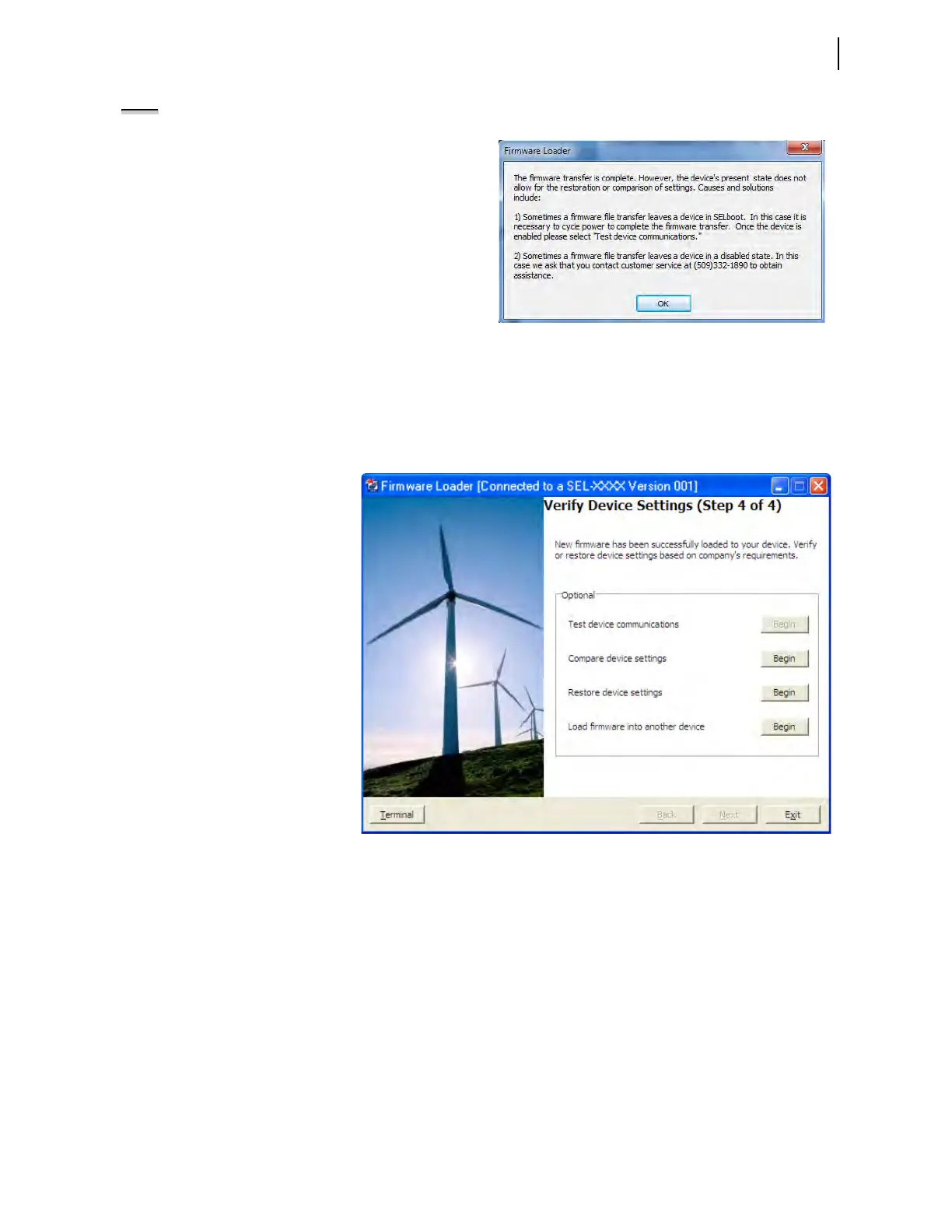
NOTE: The following screen can appear if you have one of the two conditions mentioned.
If the relay is disabled as mentioned in condition number 2, check for the
ENABLED LED on the front panel of the relay. If the ENABLED LED is not
illuminated or the front panel displays
STATUS FAIL, EEPROM
FAILURE
, or Non_Vol Failure, use the following procedure to
restore the factory-default settings:
a. Click on the Terminal button on the Firmware Load screen of
ACSELERATOR QuickSet.
b. Set the communications software settings to 9600 baud, 8 data bits,
and 1 stop bit.
c. Enter Access Level 2 by issuing the 2AC command.
d. Issue the R_S command to restore the factory default.
e. Enter Access Level 2.
f. Issue the STATUS command.
If the STATUS report shows option card
FAIL and Relay Disabled and the message:
Confirm Hardware Config
Accept & Reboot (Y/N)?
Enter Y. This will save the relay calibration settings. The relay will respond:
Config Accepted
The relay will reboot and come up ENABLED.
Step 4. Verify Device.
Four verification options
are provided and when
enabled these options
perform as follows.
Test Device Communications.
If the device cannot be
restarted, then turn power
off and back on to restart it.
Once the device is enabled,
this option reconnects and
re-initializes the device.
Compare Device Settings.
This option verifies settings
by reading them from the
device and comparing them
with settings saved to the
database.
Restore Device Settings.
This option restores settings
by writing settings saved in
the database to the device.
Settings are converted
automatically, if necessary.
Load Firmware into Another
Device. Returns the wizard
to Step 1: Prepare Device to
repeat the firmware-loading
process with another
device.
T



 To Next Page