Recording edited pictures as a moving picture
• Digital program editing (on a" Memory Stick" )
MENU
)
Ur_DO
ER_'_E ALL
START
_MA_$_ZE
[ME_U__ENO
9
10
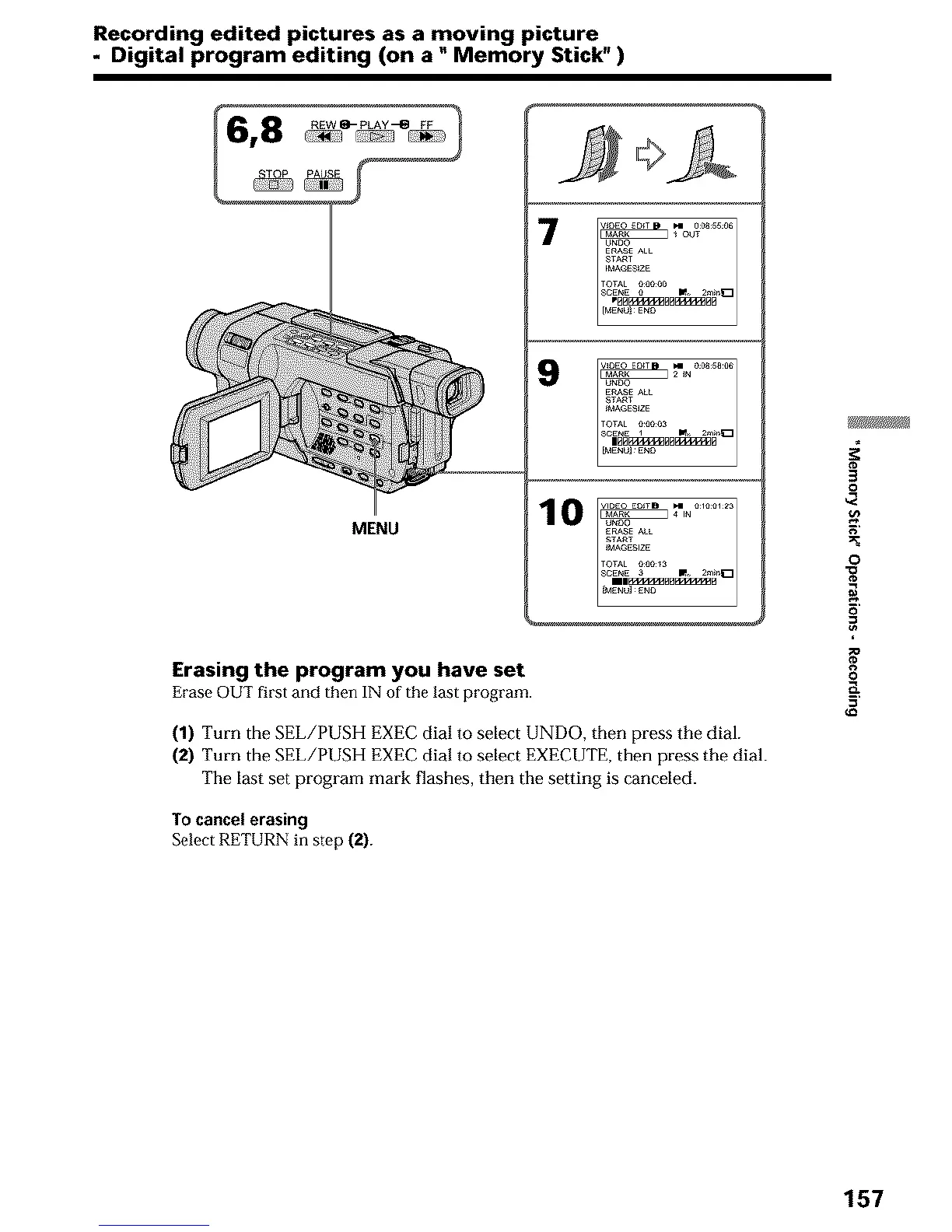
Erasing the program :you have set
Erase OUT first and then IN of the last program.
(1) Turn the SEL/PUSH EXEC dial to select UNDO, then press the dial.
(2) Turn the SEL/PUSH EXEC dial to select EXECUTE, then press the dial.
The last set program mark flashes, then the setting is canceled.
To cancel erasing
Select RETURN in step (2).
#
0
0
.a
g
157





 To Next Page