Processing
5-20
20077/021 US XTRA Operator’s Manual
Note: To check the current positioning of the tubing going to the bowl, you may need to press
the Stop button then open the centrifuge and clamp lid. In this case, pay close attention to the
correct disposable installation when closing the clamps and centrifuge lid again.
3. Touch the Play button to continue.
Touch the Mute button (located at the far left of the button bar) to silence the alarm for
45 seconds.
Should the message persist, please contact LivaNova Technical Services.
Touch the Stop button to dismiss the warning and switch to the Ready Screen. Touching the Start
button from the Ready Screen will resume processing in the Wash phase (rather than the Fill phase).
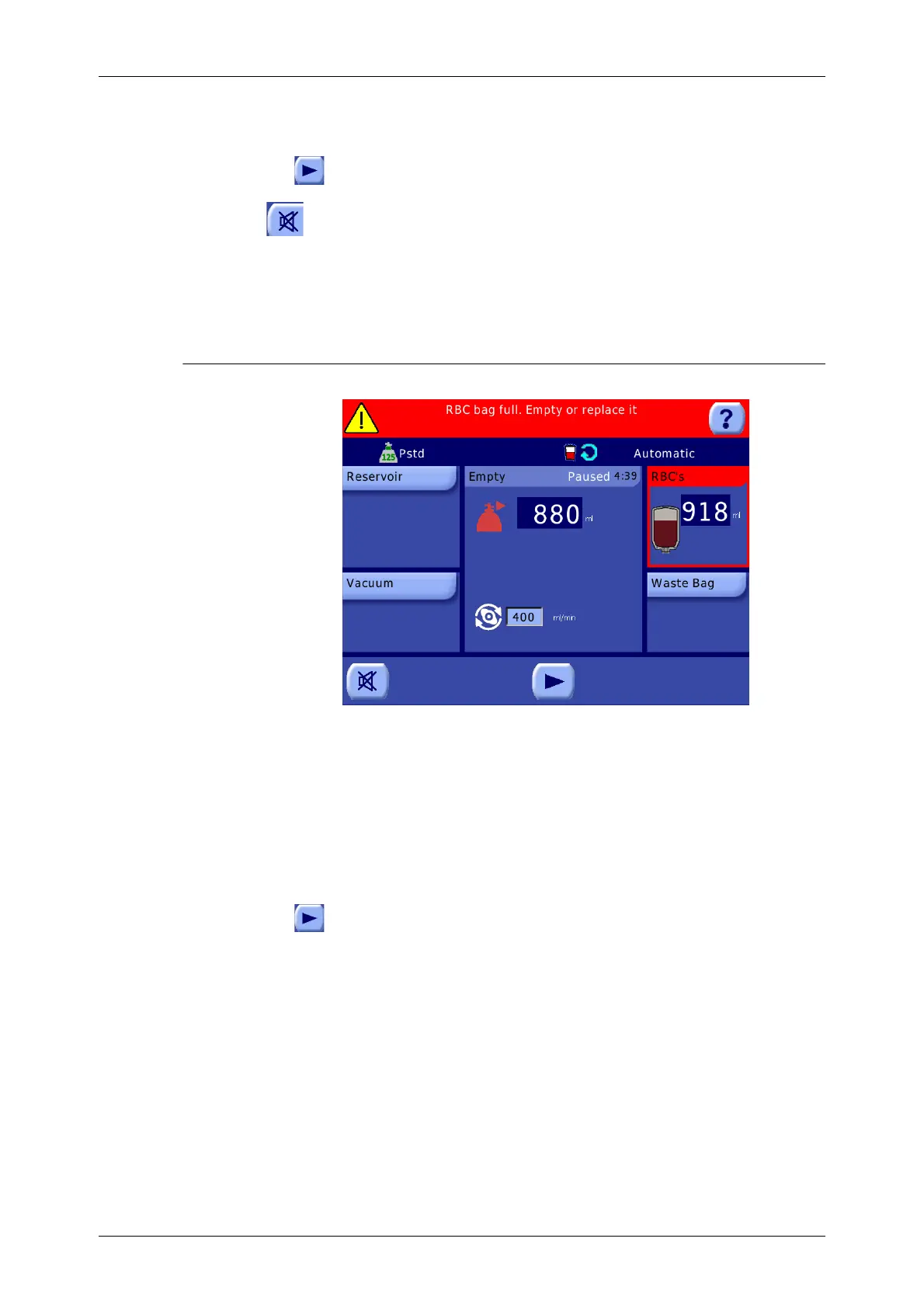
RBC Bag Full
Figure 5-25 RBC Bag Full Warning
The RBC Bag Full alarm is triggered at the end of the Empty phase if the volume transferred to the
RBC bag exceeds the pre-set safety level, which is dependent on the bowl size. Also refer to “RBC bag
full. Empty or replace it.” on page 14-19.
When triggered, the acoustic sequence sounds, the message “RBC bag full. Empty or replace it.” is
displayed in the message area of the current screen, the RBC displet of the Empty phase is highlighted
with a red outline, and the phase is paused.
To correct this condition, perform the following:
1. Either empty the RBC bag or replace it aseptically with a new one.
2. Touch the Play button to continue the Empty phase.
CAUTION
Overfilling the reinfusion bag may cause it to rupture.









 To Next Page