Configuring XTRA
8-10 20077/021 US XTRA Operator’s Manual
Setting the Rapid Selection of ID
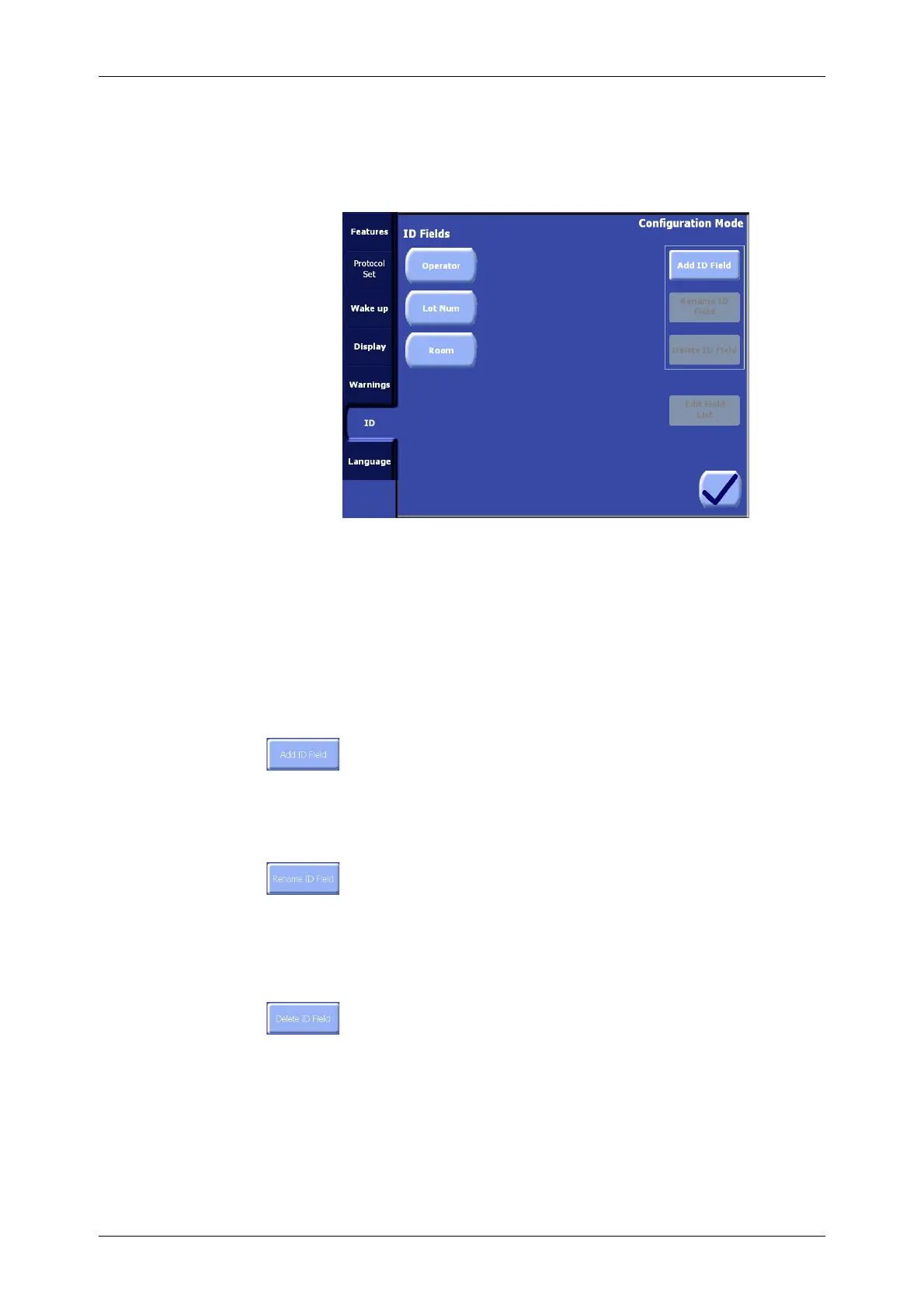
From the ID tab of the Configuration Mode Screen (see Figure 8-8) it is possible to configure the rapid
selection of ID for use from the ID Tab of the Menu Screen as described in “Identifier (ID) Tab” on
page 5-46.
Figure 8-8 ID Tab of the Configuration Mode Screen
The left side of the screen contains a list of existing ID Fields. These fields may be selected by
touching them. Selected fields appear inset and green. The right side of the screen contains buttons
with which the operator may create, edit/rename, and delete the selected ID Field.
The default ID fields which exist are “Patient ID,” “Operator,” and “Lot Num”. The “Patient ID” field
cannot be deleted or renamed.
A maximum of 13 user-definable ID fields may be created (in addition to the permanent “Patient ID”
field).
Add ID Field
Touching the “Add ID Field” button will display a QWERTY keyboard, allowing the
operator to enter a name for the new ID field. Touching the “Enter” button from the
Keyboard Screen will create the new ID field and return to the ID Tab of the
Configuration Mode Screen. Touching the Close button will return to the ID Tab without creating a new
ID field.
Rename ID Field
Touching the “Rename ID Field” button will display a QWERTY keyboard, allowing the
operator to rename the selected ID field. Touching the “Enter” button will save the
entered name as the new name for the selected ID field and return to the ID Tab of the
Configuration Mode Screen. Touching the Close button will return to the ID Tab without changing the
name of the selected ID field. The Rename ID Field button is only enabled if an ID field is currently
selected from the list.
Delete ID Field
Touching the “Delete ID Field” button will immediately delete the selected ID field and
its associated field list.
Field Lists
Once an ID field has been created, a field list may be assigned to the field which associates a list of
possible values with that field. For example, if the “Operator” field exists, a list of names of operators
may be created and assigned to the “Operator” ID field. Then, with the use of the rapid selection
menu from the ID tab of the Menu Screen, a name from the list can be quickly selected to populate
the field, with the result that the name is saved with the case tally data and appears on data
management reports. Refer to “Identifier (ID) Tab” on page 5-46 for a instructions on populating an
ID field with a value from a field list.









 To Next Page