Configuring XTRA
8-8 20077/021 US XTRA Operator’s Manual
Display Tab
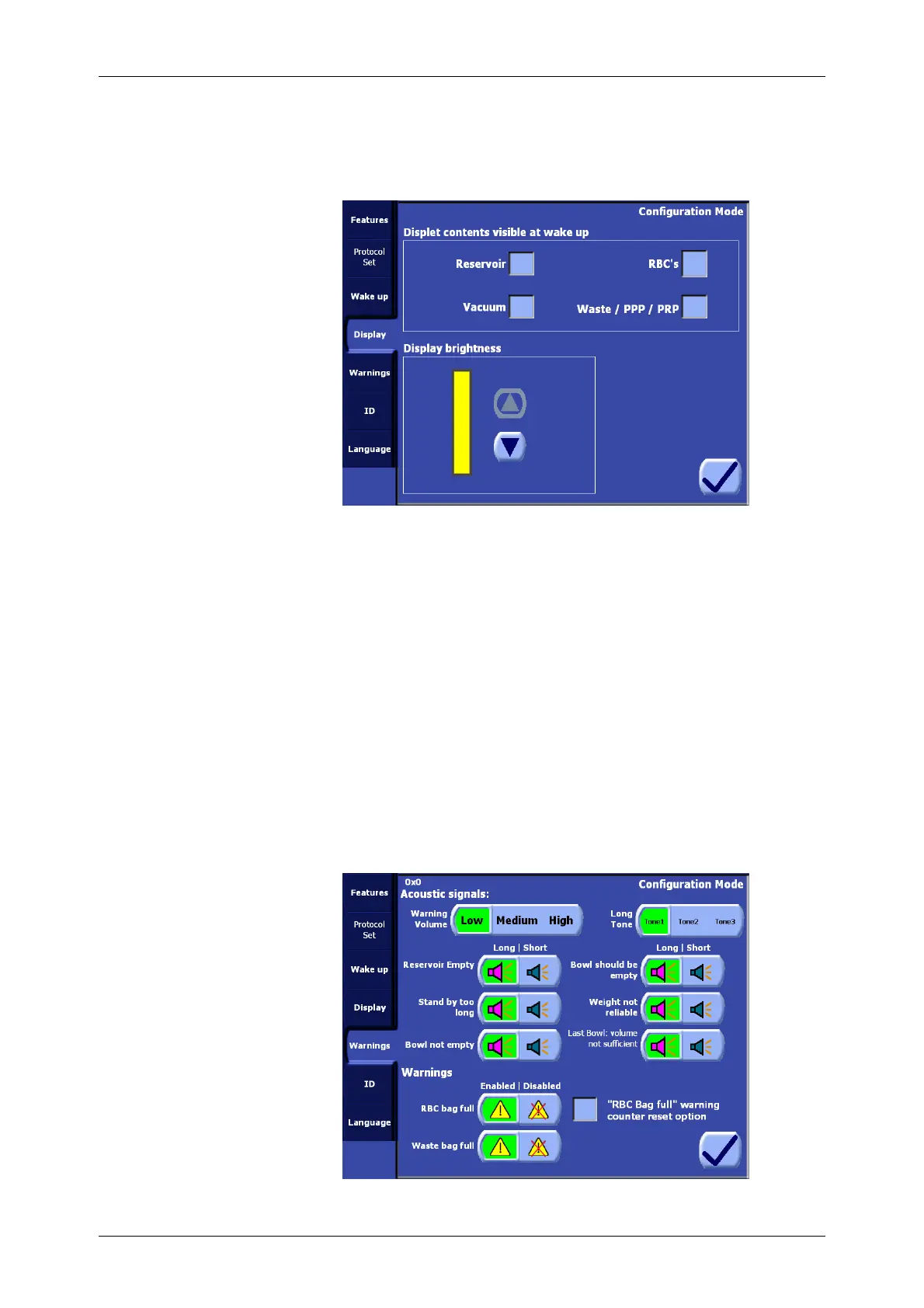
From the Display tab (see Figure 8-6) the various wakeup display settings and the display brightness
may be configured.
Figure 8-6 Display Tab of the Configuration Mode
Displet Contents
The settings under the “Displet contents visible at wake up” heading determine which displets are
initially open (enabled) or closed (disabled) when the system is powered on.
Display Brightness
Use the up and down arrow buttons to adjust the screen brightness until optimal display visibility is
achieved.
Warnings Tab
From the Warnings tab of the Configuration Mode Screen (see Figure 8-7) it is possible to configure
the overall volume and tone of audible alerts, the duration of individual alerts, and enable or disable
the RBC and Waste “bag full” alarms.
Any changes made to the default warnings configuration will be presented during system startup and
must be confirmed by an operator before continuing to the Setup Screen.
Refer to
Chapter 14: Troubleshooting
for a general description of the alarms.
Figure 8-7 Warnings Tab of the Configuration Mode









 To Next Page