Processing
5-10
20077/021 US XTRA Operator’s Manual
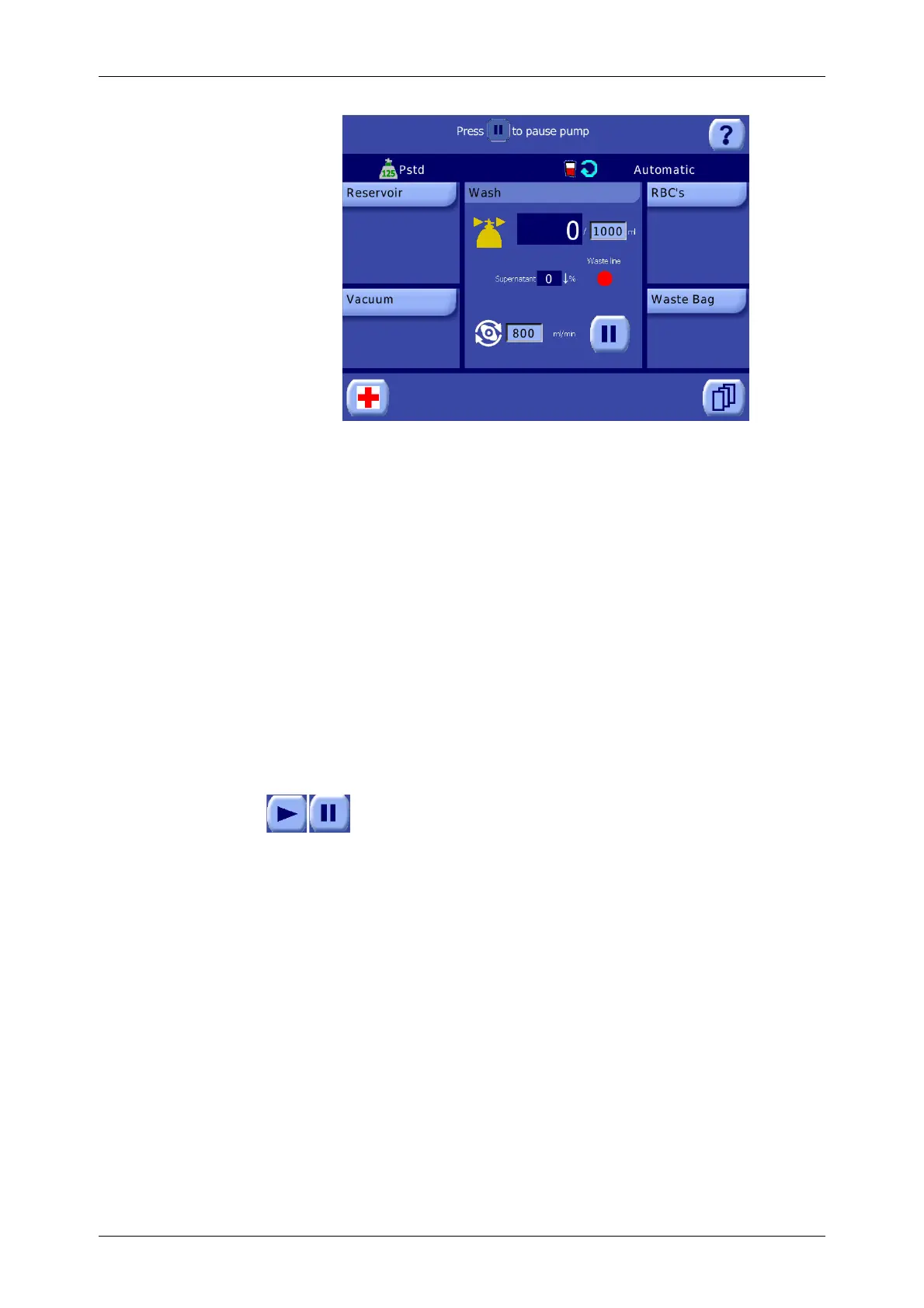
Figure 5-16 Wash Phase of the Processing Screen
For a detailed explanation of the
Wash phase screen, read “Wash
Screen” on page 5-40.
As the saline solution enters the bowl, it washes through the red blood cells, removing remaining
supernatant and its contaminants, and is then expelled into the waste bag.
During the Wash phase, the volume of the saline solution pumped into the bowl is displayed on the
screen and constantly updated by the system’s software. The desired total volume of saline solution to
pump, as well as the wash speed (rate at which the saline solution is moved into the bowl), can be
adjusted from the processing displet.
The processing displet during the Wash phase contains a wash quality indication line which displays
information on the supernatant removal as well as on the waste line color.
The cycle may be paused and resumed using the Pause and Play buttons. Refer to
“Pausing and Resuming the Cycle” on page 5-11.
Once the programmed wash volume has been transferred, the pump and centrifuge will stop and
processing will automatically continue to the Empty phase (when operating with Pfat protocol the
process will automatically continue to Fat Removal - Wash subphase).
Note: It is possible to manually switch phases while operating in the Automatic or 1 Touch modes by
pausing the phase and using the phase buttons which appear in the button bar at the bottom of the
screen. Refer to See “Pausing and Resuming the Cycle” on page 9-11.
The Empty Phase
When the Empty phase begins, the centrifuge and pump stop and the processing displet changes to
reflect that the Empty phase is in progress (see Figure 5-17).
The saline solution in the line between the bowl and clamps is returned to the fill line by keeping the
fill clamp open and the other clamps closed as the pump slowly rotates clockwise for a short time.
Finally, the fill clamp closes, the empty clamp opens, and the pump again rotates clockwise to move
the red blood cells from the bowl to the RBC bag.
CAUTION
Setting a wash volume lower or a wash volume higher than the one set by
LivaNova in the default protocols, prematurely switching to the Empty phase,
or enabling the No Wash option are completely under the responsibility of the
clinician/operator.









 To Next Page