Preoperative Sequestration (PPP and PRP)
X
TRA Operator’s Manual 20077/021 US 10-25
Preoperative Sequestration Operating Modes
The XTRA system is equipped with two operating modes which may be used with the whole blood
separation protocols:
• Automatic
• Manual
The 1 Touch mode is not available during whole blood processing.
Modes of operation influence the execution of the active protocol, affecting the transition between
phases and cycles.
The current operating mode can be set from the Protocol/Mode tab of the Menu Screen. The operating
mode may be changed while the machine is stopped (at the Ready Screen), or any time during a
cycle. Step-by-step instructions for selecting the active operating mode can be found in the section
“Running a Case With the X
TRA System” on page 5-5.
When operating in Automatic mode, the machine detects the end of each phase and advances to the
next phase automatically. When operating in Manual mode, the operator must manually advance to
the next processing phase (possibly being prompted by the machine at the end of the Fill phase, if the
RBC detector option is ON).
Both modes are described in detail in “The Operating Modes” on page 5-31
Spill Screen
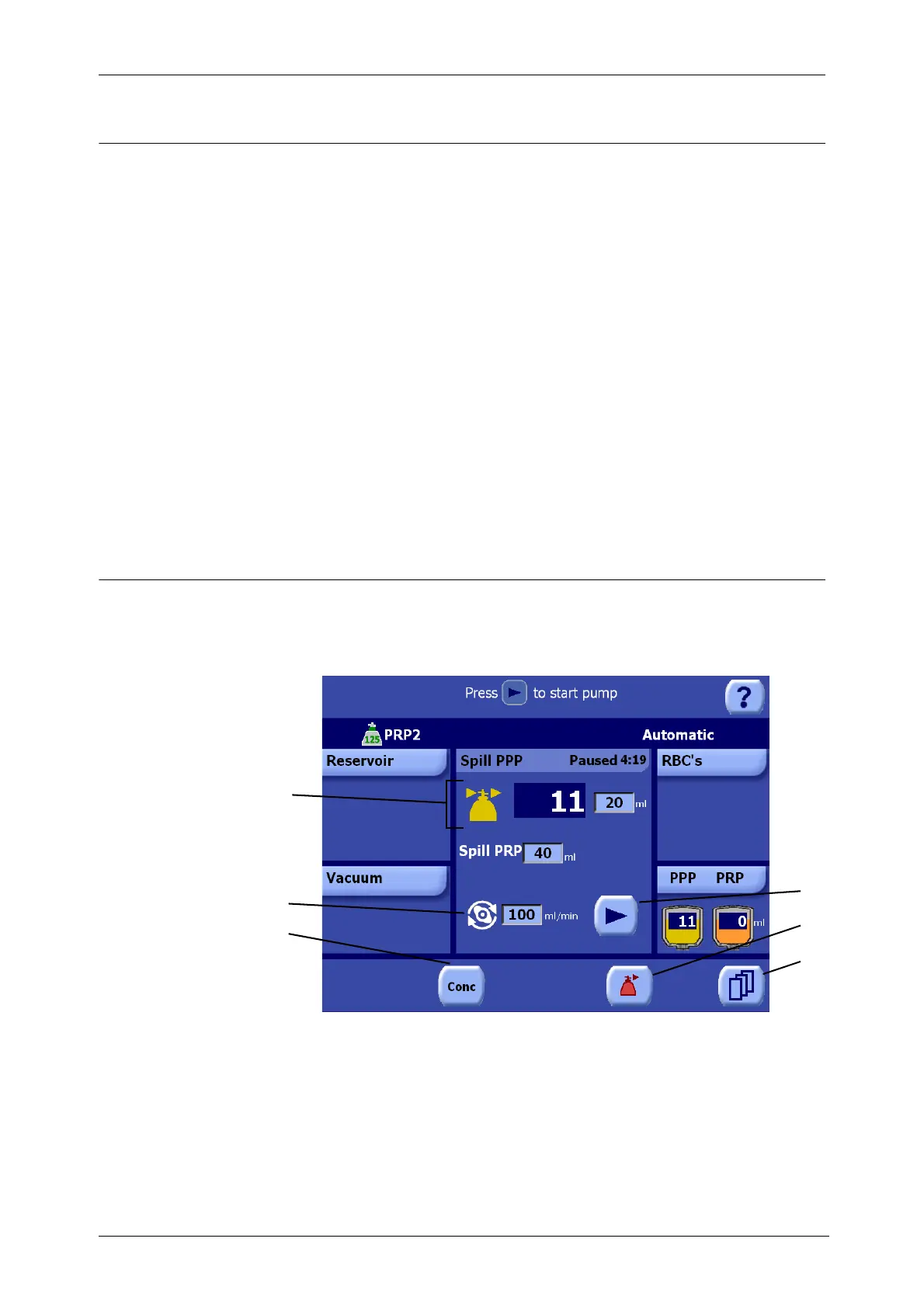
The Spill Screen only appears when processing with a PRP collection protocol (PRP1 or PRP2). The
Spill Screen has two sub-phases: Spill PPP (see Figure 10-14) and Spill PRP (see Figure 10-15). The
processing displet changes to present relevant controls to each.
Figure 10-14 Spill PPP Phase of the Processing Screen (Paused)
3
1 “Conc” button 4 Play/Pause button
2 Pump speed 5 Empty button
3 Spill Status line 6 Menu button
1
2
4
5
6









 To Next Page