Processing
X
TRA Operator’s Manual 20077/021 US 5-13
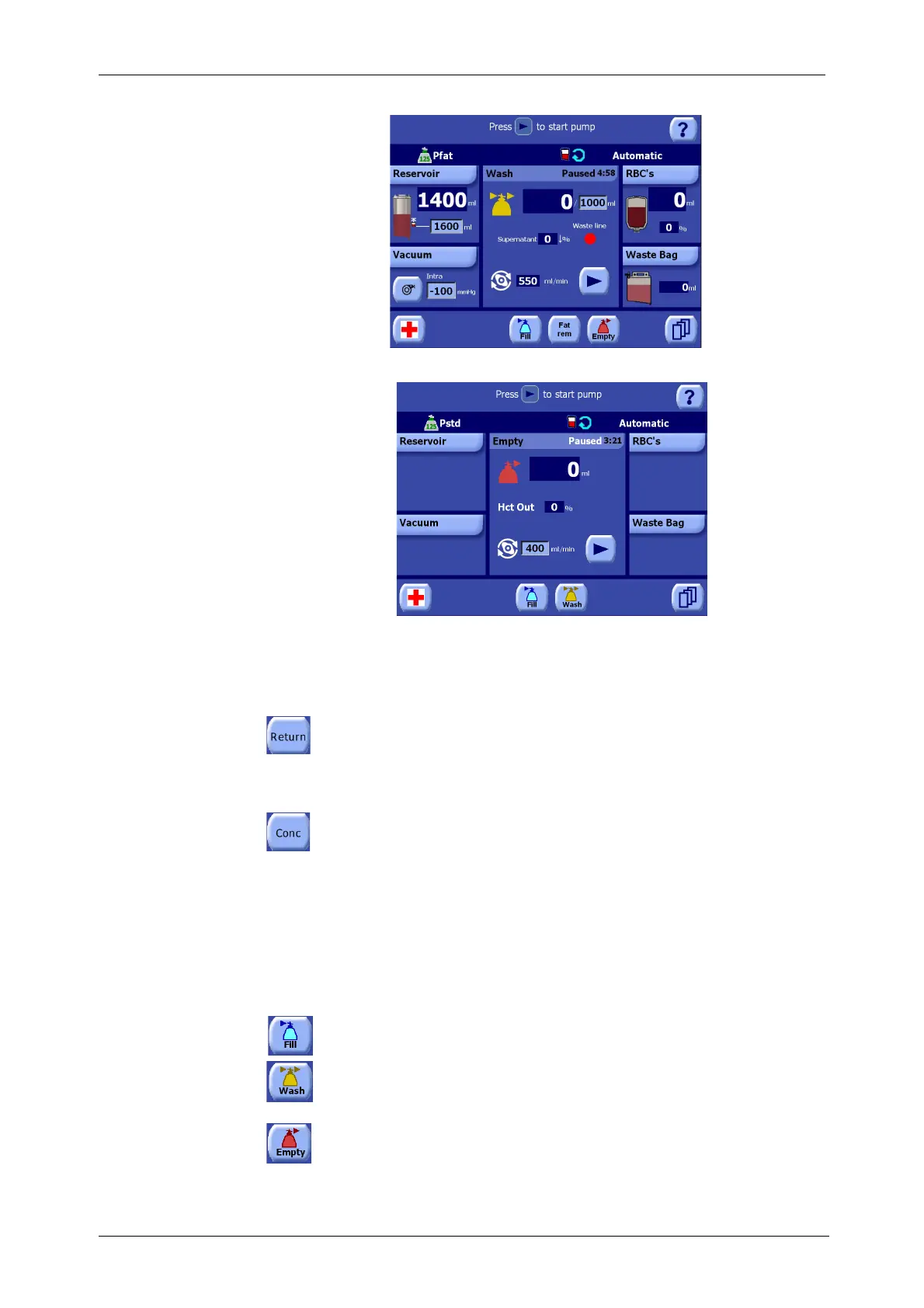
Figure 5-20 Wash Phase Paused with Pfat protocol
Figure 5-21 Empty Phase Paused
Several buttons become available while processing is paused. These are shown in the figures above
(as labeled in Figure 5-18) and described below.
1. “Return” Button
Touching the “Return” button initiates the return cycle (refer to “Returning Fluid to the
Reservoir: the Return Cycle” on page 6-2). This button is only present when the Pstd, Popt,
Pfat or Emergency protocol is active, and when processing is paused or during the Reservoir
Empty alert.
2. “Conc” Button
Touching the “Conc” button initiates the Concentrate cycle (refer to “Adding Fluid to a
Partially Filled Bowl: The Concentrate Cycle” on page 6-3). This button is only present while
processing is paused, during the Reservoir Empty warning, and during the RBC bag Empty
warning.
3. Phase Buttons
The phase buttons allow for the manual switching of phases. While operating in Automatic or 1 Touch
modes, the phase buttons only appear while processing is paused.
Note: If the operator manually initiates a phase change using these Phase buttons while processing
in Automatic or 1 Touch modes, the “Bowl not filled / not washed” alarm will be issued and the
operator must manually confirm the phase change.
Fill button. Touching the Fill button changes to the Fill phase and displays the Fill Screen
(refer to “Fill Screen” on page 5-39).
Wash button. Touching the Wash button changes to the wash phase and displays the Wash
Screen (refer to “Wash Screen” on page 5-40). The Wash button is only present if processing
with an ATS protocol (Pstd, Popt, Post-op and Pfat).
Empty button. Touching the Empty button changes to the empty phase and displays the
Empty Screen (refer to “Empty Screen” on page 5-41).









 To Next Page