Processing
5-4
20077/021 US XTRA Operator’s Manual
Refer to
Chapter 13: Vacuum Module
for a description and instructions related to the XVAC vacuum
system.
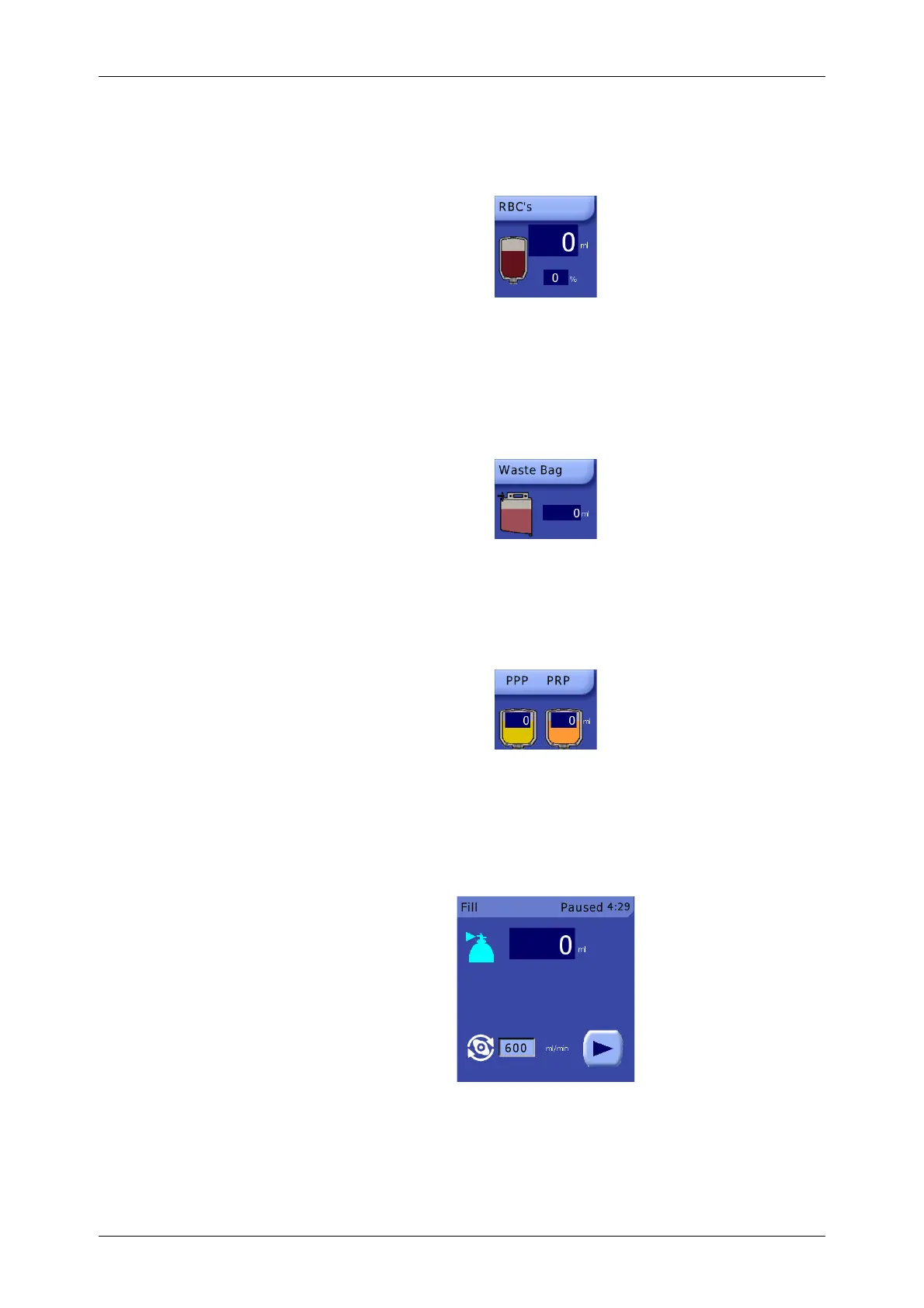
RBC’s Displet
Figure 5-7 RBC’s Displet
The RBC’s displet is always present and located in the upper-right corner of the displet area. It
contains two fields: one which displays the total volume (ml) of RBCs transferred into the RBC bag
during the current case, and one which displays the average hematocrit (%) of the total RBCs
collected in the RBC bag during the current case. The Hct % field is not visible during preoperative
sequestration protocols (PPP and PRP), or during ATS protocols if the Hct indicator has been disabled.
Waste Bag Displet
Figure 5-8 Waste Bag Displet
When present, the Waste Bag displet is located in the lower-right corner of the displet area. It displays
the volume of fluid currently in the waste bag (ml). The Waste Bag displet is not visible when
processing with a PPP or PRP protocol.
PPP/PRP Displet
Figure 5-9 PPP/PRP Displet
When present, the PPP/PRP displet is located in the lower-right corner of the displet area (it replaces
the Waste Bag displet during PPP and PRP protocols). The PPP/PRP displet displays the total volume of
product transferred to the PPP and/or PRP bags during the current case, depending on which protocol
is in use.
Processing Displet
Figure 5-10 Processing Displet
The Processing displet is located in the center of the displet area. It is always present and cannot be
closed. The contents of the Processing displet are dependent on the phase of the current cycle and are
described in detail in each of the screens in the section “Factory Protocols” on page 5-22.









 To Next Page