System Description
3-14
20077/021 US XTRA Operator’s Manual
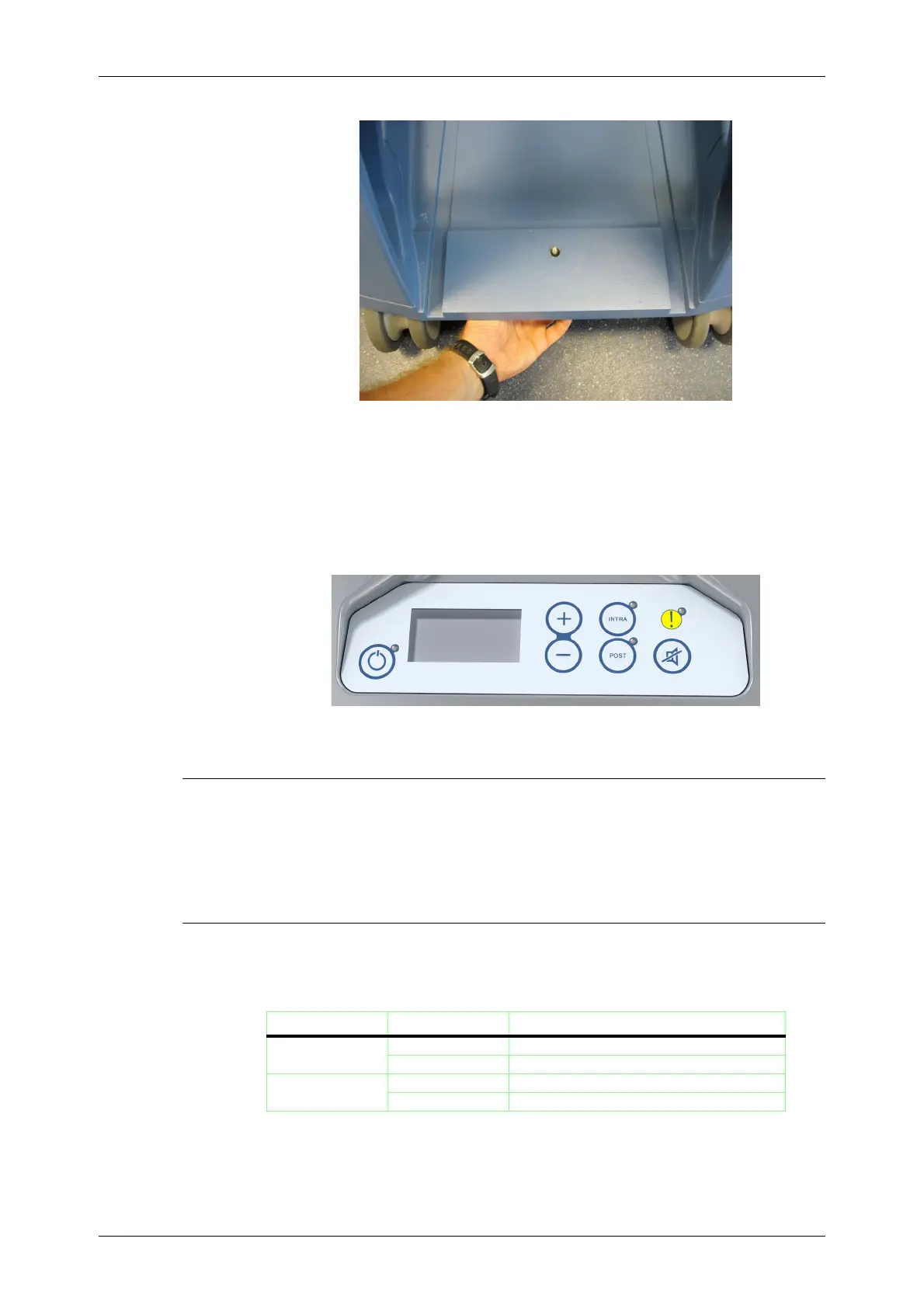
Figure 3-20
XVAC
Release Screw
The XVAC vacuum module can be controlled using its built-in control panel (see Figure 3-21) only when
the touch screen user interface of X
TRA is not available, in the following two cases:
1. When the X
TRA system is booting up
2. When fatal error occurred on the X
TRA system
Refer to
Chapter 13: Vacuum Module
for the vacuum system operating instructions.
Figure 3-21
XVAC
Control Panel
Essential Performance
Under the test conditions specified in IEC 60601-1-2, the XTRA is able to provide the essential
performance and remain safe.
There are no specific essential performances of X
TRA.
Order Guide
XTRA and XVAC can be ordered in two versions, 230V and 110V.
The following is a list of all the available configurations:
Identification Catalogue No. Product Description
X
TRA
75220 XTRA Equipment 230V 50-60Hz Version
75221 X
TRA Equipment 100-120V 50-60Hz Version
X
VAC
75306 XVAC Vacuum Pump 230V 50-60Hz Version
75307 X
VAC Vacuum Pump 100-120V 50-60Hz Version
Table 3-1









 To Next Page