Processing
5-6
20077/021 US XTRA Operator’s Manual
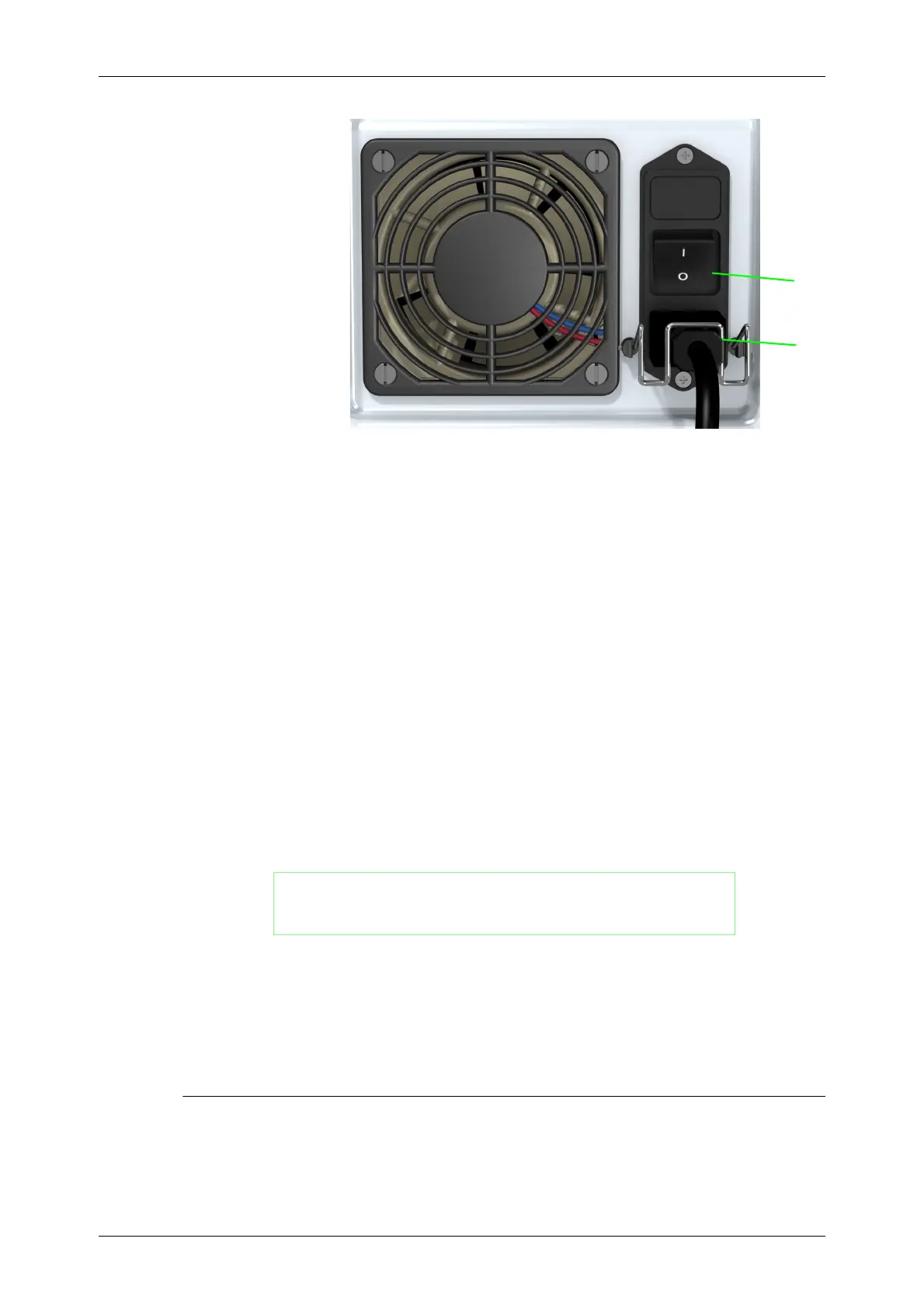
Figure 5-12 Rear Panel of the
XTRA
Note: ON = | position
OFF = O position
Power-Up Self-Test
Once powered on, the XTRA performs a few internal tests before it may be operated. While these tests
are being performed, the message “Self test in progress. Please stand by.” is displayed on the touch
screen display.
Priming the Blood Collection Reservoir
• Draw 200 ml of anticoagulant solution into the blood collection reservoir prior to aspirating blood.
(Refer to
Chapter 4: Installing the Disposables
.)
• Prime the blood administration set, if applicable (refer to “Reinfusion” on page 6-7).
Collecting and Anticoagulating the Blood
While collecting blood in the reservoir, it is very important to monitor the rate at which the fluid enters
the reservoir. The operator must adjust the flow of anticoagulant solution to assure that the proper
mix of anticoagulant to blood is maintained.
Loading the Pump Segment for a New Case
The proceeding information assumes you have followed the instructions in
Chapter 4: Installing the
Disposables
and “Turning On the XTRA System” on page 5-5.
The Setup Screen should be displayed on the touch screen display (see Figure 5-13).
WARNING
In the event of excess heparin in collection reservoir due to
inappropriate ratios, the salvaged blood may contain residual
heparin.
CAUTION
Failure to maintain adequate anticoagulation during blood collection can
cause excessive clotting in and possible clogging of the collection reservoir or
centrifuge bowl.
1
1Power switch
2Power plug
2









 To Next Page