Data Download Option
11-4
20077/021 US XTRA Operator’s Manual
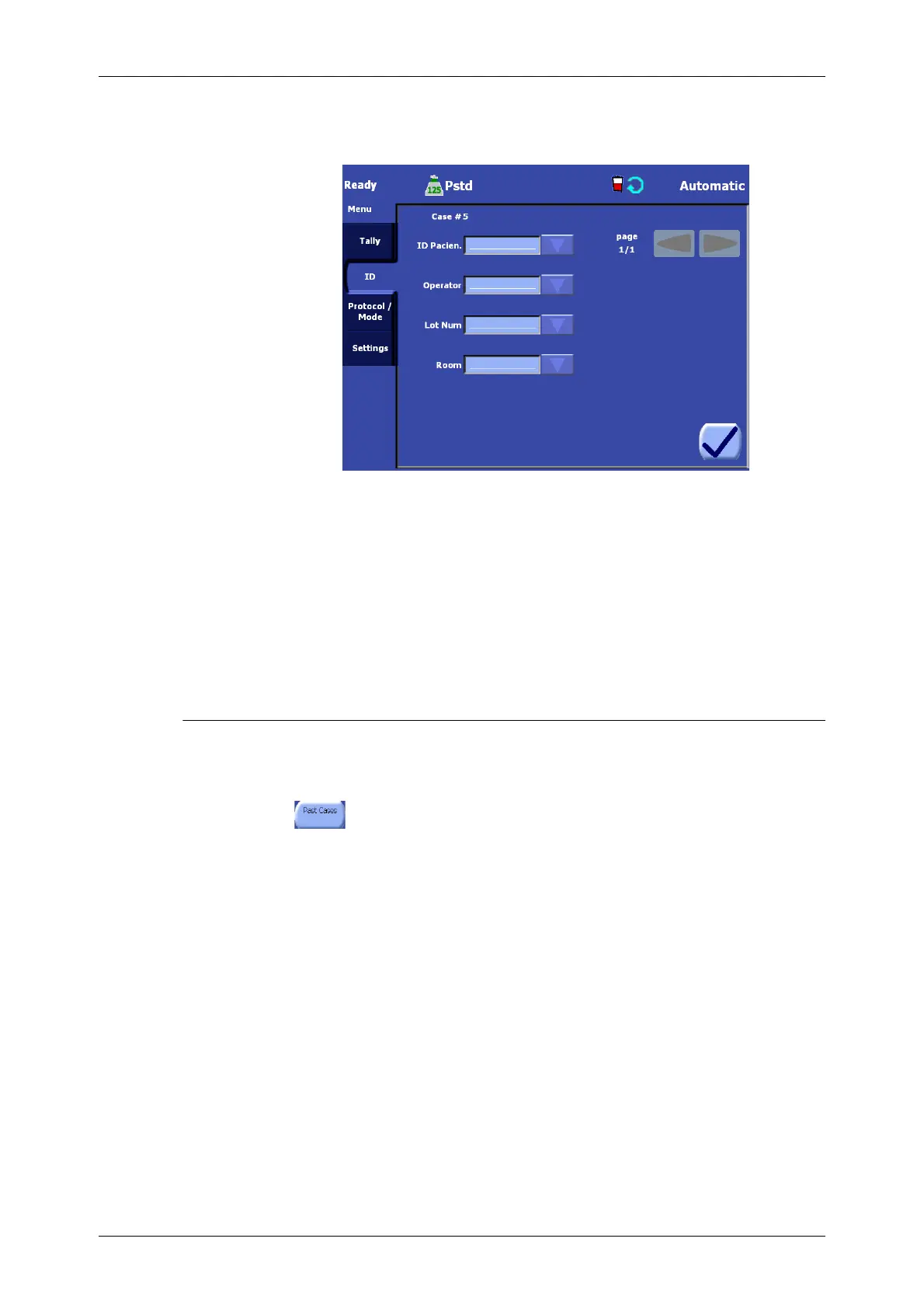
2. From the left side of the Menu Screen, touch the ID tab. The ID tab will be displayed (see
Figure 11-4).
Figure 11-4 ID Tab of the Menu Screen
For a detailed explanation of the
ID Tab, read “Identifier (ID)
Tab” on page 5-46.
Field values may be edited in two ways:
• by touching the field value box, or
• by using the field’s drop-down rapid selection menu if enabled.
To create, modify, and delete fields, and to configure the list of values available via the drop-down
rapid selection menu for a field, refer to “Setting the Rapid Selection of ID” on page 8-10.
Selecting Past Cases
By default, both the End of Case Screen and the Tally tab of the Menu Screen only display and allow
for the saving of the current case. To select past cases for display or saving, perform the following
steps from the End of Case Screen or the Tally tab of the Menu Screen:
1. Touch the “Past Cases” button. The Past Cases Screen will appear on the touch screen
display (see Figure 11-5).









 To Next Page