Programmability Option
9-2
20077/021 US XTRA Operator’s Manual
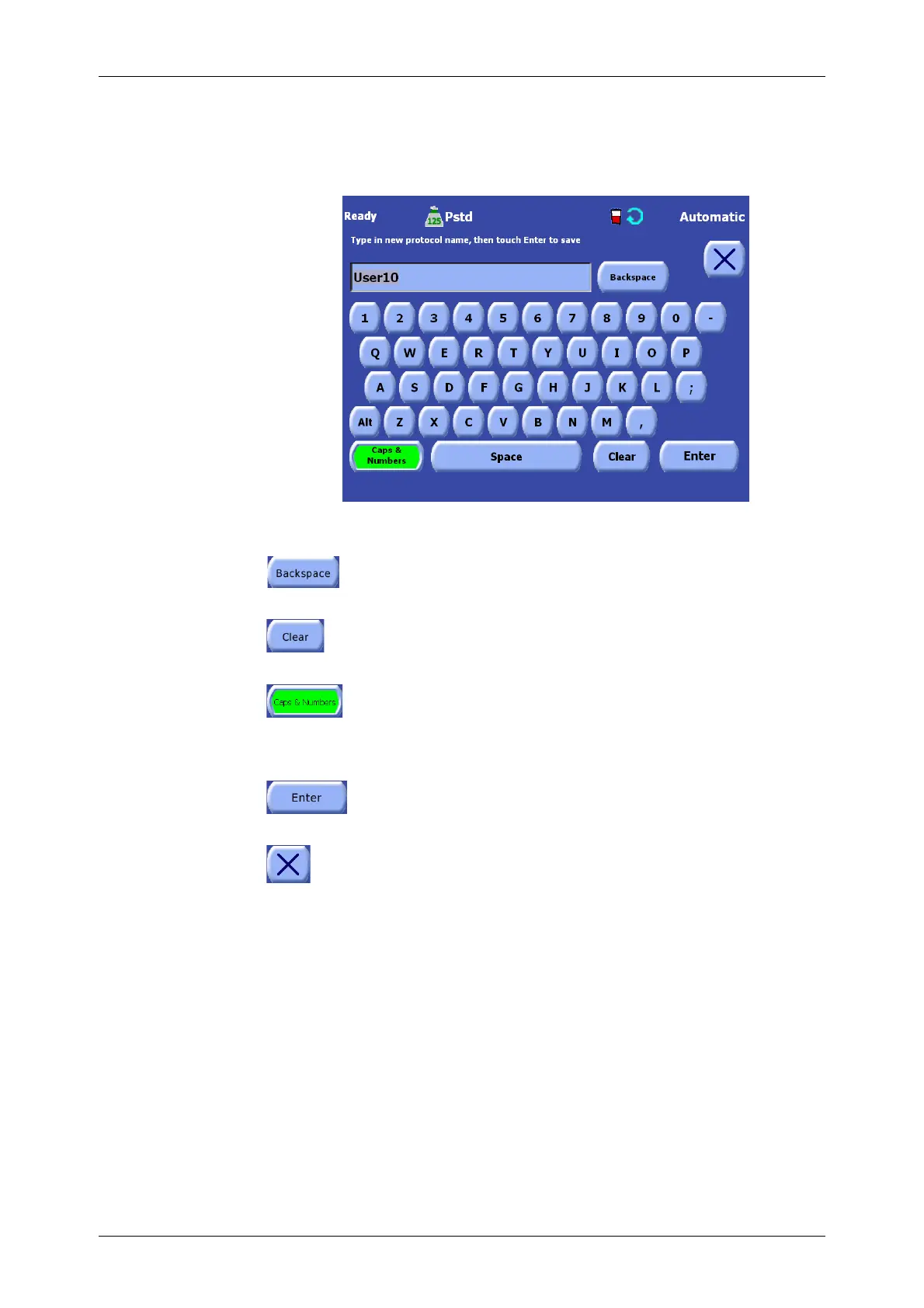
Text values, such as a protocol’s name, are entered using the Keyboard Screen illustrated in
Figure 9-1.
Keyboard Screen
Figure 9-1 Keyboard Screen (Caps & Numbers ON)
Backspace Button
Touching the Backspace button on the Keyboard Screen deletes the last character
entered from the keyboard.
Clear Button
Touching the Clear button on the Keyboard Screen deletes all characters entered from
the keyboard, leaving the insert area blank.
Caps & Numbers Button
Touching the Caps & Numbers on the Keyboard Screen button toggles the keyboard
between showing capital letters and numbers (when the button is ON), to showing
lower case letters and symbols, such as “!, @, and #” (when the button is OFF). When
ON, the button appears inset and green.
Enter Button
Touching the Enter button on the Keyboard Screen accepts the currently entered text
as the new value for the parameter and closes the Keyboard Screen.
Close Button
Touching the Close button will close the Keyboard Screen without effecting any changes.









 To Next Page