Configuring XTRA
8-6 20077/021 US XTRA Operator’s Manual
Setting the Enabled Protocols
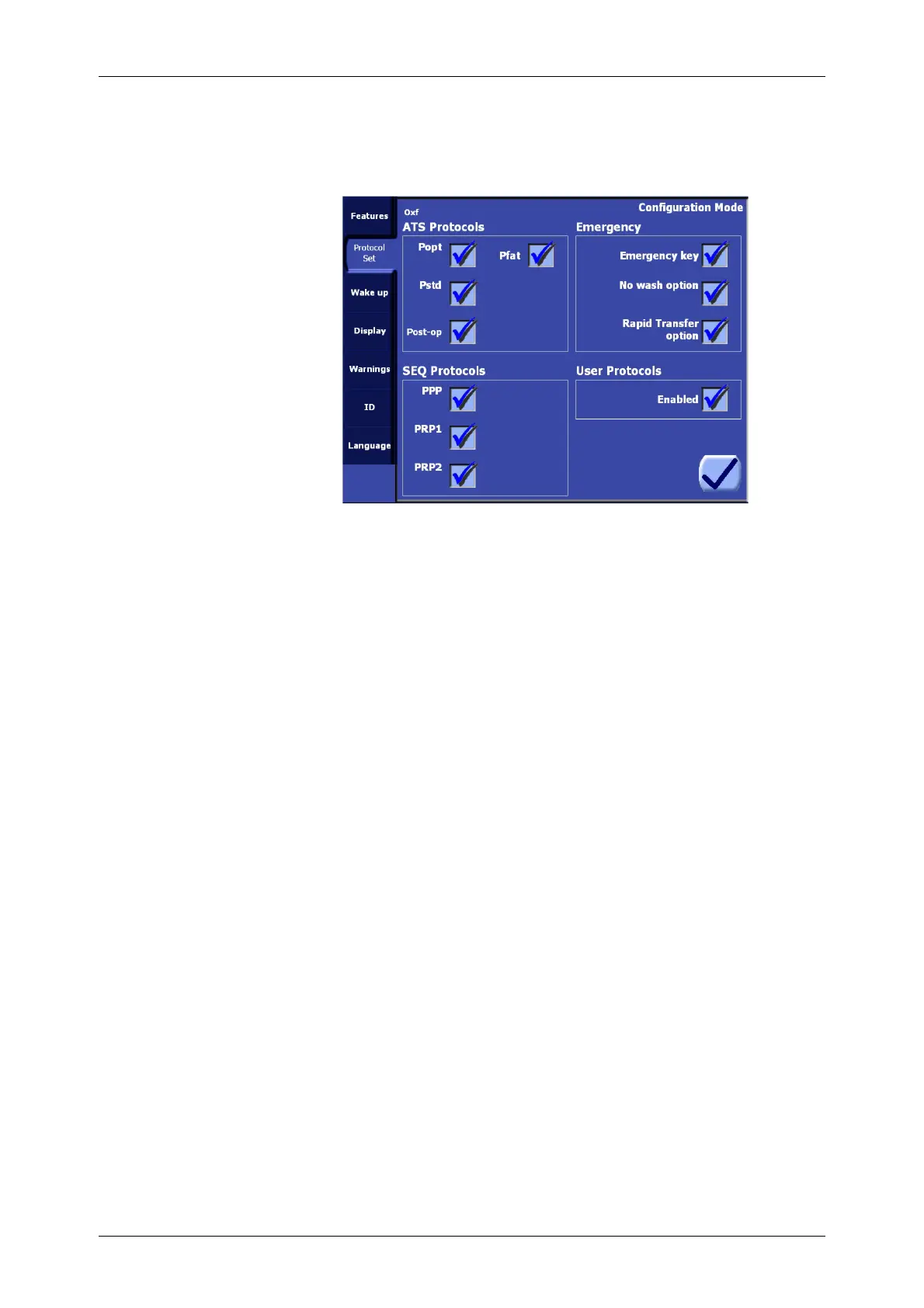
The Protocol Set tab of the Configuration Mode Screen (see Figure 8-4) allows for the available
processing protocols to be configured.
Figure 8-4 Protocol Set Tab of the Configuration Mode
ATS Protocols
The four settings under the “ATS Protocols” heading determine which intraoperative (Popt, Pstd and
Pfat) and postoperative (Post-op) protocols are available for processing.
A check next to the protocol name indicates that it may be selected as the active processing protocol
from the Protocol/Mode tab of the Menu Screen.
The ATS protocols are described in detail in “Factory Protocols” on page 5-22.
SEQ Protocols
The three settings under the “SEQ Protocols” heading determine which sequestration protocols are
available for processing.
A check next to the protocol name indicates that it may be selected as the active processing protocol
from the Protocol/Mode tab of the Menu Screen.
The sequestration protocols are described in detail in “The Preoperative Sequestration Factory
Protocols” on page 10-21.
Emergency
The three settings under the “Emergency” heading configure the Emergency feature as described in
“Emergency” on page 5-26.
Emergency key. This setting must be enabled for the Emergency function to be available. If it is
disabled, the “No wash option” and “Rapid Transfer option” settings are also disabled.
No wash option. This setting must be enabled for the No Wash option to be available from the
Emergency Activation Screen.
Rapid Transfer option. This setting must be enabled for the Rapid Transfer option to be
available from the Emergency Activation Screen.
User Protocols
The “User Protocols” setting must be enabled to allow operators to create, rename, delete, modify,
and use custom operating protocols. Refer to “Creating Custom Protocols” on page 9-1.









 To Next Page