Processing
5-12
20077/021 US XTRA Operator’s Manual
re-separation time while the centrifuge begins spinning again, refer to “Automatic Reseparation
Screen” on page 5-55).
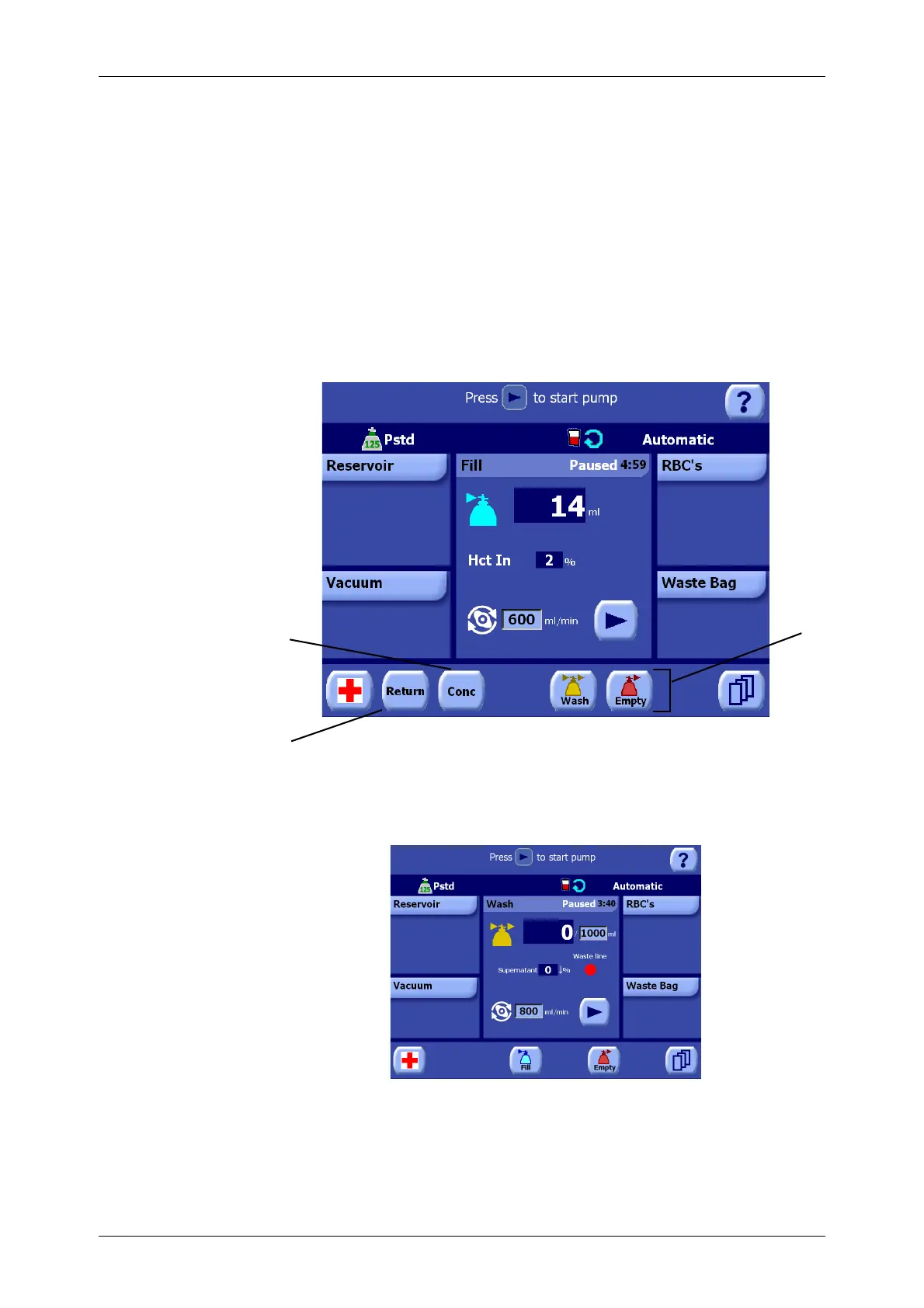
While paused, phase buttons appear in the button bar near the bottom of the screen which allow the
operator to manually advance to a different phase. The operator may touch the appropriate phase
button (Fill, Wash, or Empty) to manually switch to that phase. The available phase buttons depend on
the currently active phase.
Touching the Play button resumes processing from the point it was paused at, and the button is
replaced by the Pause button.
While paused, it is also possible to engage the Return or Concentrate functions, if available, using the
“Return” and “Conc” buttons in the button bar. Refer to
Chapter 6: Special Cycles
for a description of
these functions.
Paused Processing Screens
Figure 5-18 Fill Phase Paused
Figure 5-19 Wash Phase Paused
2
1
1 “Return” button 3 Phase buttons
2“Conc” button
3









 To Next Page