Automated Functions
7-4
20077/021 US XTRA Operator’s Manual
When the Continue function is active, the Continue symbol ( ) appears in the status area of every
screen.
The Continue function may be deactivated in two ways:
• By touching Continue button from the Protocol/Mode tab of the Menu Screen while the function is
active (the button will then revert to its deactivated raised appearance).
• By switching to a protocol or mode where this automation is not allowed or it is preset to its OFF
status (for example, when the Manual operating mode is selected).
Last Bowl
The Last Bowl function is designed to minimize the operator’s interventions during the conclusion of
the case by automatically processing the remaining blood in the reservoir (concentrating the last bowl
if necessary) and emptying the RBC line.
This automation is available only for intraoperative and postoperative protocols (including while the
Emergency function is active) in the Automatic and 1 Touch operating modes.
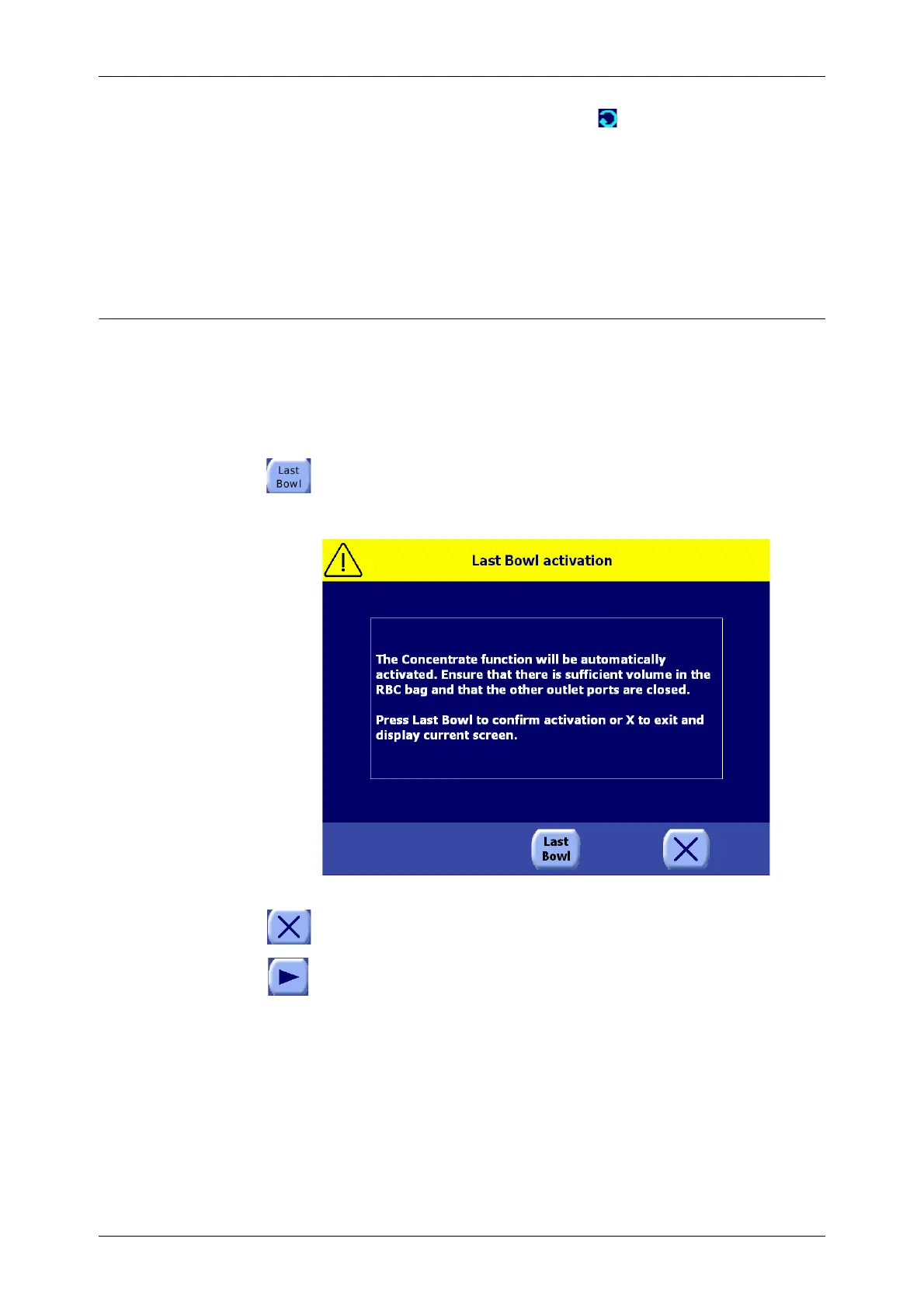
The Last Bowl function is initiated by touching the Last Bowl button during the Reservoir
Empty alarm (refer to “Reservoir Empty” on page 5-17). The Last Bowl Activation Screen is
displayed, prompting the operator to confirm activation of the Last Bowl function (see
Figure 7-2).
Figure 7-2 Last Bowl Activation Screen
Touching the Close button will close the Last Bowl Activation Screen without activating the
Last Bowl function.
Touching the Play button activates the Last Bowl function. This confirms the activation of the
Last Bowl function.
Upon activation (and confirmation) of the Last Bowl function, the following steps are performed in
sequence, independent of the operating mode:
• A new processing cycle is started (at the Fill phase). Processing continues, automatically
processing a number of cycles in sequence, if necessary, as if the Continue function were active,
until the reservoir is completely empty.
• As soon as the reservoir is empty, and the system considers the residual volume of RBCs present
in the partially filled bowl is sufficient, the Concentrate cycle is automatically initiated to complete
the bowl with RBCs from the RBC bag without any intervention required by the operator (refer to
“Adding Fluid to a Partially Filled Bowl: The Concentrate Cycle” on page 6-3). If the volume of
RBCs is considered insufficient to complete the bowl using the Concentrate cycle, the system
stops and alerts the operator with the message, “Blood not sufficient to concentrate









 To Next Page