Configuring XTRA
8-2 20077/021 US XTRA Operator’s Manual
The Settings Tab of the Menu Screen
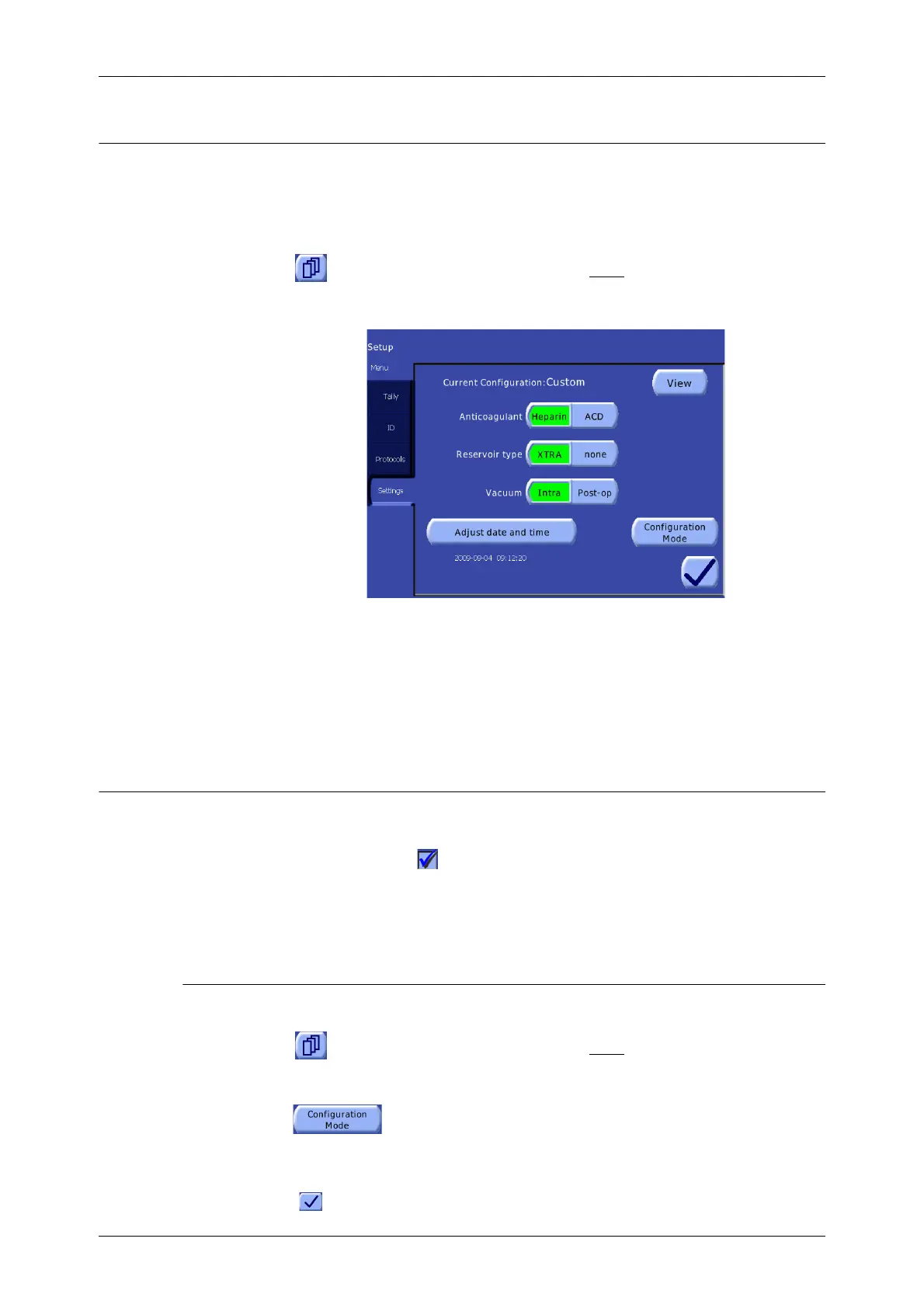
A few system settings may be changed directly from the Settings tab of the Menu Screen (see
Figure 8-1) without entering a password. Settings are only modifiable when the Settings tab is
accessed from the Setup Screen (before starting the case).
Follow these steps to access the Settings tab:
1. Touch the Menu button from the Setup Screen before
loading the pump loop.
2. From the left side of the Menu Screen, touch the Settings tab.
Figure 8-1 Settings Tab of the Menu Screen
For a detailed explanation of the
Settings Tab of the Menu
Screen, read “Settings Tab” on
page 5-48.
All changes made from the Settings tab take effect immediately. The “Anticoagulant”, “ReservoirType”,
and “Vacuum” settings affect only the current case. Each of the settings of the Settings tab is
described in “Settings Tab” on page 5-48.
Configuration Mode
Most of the system settings may be changed from the password-protected Configuration Mode Screen.
In all tabs, a checked box ( ) indicates a feature is enabled.
Several settings are controlled by multi-part toggle buttons. To change the settings of such toggle
buttons, touch the portion of the button labelled with the setting you wish to enable. The enabled
setting appears inset and green.
How to Enter the Configuration Mode
Follow these steps to gain access to the Configuration Mode Screen:
1. Touch the Menu button from the Setup Screen before
loading the pump loop.
2. From the left side of the Menu Screen, touch the Settings tab.
3. From the Settings tab, touch the “Configuration Mode” button. The
Configuration Mode Password screen will be displayed, prompting for the password (see
Figure 8-2).
4. Enter the configuration mode password using the on-screen keypad, then touch the Enter button
( ) to enter the Configuration Mode Screen. The Features tab of the Configuration Mode









 To Next Page