Maintenance
X
TRA Operator’s Manual 20077/021 US 15-7
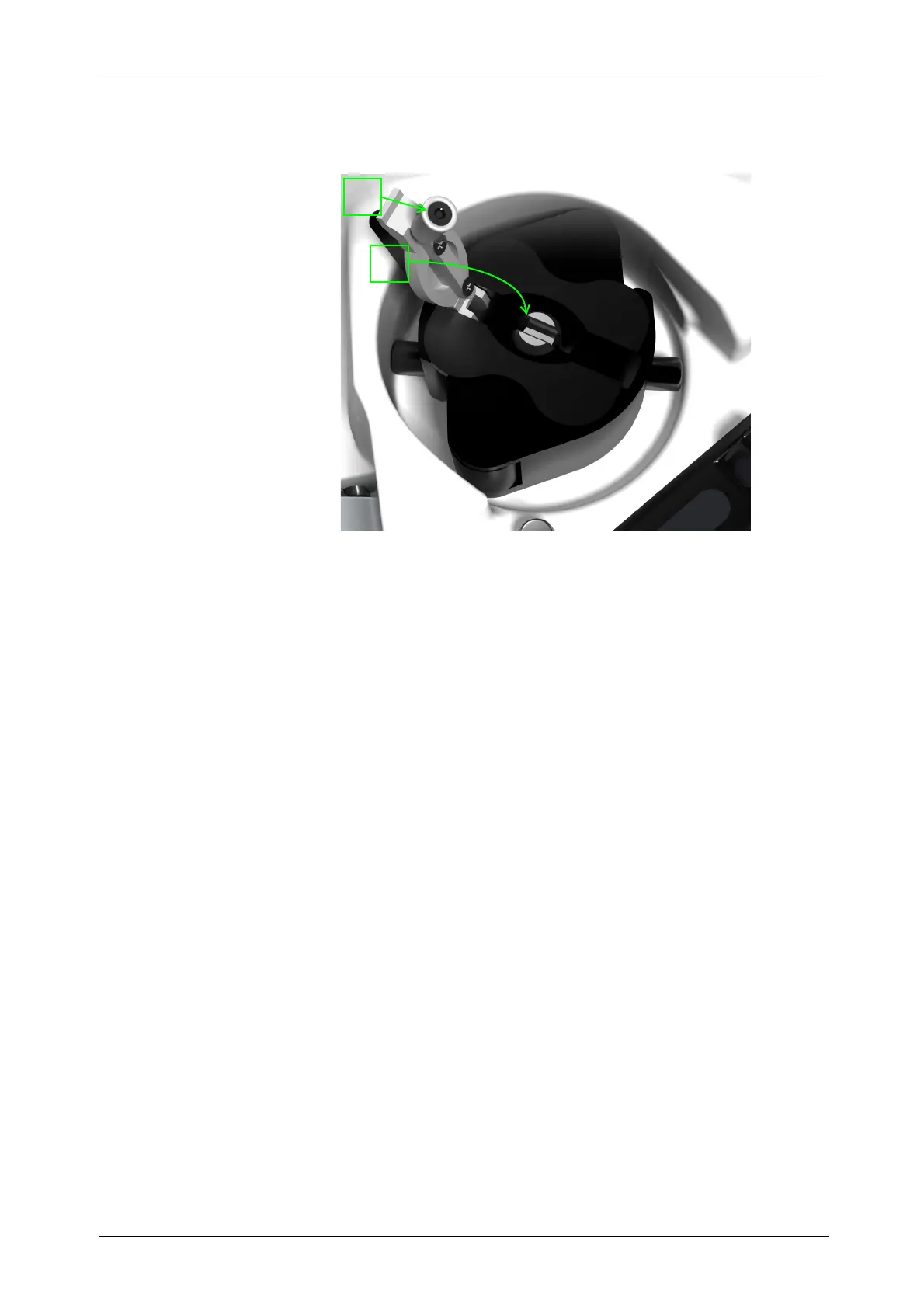
• To replace the pump rotor, lift the white lever (see “1” in Figure 15-7) and extract the rotor,
making sure that it is positioned where the knurling allows its extraction. To find the correct
position turn the rotor round the shaft, till it is possible to lift it.
Figure 15-7 Sensors Located on Machine Top
• Insert the new pump rotor into the pump shaft;
• Find the correct angular position pushing the pump rotor completely down the shaft;
• Turn the pump rotor to align the white lever with the slot in the metallic shaft of the rotor;
• Block the rotor by closing the lever (see “2” in Figure 15-7).
Paper Replacement
When the paper roll is almost empty, vertical pink striped lines (starting approximately 8 feet from the
end of the roll) will appear on both sides of the paper. Perform the following steps to replace the paper
roll (see Figure 15-8):
1. Open the printer’s front cover
2. Press the print mechanism support at the point marked “PUSH” (on the right side of the printer)
3. Guide the paper through the paper feed slot
4. Hold down the FEED button to advance about 2 inches of paper out of the printer. This is
necessary to make the installation of the cover easier.
5. Insert the paper roll into its housing.
6. Close the print mechanism support
7. Insert the paper into the cover slot
8. Re-close the cover and tear the spare paper off









 To Next Page