Special Cycles
6-6
20077/021 US XTRA Operator’s Manual
Removing Air From the RBC Bag: The Purge Cycle
It is normal for air to accumulate in the RBC bag while processing several units of blood. The Purge
cycle allows the operator to use the system to remove this air.
The Purge cycle is initiated by touching the “Purge” button, which is accessible from the
Special Cycles Screen when the machine is stopped (refer to “The Special Cycles Screen” on
page 6-1). The Purge button is only visible if the function is enabled in the “Features” tab of
the Configuration Mode Screen.
When the purge cycle is initiated, the centrifuge starts spinning (at 5,600 RPM) to prevent any air
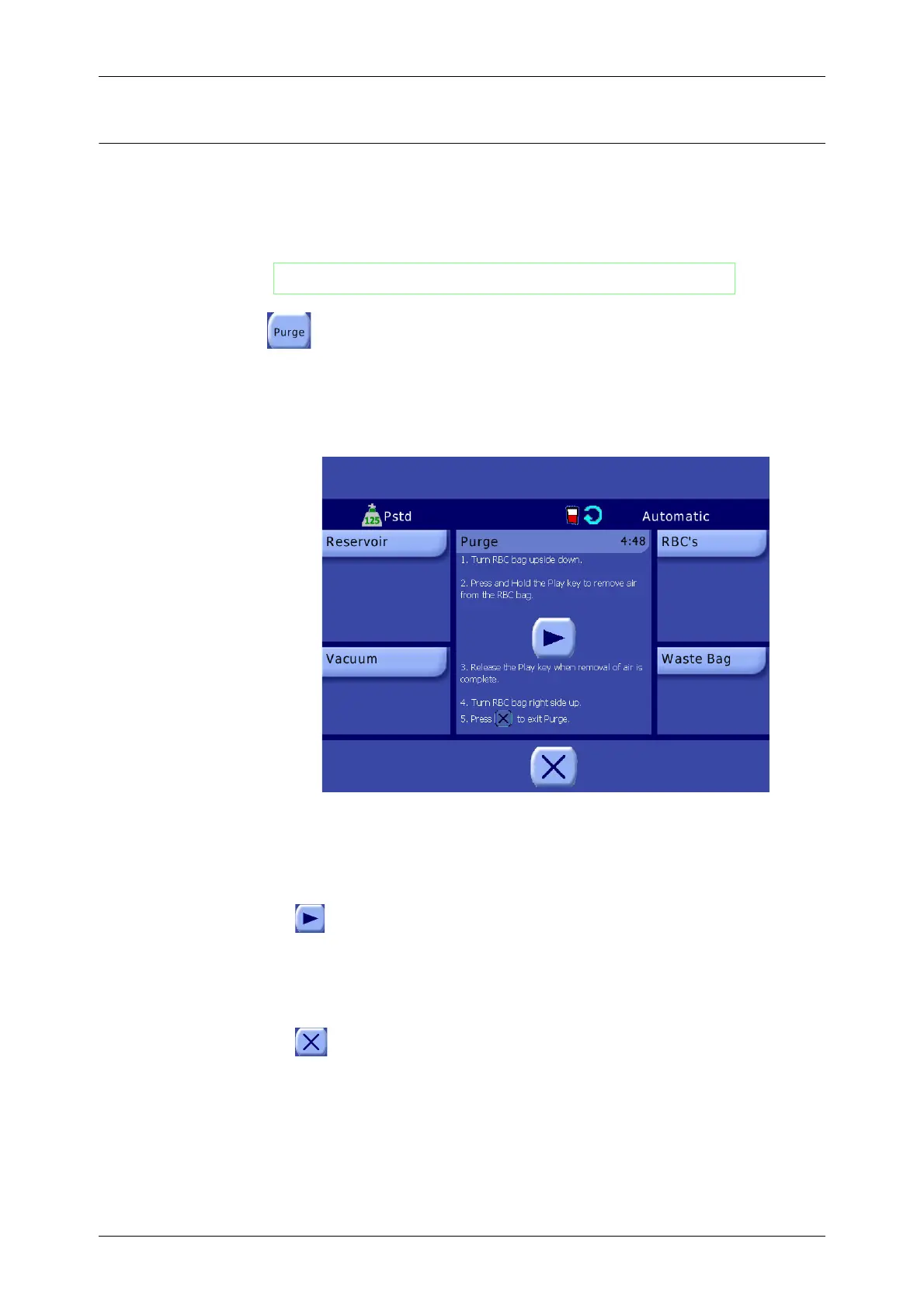
bubble formation from occurring during the Purge cycle, and the Purge Screen is displayed (see
Figure 6-5).
Figure 6-5 Purge Screen
The Purge Screen contains step-by-step instructions for purging the RBC bag of air:
1. Remove the RBC bag from the IV pole and invert it. This will expose the accumulated air to the
spike from the tubing harness.
2. Press and hold the Play button. The Empty clamp opens and the pump rotates
counterclockwise at a fixed speed (400 ml/min.), removing the air from the RBC bag.
3. Release the Play button when the removal of air is complete.
4. Return the RBC bag to its upright position.
5. Press the Close button to exit the Purge cycle and return to the Ready Screen.
WARNING
Initiate the Purge cycle only when the bowl is empty.









 To Next Page