Configuring XTRA
8-4 20077/021 US XTRA Operator’s Manual
Configuration Mode Screen Tabs
Setting the Enabled Features
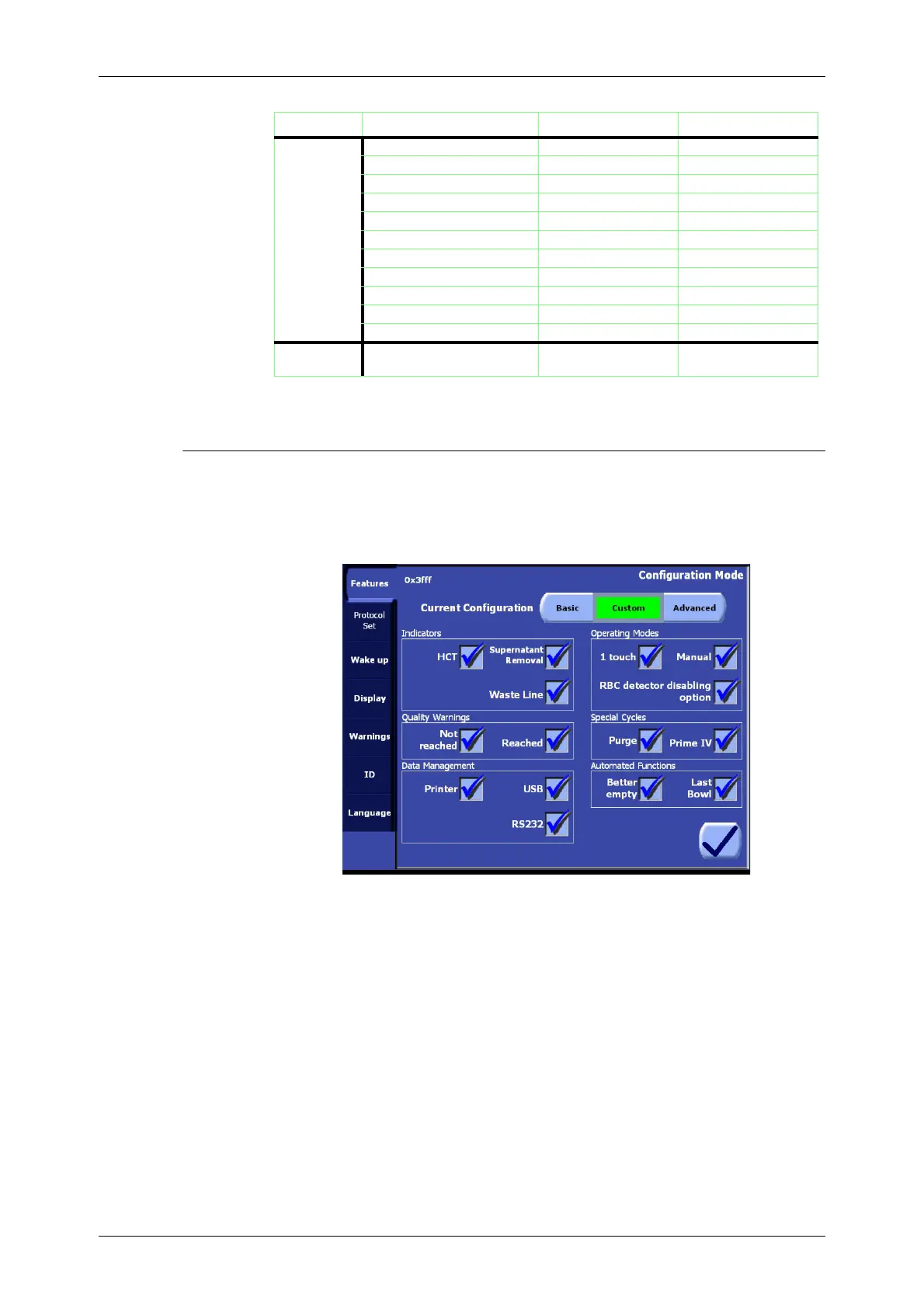
The first tab (from the top) of the Configuration Mode Screen is the Features tab (see Figure 8-3).
The optional features of the X
TRA system may be enabled and disabled from this tab.
Figure 8-3 Features Tab of the Configuration Mode
As mentioned under “Predefined Feature Sets” on page 8-3, from this tab it is possible to select a
predefined configuration set using the Feature Set button at the top of the screen.
Indicators
The following three settings relate to the wash quality indicators as described in
Chapter 12: Quality
Management Option
.
Hct indicator. The Hct indicator option turns the Hct (hematocrit) indicator ON (enabled) and
OFF (disabled). It must be enabled for features related to the Hct indicator to be available during
processing (such as for the “Hct in” and “Hct out” figures to appear on processing screens and be
stored with the case data). If the Hct indicator is disabled, the Hct indicator will NOT be
calibrated during setup.
Supernatant removal indicator. This option turns the supernatant removal indicator ON
(enabled) and OFF (disabled). It must be enabled in order to have the possibility to activate the
Waste line color indicator.
Waste line color indicator. This option turns the three-color waste line indicator ON (enabled)
and OFF (disabled).
Protocol Set Popt enabled enabled
Pstd disabled enabled
Pfat enabled enabled
Post-op disabled disabled
PPP disabled disabled
PRP1 disabled disabled
PRP2 disabled disabled
Emergency key enabled enabled
No Wash option disabled disabled
Rapid Transfer option disabled disabled
User Protocols disabled disabled
Wake up ATS (Intraoperative) Mode of
Operation
1 touch 1 touch
Tab Feature/Function Basic Advanced
Table 8-1 Comparison of the Predefined Feature Sets (Continued)









 To Next Page