Special Cycles
6-2
20077/021 US XTRA Operator’s Manual
The “Special” button is only available while the machine is stopped with the Ready Screen displayed.
However, by use of the “Conc” and “Return” buttons in the button bar, the Concentrate and Return
cycles may be initiated at any time from the Processing Screen while processing is paused (or from a
warning screen, such as during the “Reservoir empty. Bowl not filled” warning). The Return cycle is
only available if processing with Pstd or Popt protocols.
Touching the Close button from the Special Cycles Screen returns to the Ready Screen.
Returning Fluid to the Reservoir: the Return Cycle
The Return cycle serves to return the blood in the bowl back to the reservoir. This is useful when there
is insufficient blood in the reservoir to complete the current cycle or when the RBC bag has been
removed.
The Return cycle is only available when operating with the Pstd or Popt protocols (or custom protocols
derived from the Pstd or Popt protocols).
The Return cycle is initiated by touching the “Return” button, which is accessible from three
places:
• the Special Cycles Screen when the machine is stopped (refer to “The Special Cycles Screen” on
page 6-1),
• the button bar of the Fill phase when the machine is paused, or
• when the “Reservoir empty. Bowl not filled” warning occurs.
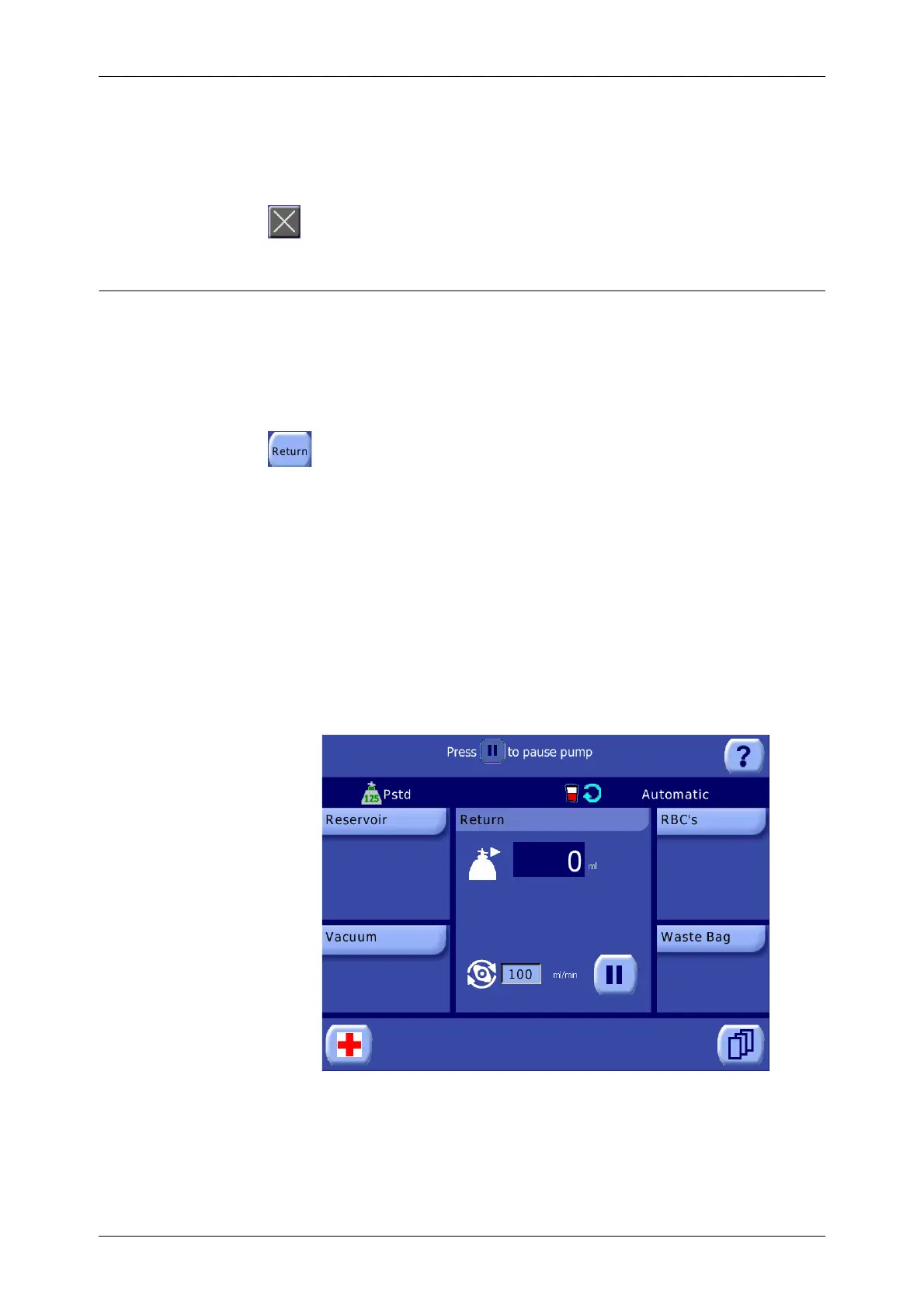
When the Return cycle is initiated, the pump and centrifuge stop (if rotating), the fill clamp opens and
the other clamps close, the pump begins rotating clockwise at a programmed speed to move fluid from
the bowl to the reservoir, and the Return Screen is displayed on the touch screen display (see
Figure 6-2).
Figure 6-2 Return Screen
As the pump rotates, the blood cells empty through the blue tubing line back to the reservoir until air
is detected in the line indicating that the bowl is empty, at which point the machine is stopped and the
Ready Screen is displayed. This cycle may be repeated if necessary.
The processing displet of the Return Screen tracks the volume of fluid pumped from the bowl to the
reservoir (ml). The Return pump speed (ml/min.) may be adjusted by touching the pump rotor text
box.
CAUTION
The repeated use of the Return function on the same red blood cells might
lead to them being damaged and therefore to their loss.









 To Next Page