Processing
5-46
20077/021 US XTRA Operator’s Manual
Identifier (ID) Tab
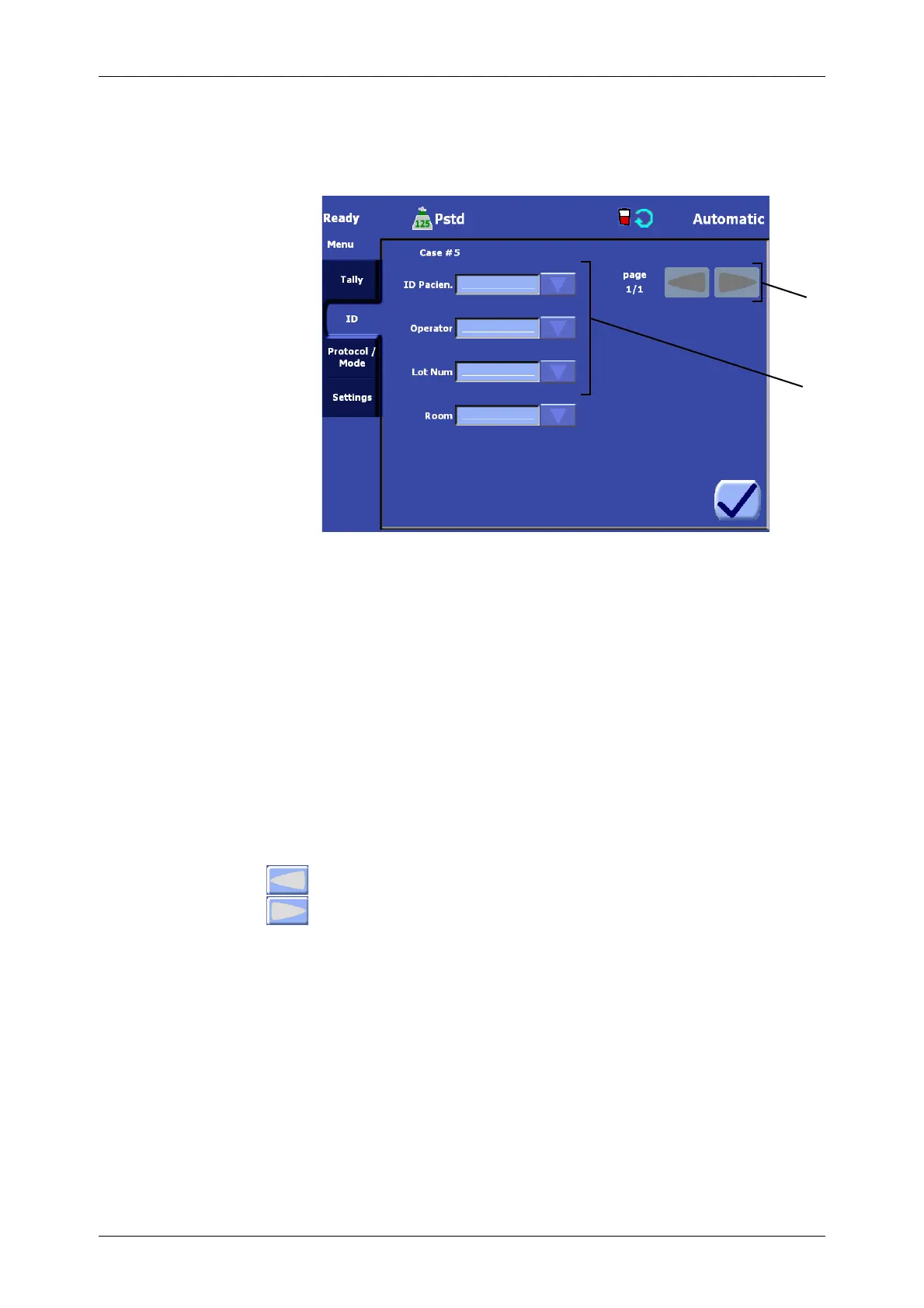
The ID tab is used to enter information (such as the patient ID) pertaining to the current case (see
Figure 5-44).
Figure 5-44 ID Tab of the Menu Screen
1. ID Fields List
The ID tab contains labeled ID fields which are stored along with the rest of the case data.
Field values may be edited in two ways:
• by touching the field value box, or
• by using the field’s drop-down rapid selection menu if enabled.
Touching the field’s value box will display a full QWERTY keyboard which may be used to input
numbers, letters, and symbols. The drop-down rapid selection menu will only be available if that field
has a list of pre-entered values associated with it in the ID Tab of the Configuration Mode Screen.
To create, modify, and delete fields, and to configure the list of values available via the drop-down
rapid selection menu for a field, refer to “Setting the Rapid Selection of ID” on page 8-10.
2. Page Arrow Buttons
If the number of ID fields is greater than that which can be displayed on the screen at once,
use the left and right arrow buttons to scroll through the additional pages of fields.
Protocol/Mode Tab
When accessed from the Ready Screen, after the pump loop has been loaded, The Protocol/Mode tab
allows for the selection, modification, and creation of protocols as well as the selection of the
operating mode (see Figure 5-45).
When accessed from the Setup Screen (before the pump has been loaded), it is labeled simply the
Protocol tab. In that case it allows for the viewing of protocol parameters for all protocols and bowl
sizes.
2
1 ID Fields List 2 Left and Right Page Buttons
1









 To Next Page