Chapter 4 — Configuring the Library Configuring the Global System Settings
December 2019 User Guide—Spectra T200, T380, and T680 Libraries
116
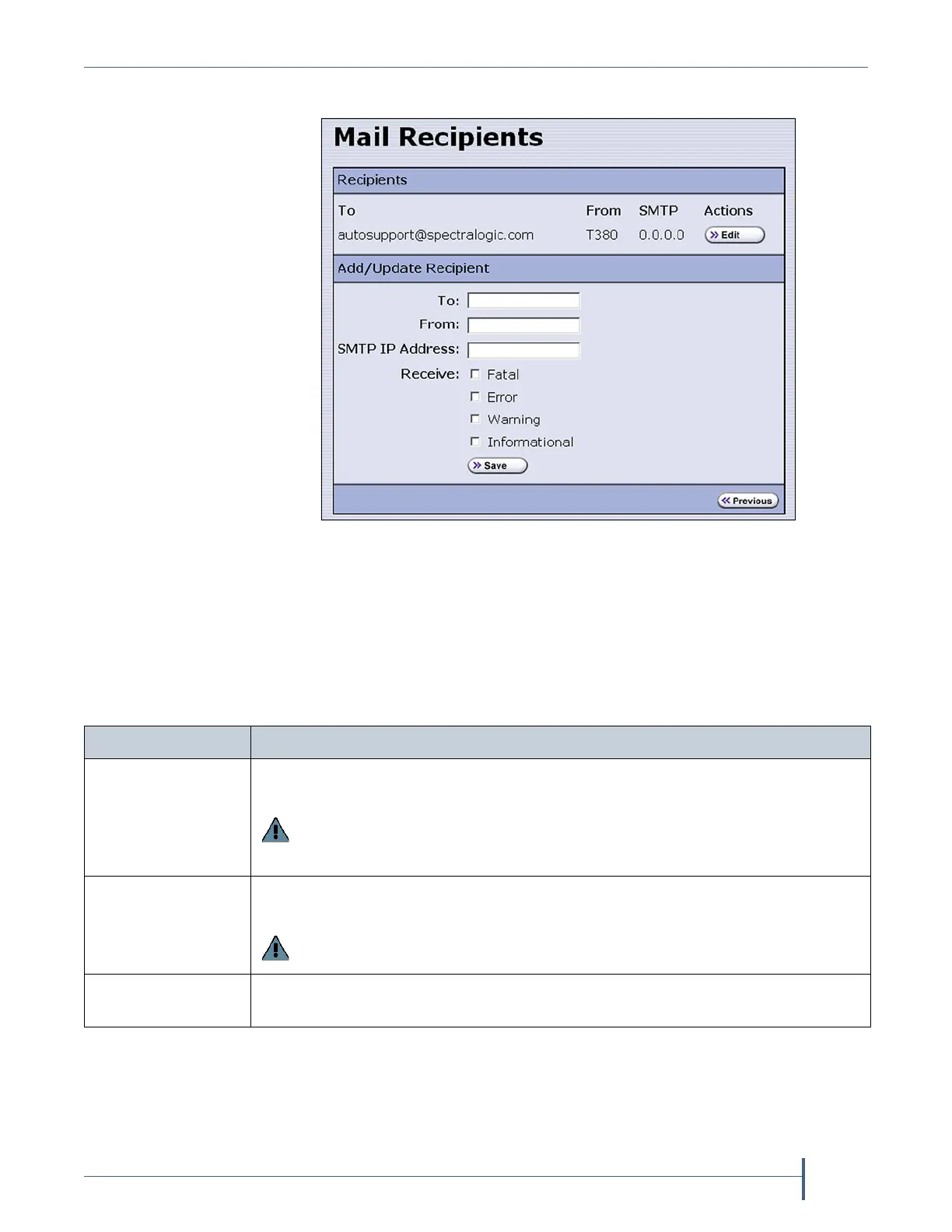
2. Click Edit next to Mail Users. The Mail Recipients screen displays.
3. To modify an existing recipient, click Edit next to the desired recipient
in the Recipients pane.
The Add/Update Recipient pane refreshes to show the current
information for the selected recipient.
4. Enter the information for a new recipient or update the information for
an existing recipient in the Add/Update Recipient pane.
Figure 54 The Mail Recipients screen.
For this field... Do the following...
To Enter the email address of the recipient. Be sure to use the full address using the
standard email format, including the @ symbol.
Important: The email address cannot contain spaces or other non-
alphanumeric characters (for example, an ampersand, &). To include multiple
addresses, leave a space between each address.
From Enter an alphanumeric string to uniquely identify the library (for example, the
name or location of the library).
Important: The string cannot contain spaces or non-alphanumeric characters
(for example, the & or the @ symbols).
SMTP IP Address Enter the IPv4 or IPv6 address of your SMTP server in the SMTP IP Address
field.
Do not include http: or https:.



 To Next Page