Chapter 12 — Library Troubleshooting Discovering and Setting the BlueScale Vision Camera IP Address
December 2019 User Guide—Spectra T200, T380, and T680 Libraries
367
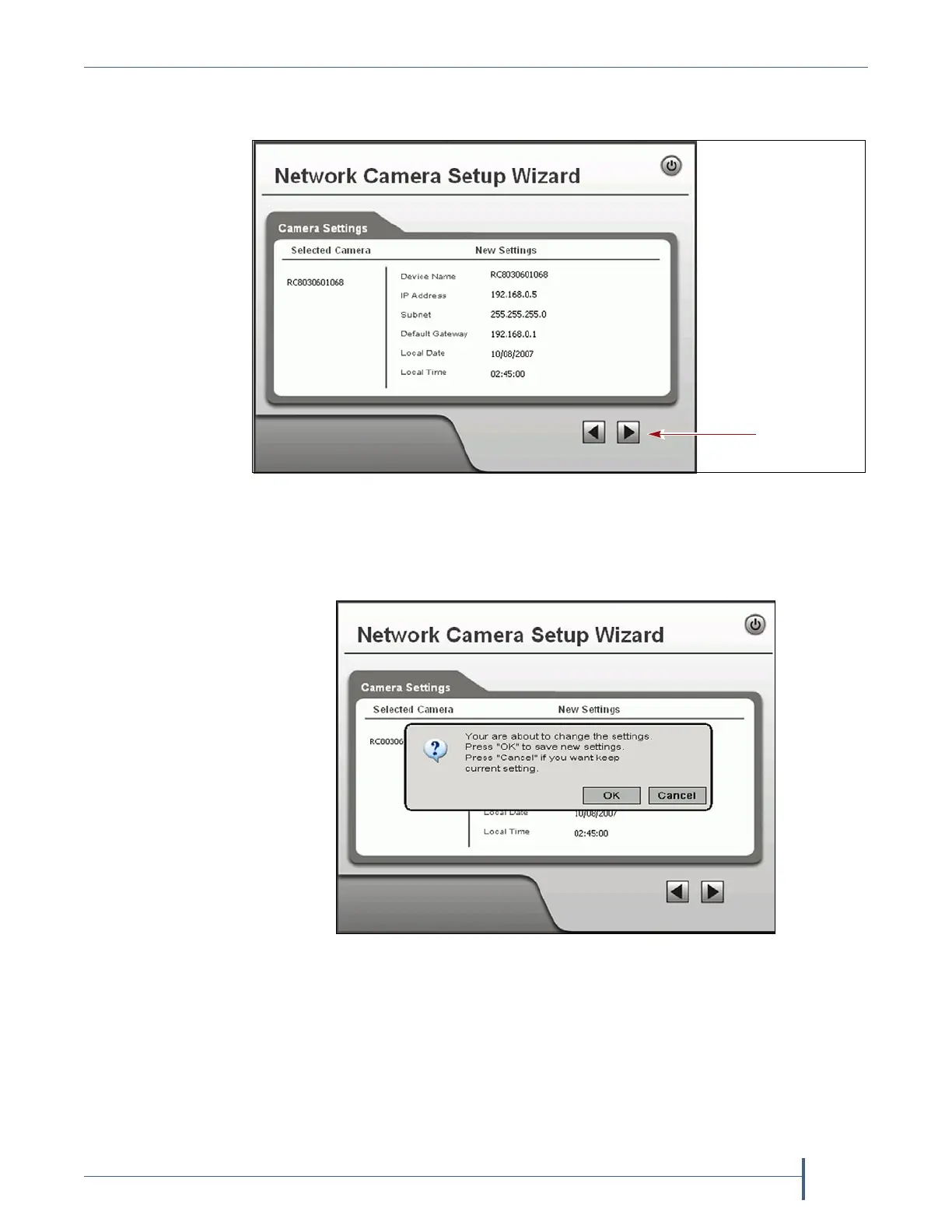
9. Click the forward arrow to display the New Settings confirmation
screen. Confirm that all of the settings are correct.
10. Click the forward arrow to save the updated settings. A confirmation
dialog box displays. Click OK to confirm that you want to save the new
settings.
11. After saving the new camera configuration verify the settings by
attempting to access the camera at the new IP address (see Using a Web
Browser on page 172).
12. Make a record of the IP address for the camera.
13. Other camera settings can be configured if desired. See the BlueScale
Vision Camera User Guide for information about other available settings.
Figure 221 Confirm that the new settings for the camera are correct.
Figure 222 Save the updated settings for the camera.



 To Next Page