Objet30 User Guide 6 Operating and Maintaining the Printer
DOC-34025 Rev. I 6-57
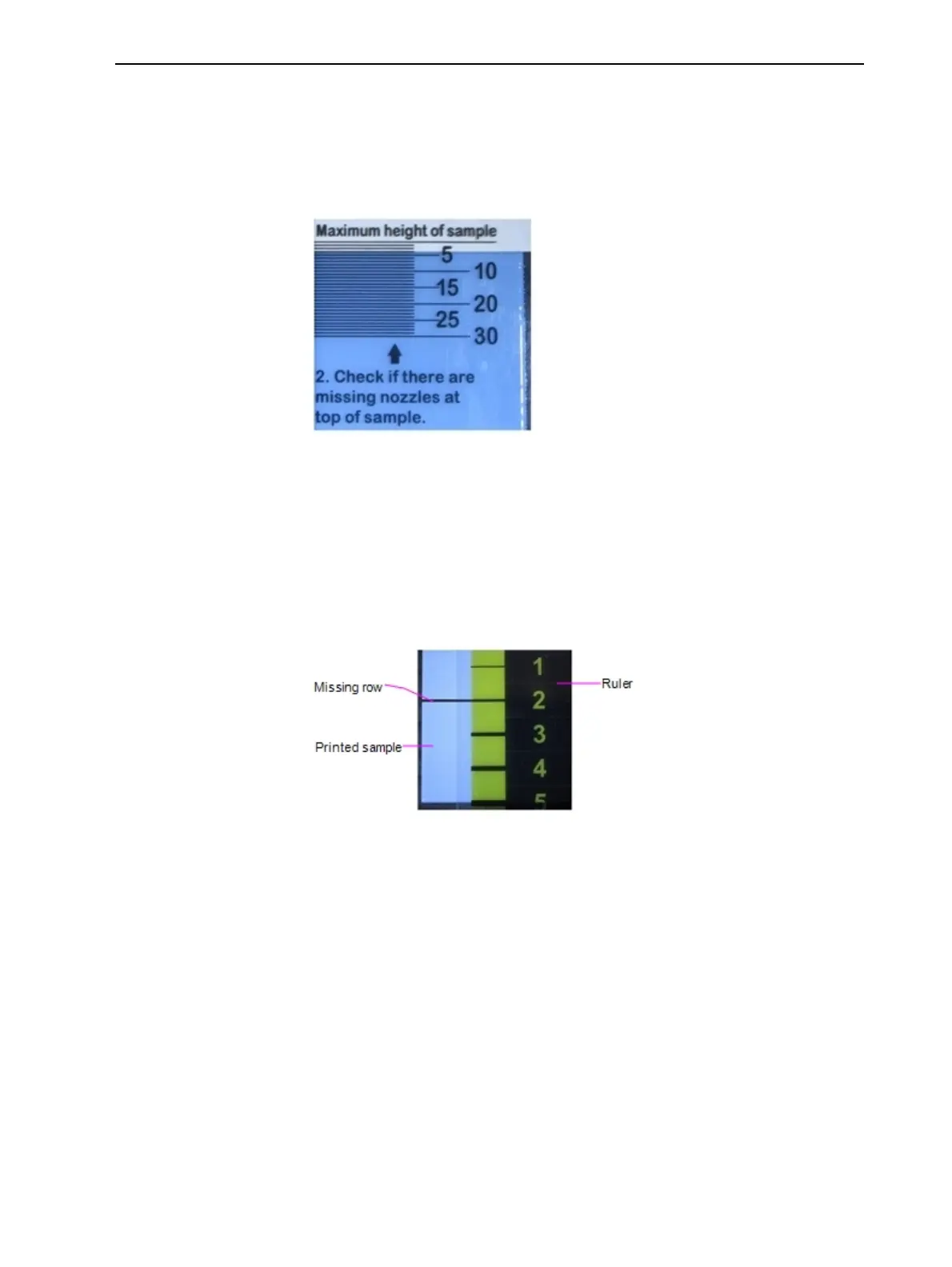
b. Check if there is a space below the line on the ruler marked “Maximum
height of sample.”
A space below this line indicates missing nozzles at the extremes of the
printed sample. The numbers indicate how many printed rows (nozzles)
are missing. Remember this number.
Figure 6-77 Measuring missing nozzles at the extremes of the
sample
Note: Because you align the ruler to the bottom of the printed sample,
missing nozzles at the bottom edge are measured at the top of the ruler.
c. Check if there are gaps in the printed sample by matching the gap in the
sample with a line on the Missing Nozzles ruler. The number on the
ruler next to the line indicates the number of missing rows/nozzles.
Figure 6-78 Measuring a missing row in a printed sample
In the example above, the number of missing nozzles is two (2).













 To Next Page