Objet30 User Guide 6 Operating and Maintaining the Printer
DOC-34025 Rev. I 6-70
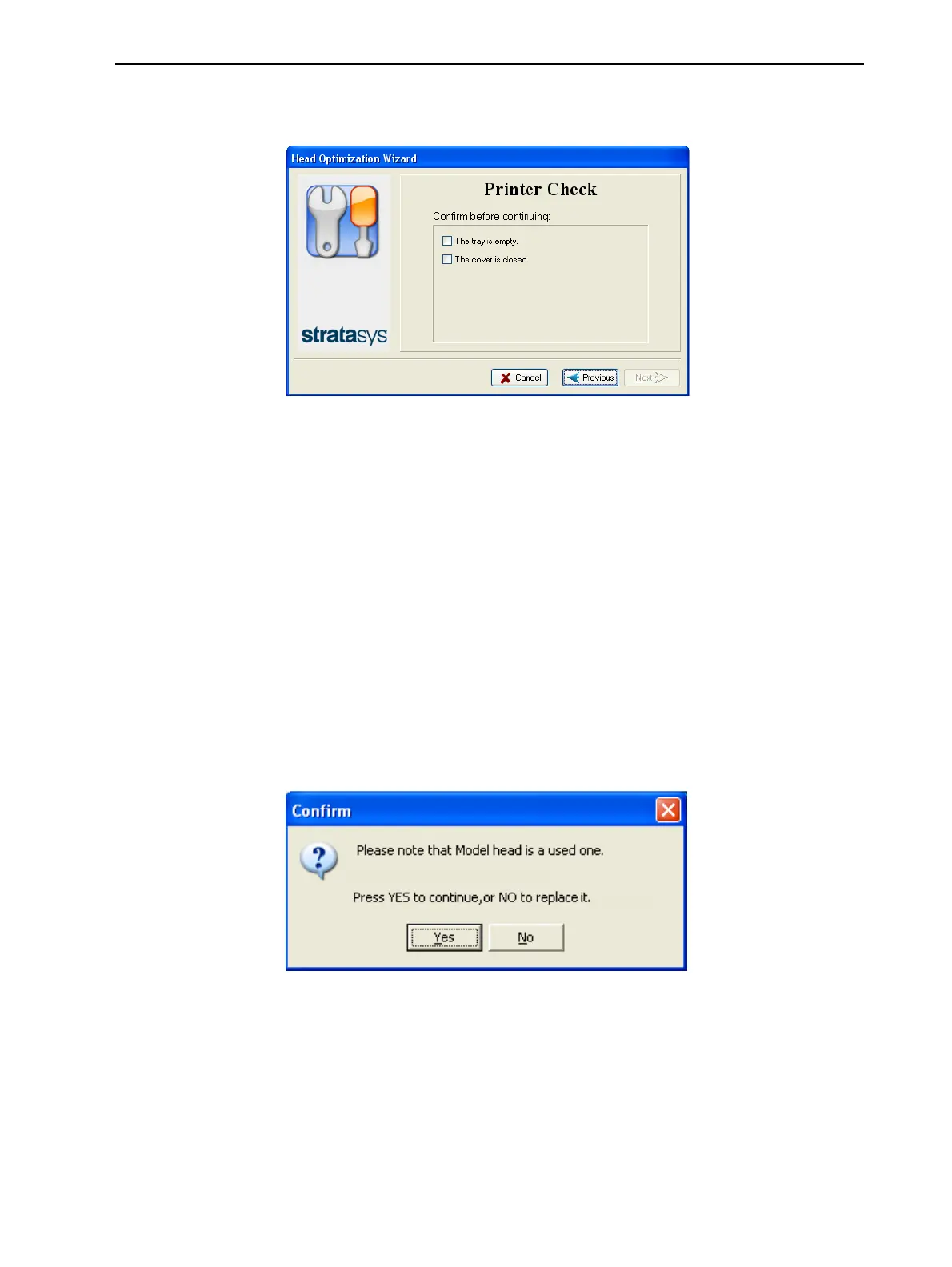
10. In the next wizard screen, confirm that you have removed all tools and
objects from the printer and that the cover is closed.
Figure 6-89 Tray/cover confirmation
The wizard continues by heating the heads, then filling and purging them.
Then, if there are no installation problems, the optimization procedure begins.
This procedure calibrates the print heads to the best working configuration—
see "Optimizing (Calibrating) Print Heads" on page 6-51.
After replacing print heads, you should run the Head Alignment wizard before
printing models.
If installation problems are detected, the wizard alerts you and instructs you
how to continue (see "Installation Problems" below).
Installation Problems
If the printer detects that there is a problem after you install print heads, a
relevant warning screen appears.
• If the print head you installed is not new—that is, it was previously removed
from a printer—the following message appears.
Figure 6-90 Used print head message
❒ To continue with the installation of this print head, click Yes.
❒ To remove this print head and install a new one, click No.













 To Next Page