Objet30 User Guide 6 Operating and Maintaining the Printer
DOC-34025 Rev. I 6-87
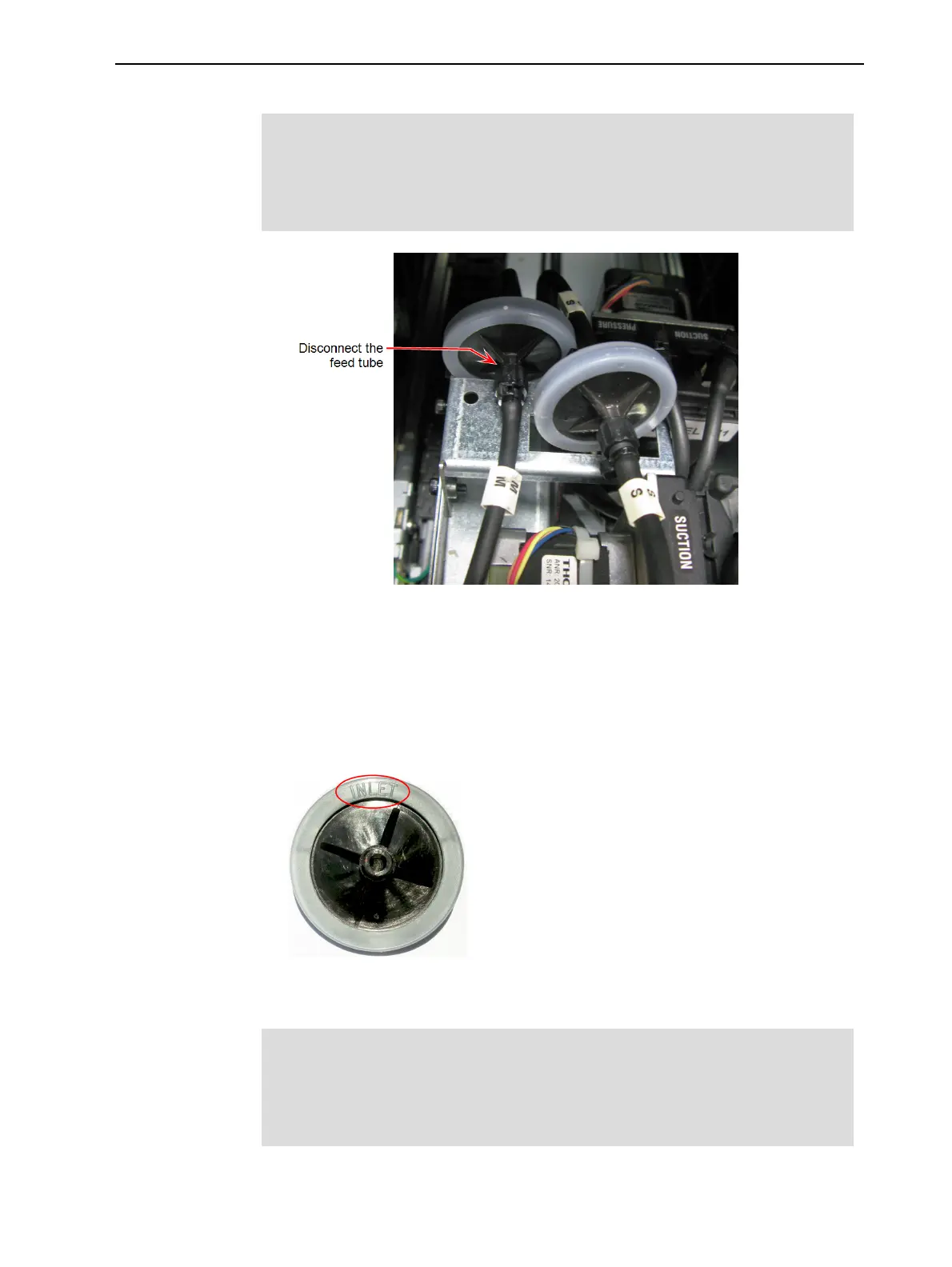
12. Disconnect the feed tube from the Model material filter, as shown.
Important:
To disconnect the feed tube, hold the fitting at the end of the tube in place
and turn the filter. Otherwise, the feed tube will be twisted and material
might leak.
Figure 6-120 Model and Support material filters
13. Make sure that the fitting at the end of the feed-tube remains attached to
the tube. Re-attach it, if necessary.
14. Cover the filter with a cleaning cloth (or paper towels) to absorb material
spillage.
15. On the new filter, identify the side marked INLET.
Figure 6-121 Inlet side
16. Attach the inlet side of the new filter to the disconnected tube.
Important:
To attach the filter, hold the fitting at the end of the feed tube in place and
turn the filter. Otherwise, the feed tube will be twisted and material might
leak.
17. Disconnect the old filter from the outlet tube.













 To Next Page