Objet30 User Guide 6 Operating and Maintaining the Printer
DOC-34025 Rev. I 6-89
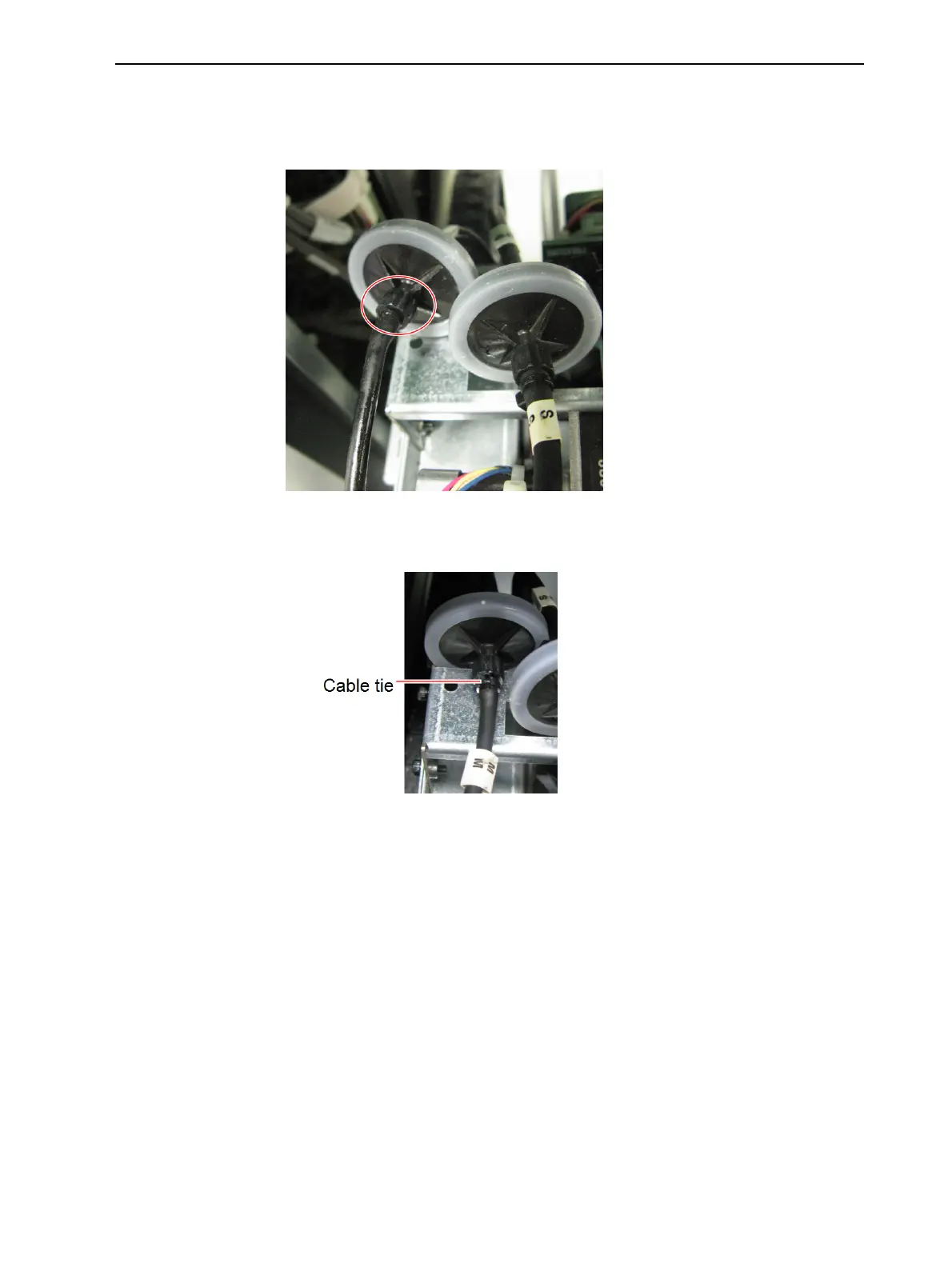
22. Attach the outlet tube to the fitting.
Make sure that the tube is firmly attached by pushing it onto the entire
length of the fitting shaft.
Figure 6-124 Tube attached to the new filter
23. Secure the tube to the fitting with a cable tie. Cut off excess length.
Figure 6-125 Tube secured with a cable tie
24. Repeat steps 2–13 to replace the Support filter.
25. Wipe the filters, tubes and surrounding area to remove material leaks and
spills.













 To Next Page