Objet30 User Guide 6 Operating and Maintaining the Printer
DOC-34025 Rev. I 6-90
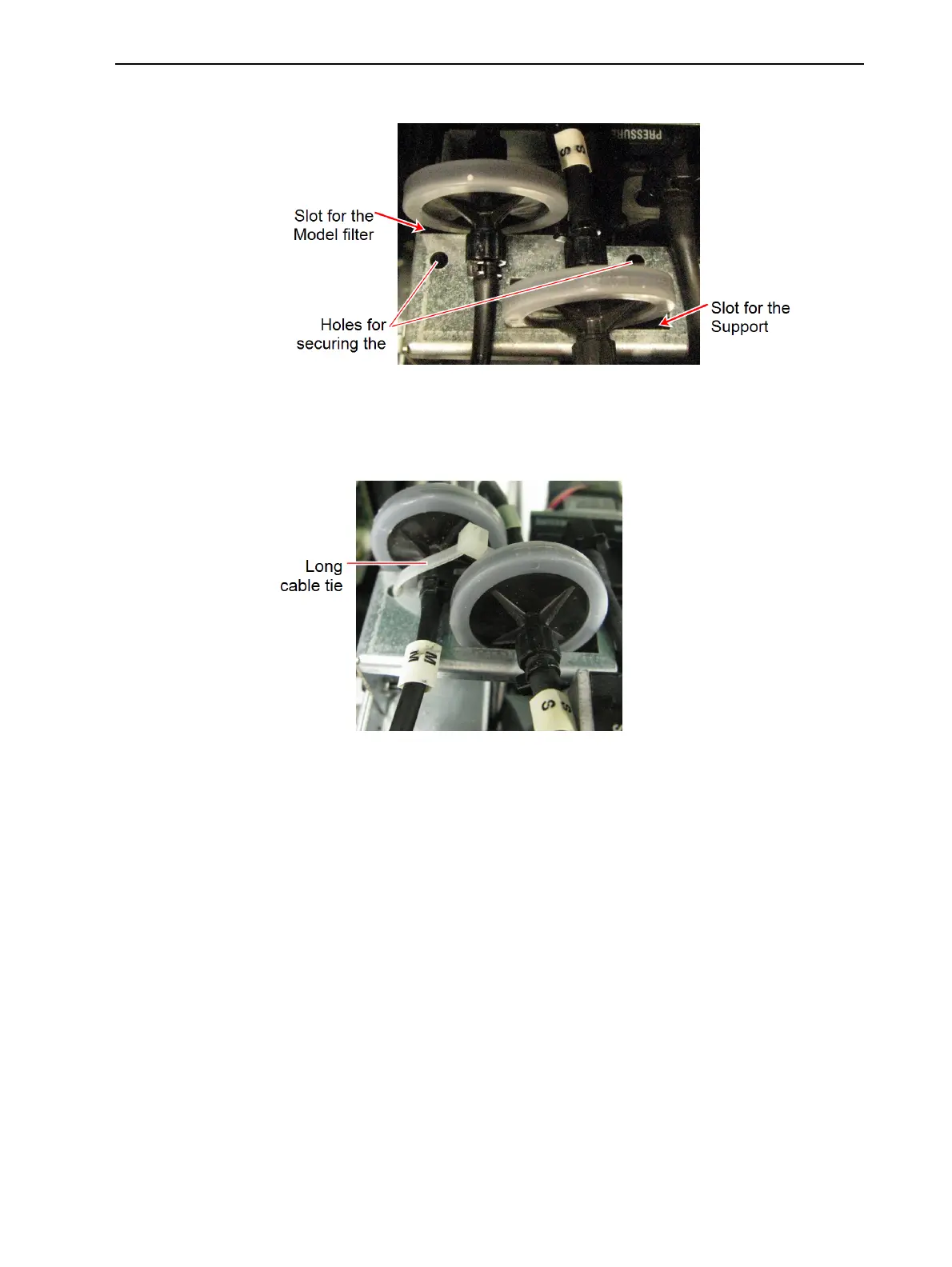
26. Position the filters in their slots.
Figure 6-126 Material filters positioned in the printer
27. Secure both filters to the printer with a long cable tie. Cut off excess length.
To secure both filters properly, route the cable tie through the holes in the
filter holder (see figure).
Figure 6-127 Filters secured in the printer













 To Next Page