Printed in the Federal Republic of Germany TR-Electronic GmbH 2008, All Rights Reserved
06/06/2019 TR - EMO - BA - DGB - 0019 - 08 Page 231 of 252
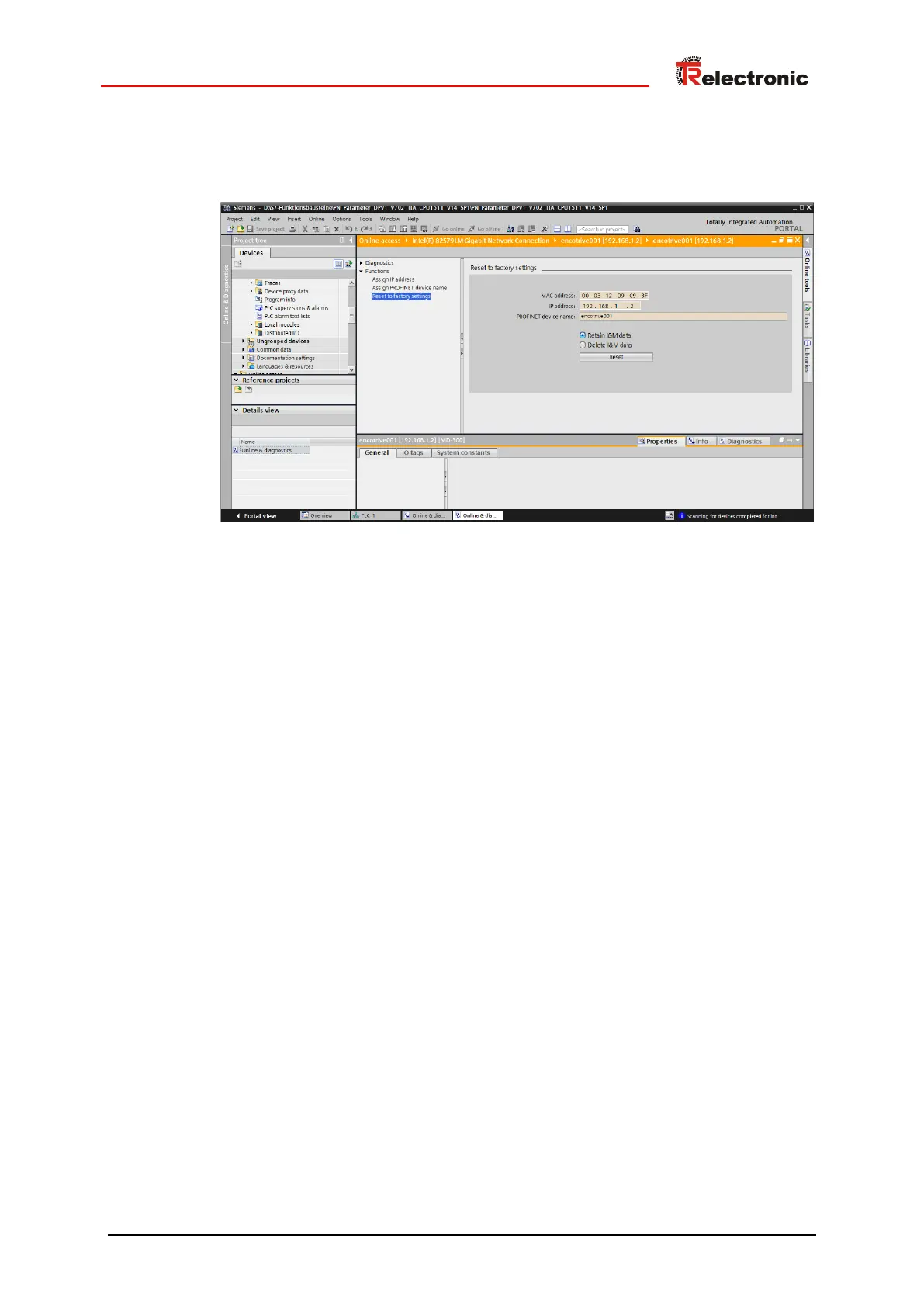
The new device name is retentively stored in the encoTRives Flash memory, until it is
reset to the default name within the function Reset to factory settings with
the Reset button.
Figure 33: Reset to default settings


 To Next Page