2D system measurements 9
6.
When the calibration finishes press \.
Note – As the AS460 sensor stores the calibration in the Machine Settings file,
not in the sensor, make sure that you save the Machine Settings file after the
body sensor calibration. For more information, see A.16 Saving the settings.
9.15.2 Angle sensor calibration
To calibrate an angle (boom, stick or bucket) sensor:
1. Select the sensor that you want to calibrate.
2. Press Add Reading.
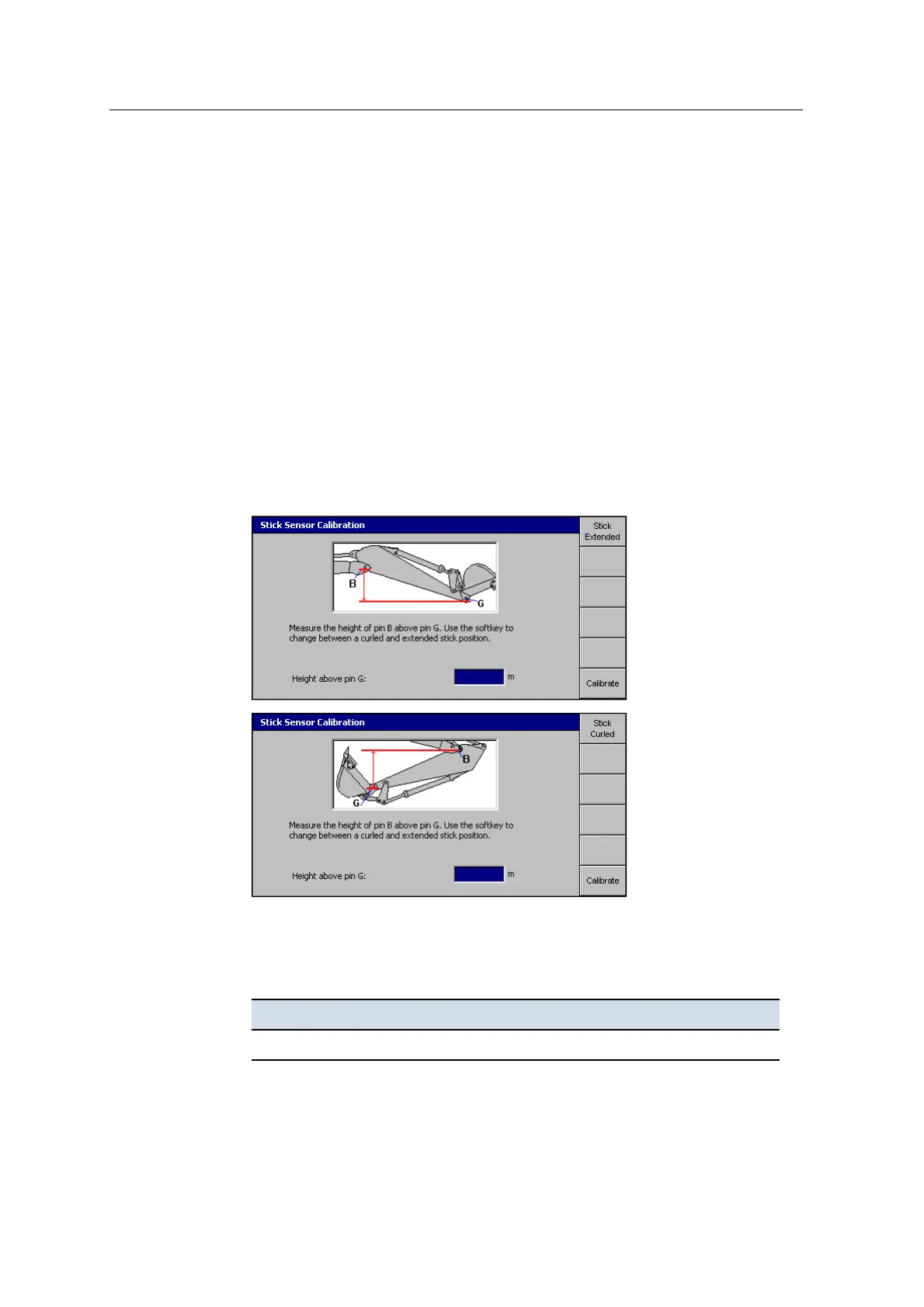
3. Measure the points shown on-screen. For more information, see Angle sensor
calibration.
4. You can calibrate the stick sensor when the machine stick is curled or
extended. Press the Stick softkey to choose the appropriate position:
5. Without changing the position of the machine, enter the height measurement in
the Height above pin ‘x’ field.
The height difference is a negative number, if:
For this sensor ... This pin ... Is below this pin ...
Boom (standard) B A
GCS900 Grade Control System for Excavators Installation Manual 117



 To Next Page