Using Policy Manager
Firebox Vclass User Guide 171
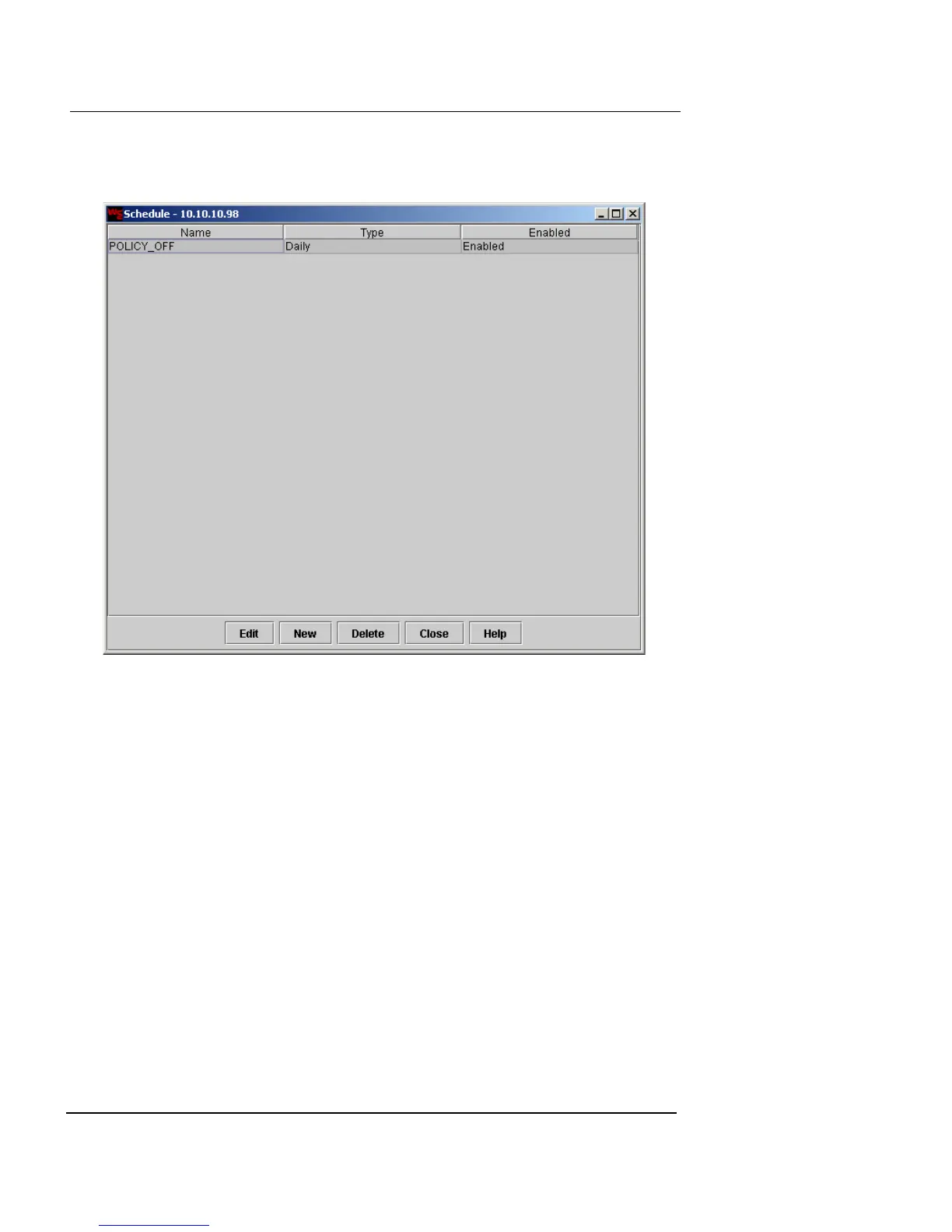
•Click Schedule to view the list of defined entries.
The Schedule dialog box appears.
- To create a new schedule, click New. For
instructions on defining the entry, see “Defining a
Schedule” on page 205.
- To edit a schedule, select the entry and click Edit.
- To delete a schedule, select the entry and click
Delete.
- When you are finished, click Close.




 To Next Page