Exporting and Importing Configuration Files
Firebox Vclass User Guide 411
To import an XML file containing the complete configura-
tion settings and policies:
1 Click Import.
An Open dialog box appears.
2 Locate and select the appropriate file.
3 Click Open.
When the process is complete, a confirmation dialog box
appears.
4 Click OK.
The Firebox Vclass appliance reboots.
Importing a configuration file using
Appliance Discovery
Instead of the usual configuration and setup process, you
can import a complete appliance profile as part of the
device discovery process.
N
OTE
No international or high ASCII characters can be extracted
and incorporated into the XML file. Only ASCII characters
or numbers are permitted in a Firebox Vclass appliance’s
XML profile.
1 When the Devices Found dialog box appears, select
the entry of the appliance to configure.
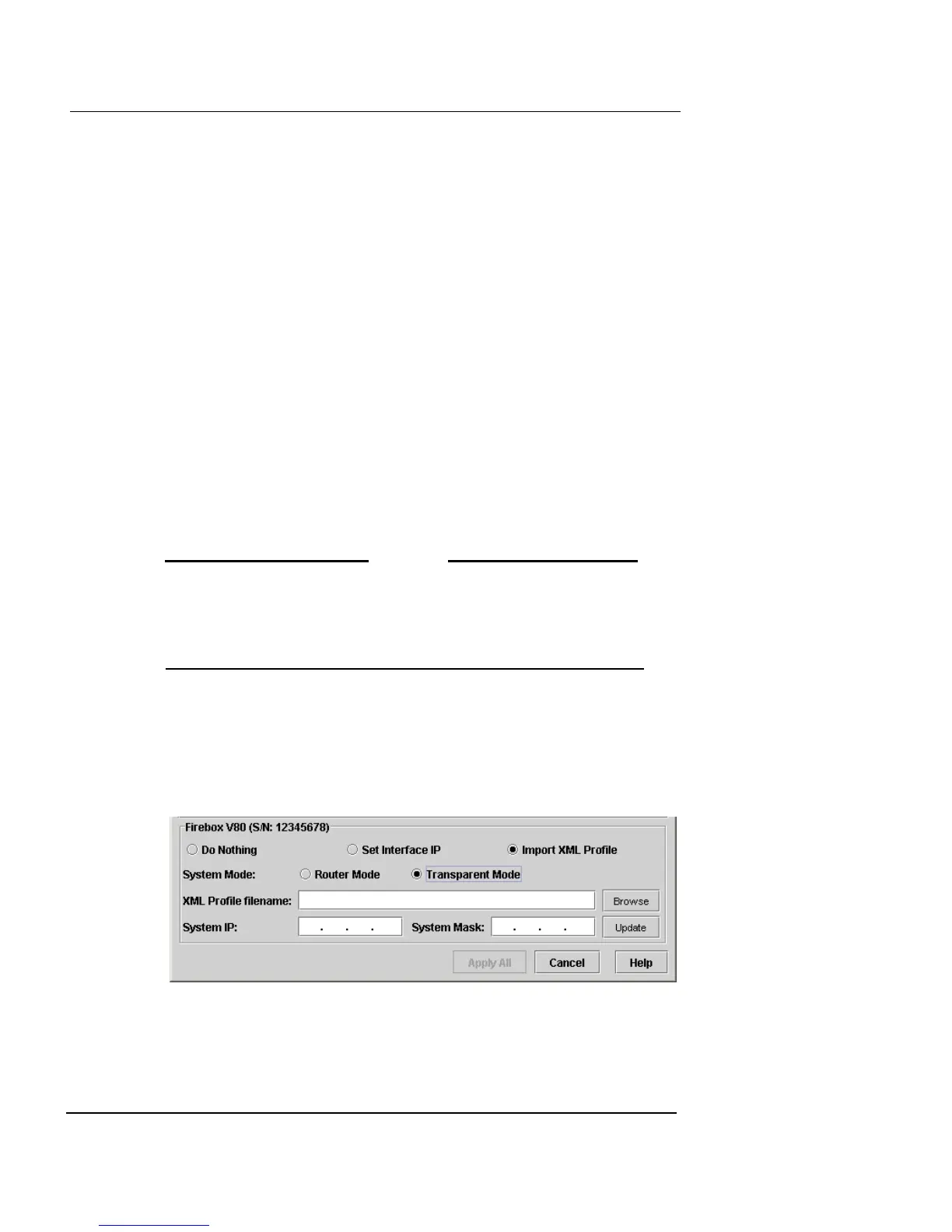
2 Click Import XML Profile.
Some additional options are displayed in the dialog box, as shown
in the following illustration.
3 Select the System Mode (Router or Transparent) that
the appliance will be running in after the profile is













 To Next Page