Transparent Mode
Firebox Vclass User Guide 81
Transparent Mode
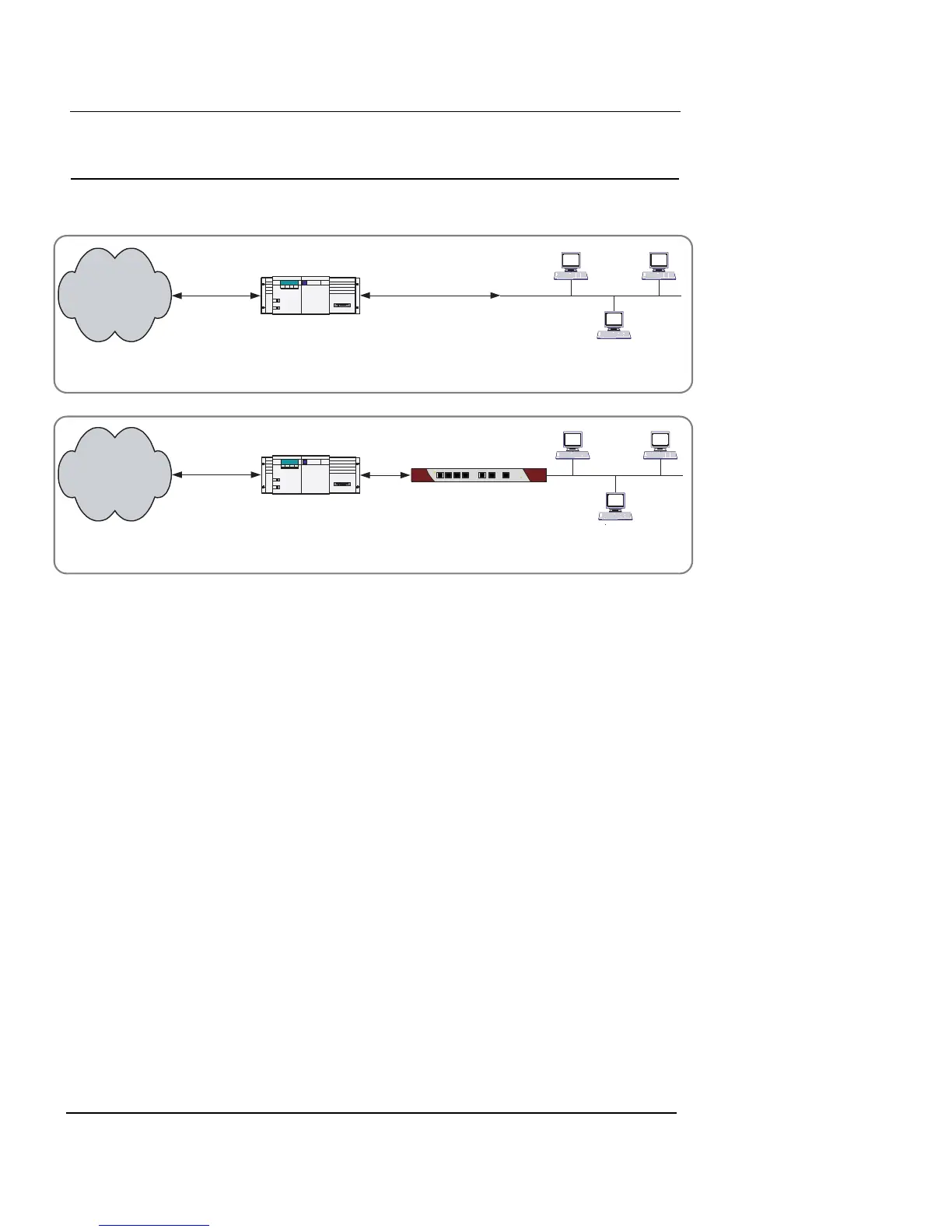
Figure 7: Vclass Transparent Mode operation
Vclass Transparent Mode is designed to allow simple
“drop-in” integration of the Vclass appliance in an existing
network topology. Figure 7, “Vclass Transparent Mode
operation,” on page 81, depicts a typical Transparent Mode
scenario. In this scenario, the Vclass is placed between an
existing router gateway and an internal network. Routing
functions are handled by the router, and the Vclass pro-
vides firewall and VPN functions.
The main differences between Transparent and Router
modes are:
• Transparent mode interfaces are promiscuous. A
promiscuous interface receives not only the packets
addressed to it (as in Router Mode), but also packets
addressed to other hosts on the network. However, the
Vclass appliance passes packets without taking any
action, if both the packet source and target are
connected and reachable on the same interface.
Vclass
Not Trusted
Trusted
Router
Not Trusted
Router
Not Trusted
Internet
Internet
Existing Network with a Transparent Mode Vclass appliance
Existing Network













 To Next Page